26
Genos2 Owner’s Manual
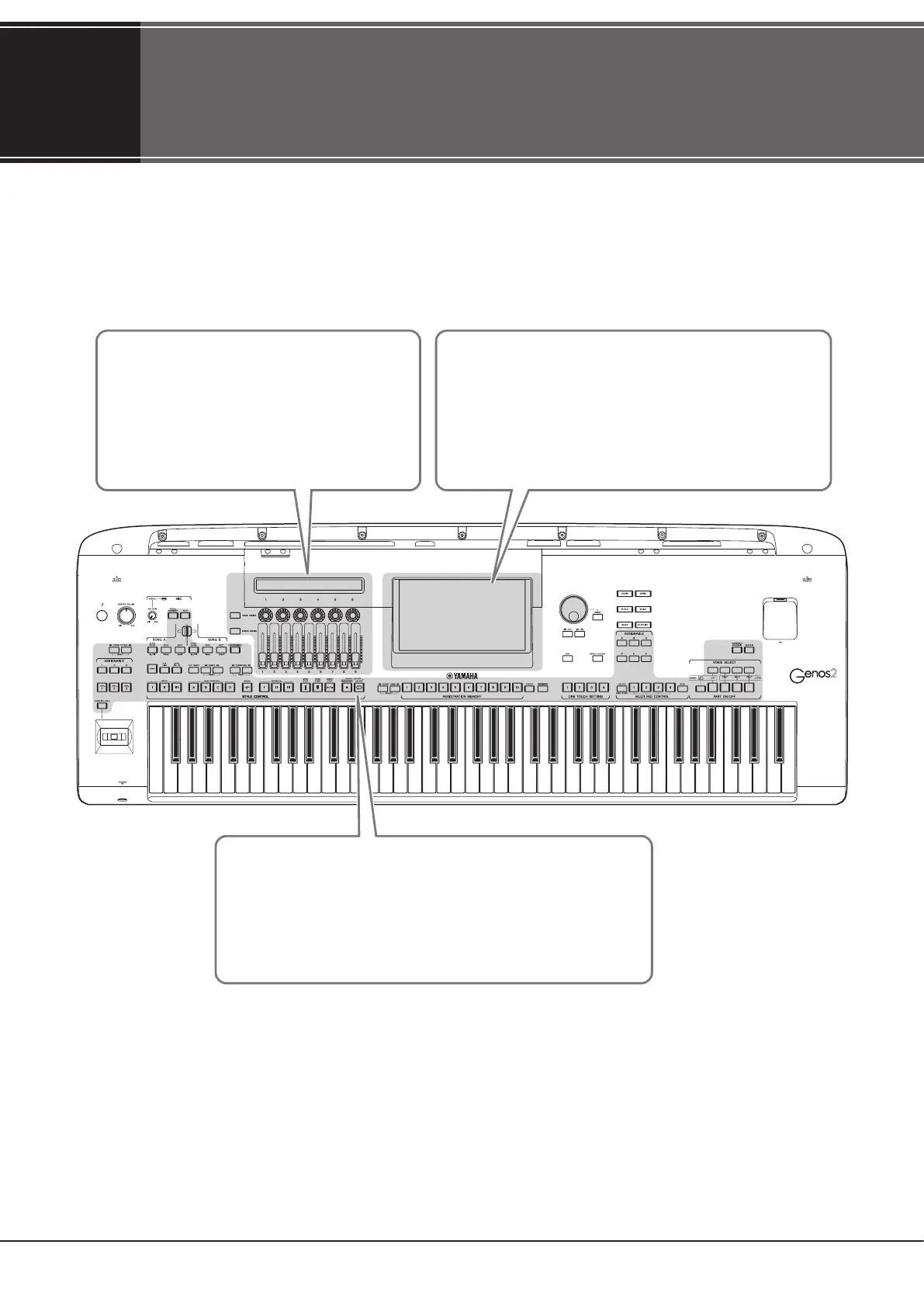
Display Structure
Genos2 has two displays (the LCD Touch Screen and the LIVE CONTROL view) and lighting buttons for visually helping you to
understand the current status.
LIVE CONTROL view (Sub Display)
The LIVE CONTROL view indicates the parameters
operated when you use the six LIVE CONTROL
knobs and nine LIVE CONTROL sliders. For details
on the display structure, see page27.
LCD (Main Display; touch screen)
The LCD indicates the parameters and values related to the
currently selected operation. You can operate by touching the
“virtual” buttons or sliders on the display. For details on the
display structure, see page28.
Lighting buttons
These buttons indicate the corresponding function statuses by
lighting on/o, ashing, or changing colors. For details on the
lighting indications and conventions, refer to each description of the
functions.



 To Next Page