110
Genos2 Owner’s Manual
Connections—Using Your Instrument
with Other Devices
This chapter covers the connections of this instrument to other devices. To see where the connectors are located on the
instrument, refer to pages 18 – 21.
CAUTION
Before connecting the instrument to other electronic components, turn o the power of all components. Also, before turning any components on or
o, make sure to set all volume levels to minimum (0). Otherwise, damage to the components, electrical shock, or even permanent hearing loss may
occur.
Connecting a Microphone ([MIC INPUT] jack)
By connecting a microphone, you can sing along with your keyboard performance or with Song playback, as well as record your
vocal performance to an Audio Song. Make sure you have a dynamic microphone or a condenser microphone.
About Dynamic and Condenser Microphones
• A dynamic microphone reduces vibration noise, making it good for live performances. Power is not required.
• A condenser microphone is mainly used for vocals and other instruments in environments such as a recording studio, since
it is more sensitive to delicate sounds. For this reason, you need to take greater care to minimize vibrations than with a
dynamic microphone. The condenser microphone requires phantom power supply (+48V), which it receives from Genos2 by
connecting with an XLR connector.
Connecting a microphone to the instrument
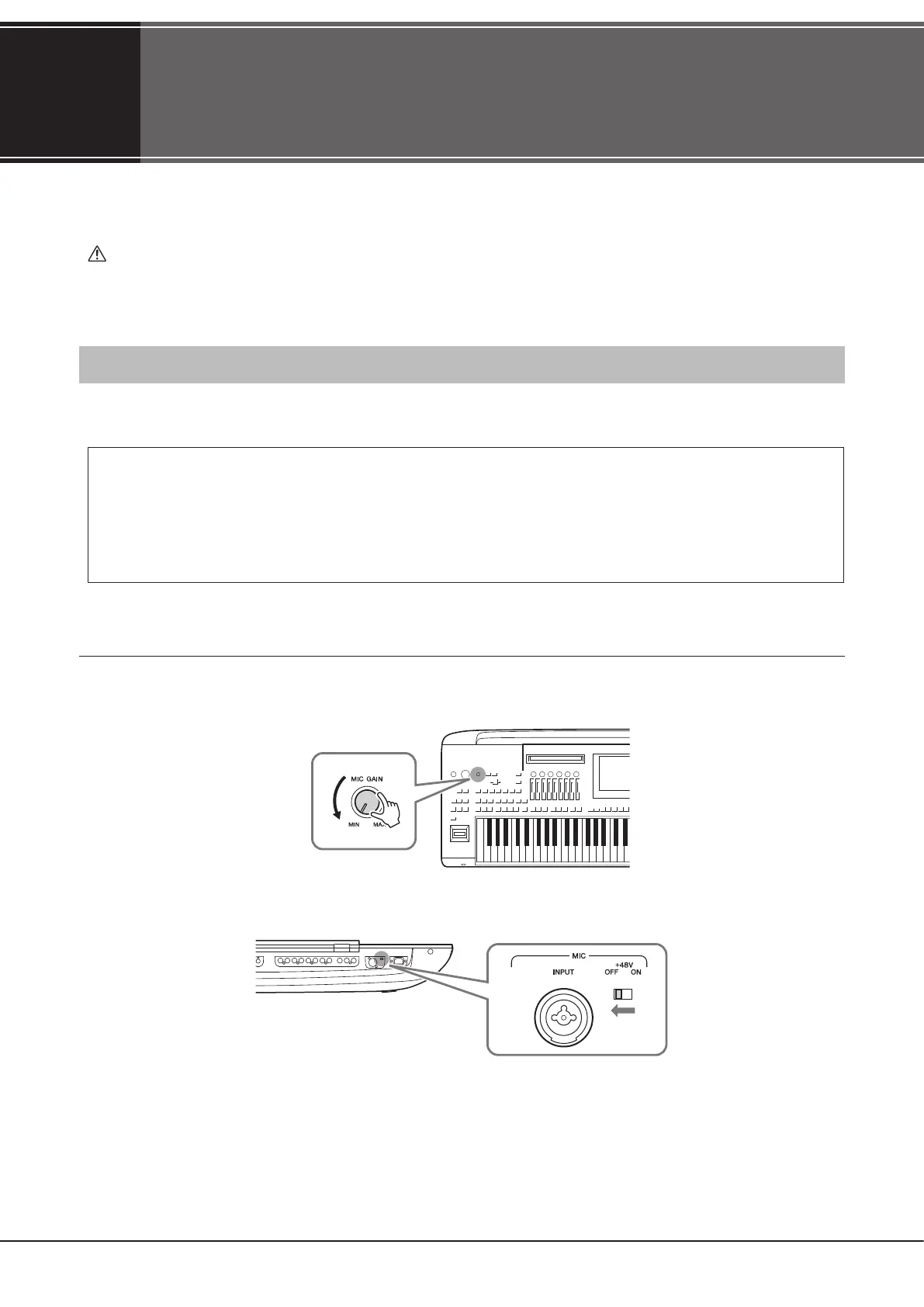
1 Set the [MASTER VOLUME] knob and the [MIC GAIN] knob to the minimum position.
2 Set the [+48V] switch to o.



 To Next Page