24
Genos2 Owner’s Manual
Auto Power O function
To prevent unnecessary power consumption, this instrument features an Auto Power O
function that automatically turns the power o if the instrument is not operated for a specied
period of time. The amount of time that elapses before the power is automatically turned o is
approximately 30minutes by default; however, you can change the setting (page24).
Disabling Auto Power O (simple method)
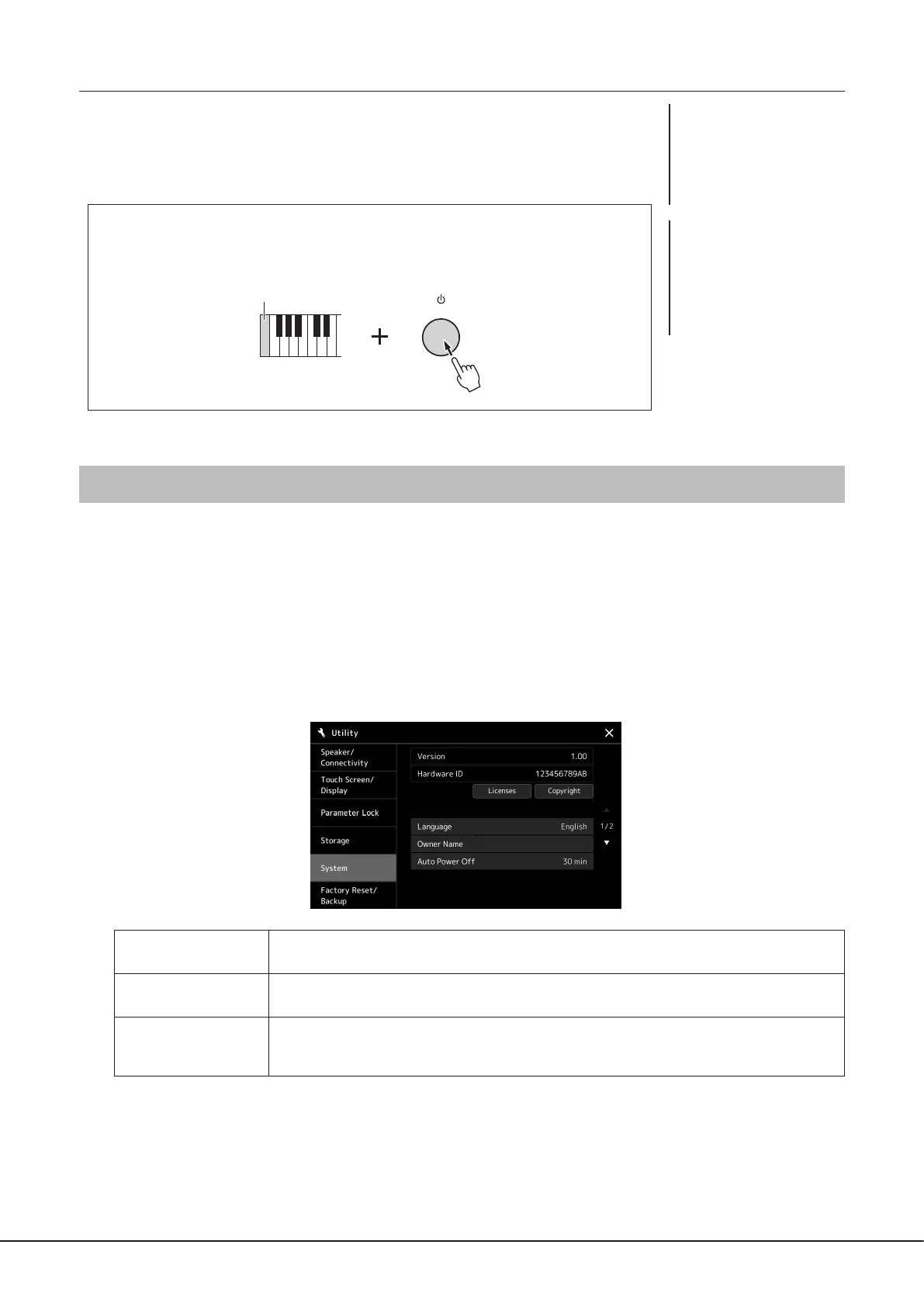
Turn the power on while holding down the lowest key on the keyboard. A message appears
briey and Auto Power O is disabled.
Making Basic Settings
As necessary, make basic settings for the instrument, such as the language shown on the display.
1 Call up the Utility operation display.
First, press the [MENU] button to call up the Menu display. Then touch [Menu 2] to move to page 2 on the display (if
necessary), and touch [Utility].
2 Touch [System] on the display.
3 Make the necessary settings by touching the display.
Language
Determines the language used in the display for messages. Touch this setting to call up the language list,
then select the desired one.
Owner Name
Lets you input your name which appears in the opening display (called up when the power is turned on).
Touch this setting to call up the character entry window, then input your name (page40).
Auto Power O
Lets you set the amount of time that elapses before the power is turned o by the Auto Power O function
(above). Touch this to call up the list of settings, then select the desired one. To disable Auto Power O,
select “Disabled” here.
For information on the other items in this display, refer to the Reference Manual on the website (page10).
The lowest key
NOTICE
Any data which is not saved
via the Save operation will be
lost if the power automatically
turns o. Make sure to save
your data before this happens
(page37).
NOTE
When a USB ash drive
containing a large number
of les is connected to the
instrument, the execution of the
Auto Power O function may be
postponed, since the le search
index is automatically updated.



 To Next Page