124
Genos2 Owner’s Manual
Appendix
Installing the Optional Speakers
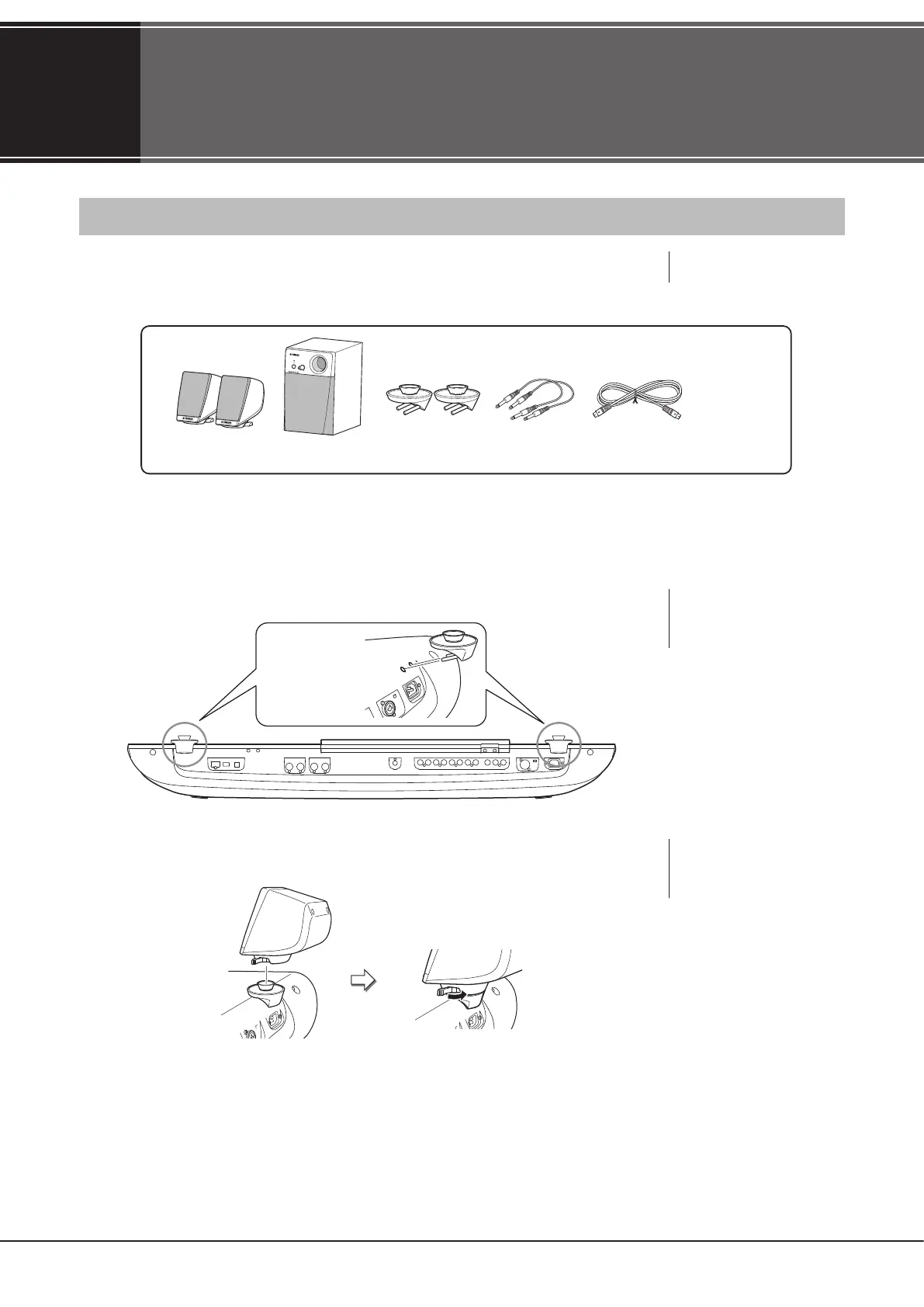
Make sure that all of the parts below have been included in the GNS-MS01 speaker package.
1 Turn Genos2’s power o, and disconnect the AC power cord. Also, make sure to disconnect the
keyboard from any other external devices.
2 Insert the two speaker brackets to the rear panel of Genos2.
3 Fasten the satellite speakers to the left and right brackets.
Satellite speakers (2) Subwoofer
speaker (1)
Speaker brackets (2) Phone cables (2) 8-pin mini DIN
cable (1)
AC power
cord (1)
NOTE
Either bracket can be inserted
interchangeably to either
location.
Use the outside slots
(as shown).
NOTE
The satellite speakers can be
installed interchangeably to
either location.
Place the speaker on the bracket. Adjust the direction of the speaker as desired,
then fasten it securely to the bracket.
NOTICE
Use only the supplied cables.



 To Next Page