112
Genos2 Owner’s Manual
Disconnecting the microphone
1 Set the [MASTER VOLUME] knob and the [MIC GAIN] knob to the minimum position.
2 Set the [+48V] switch to o.
3 When using a condenser microphone, wait more than 10 seconds.
4 Disconnect the microphone from the [MIC INPUT] jack.
Connecting the Optional Yamaha GNS-MS01 Speaker
Use the [TO RIGHT SPEAKER], [TO LEFT SPEAKER] and [TO SUB WOOFER] jacks. Refer to page124.
Connecting Audio Devices (LINE OUT jacks, AUX IN)
IMPORTANT
Since Genos2 has no built-in speakers, you need to monitor its sound output via external audio equipment. Alternatively, you can use a pair of
headphones (page22).
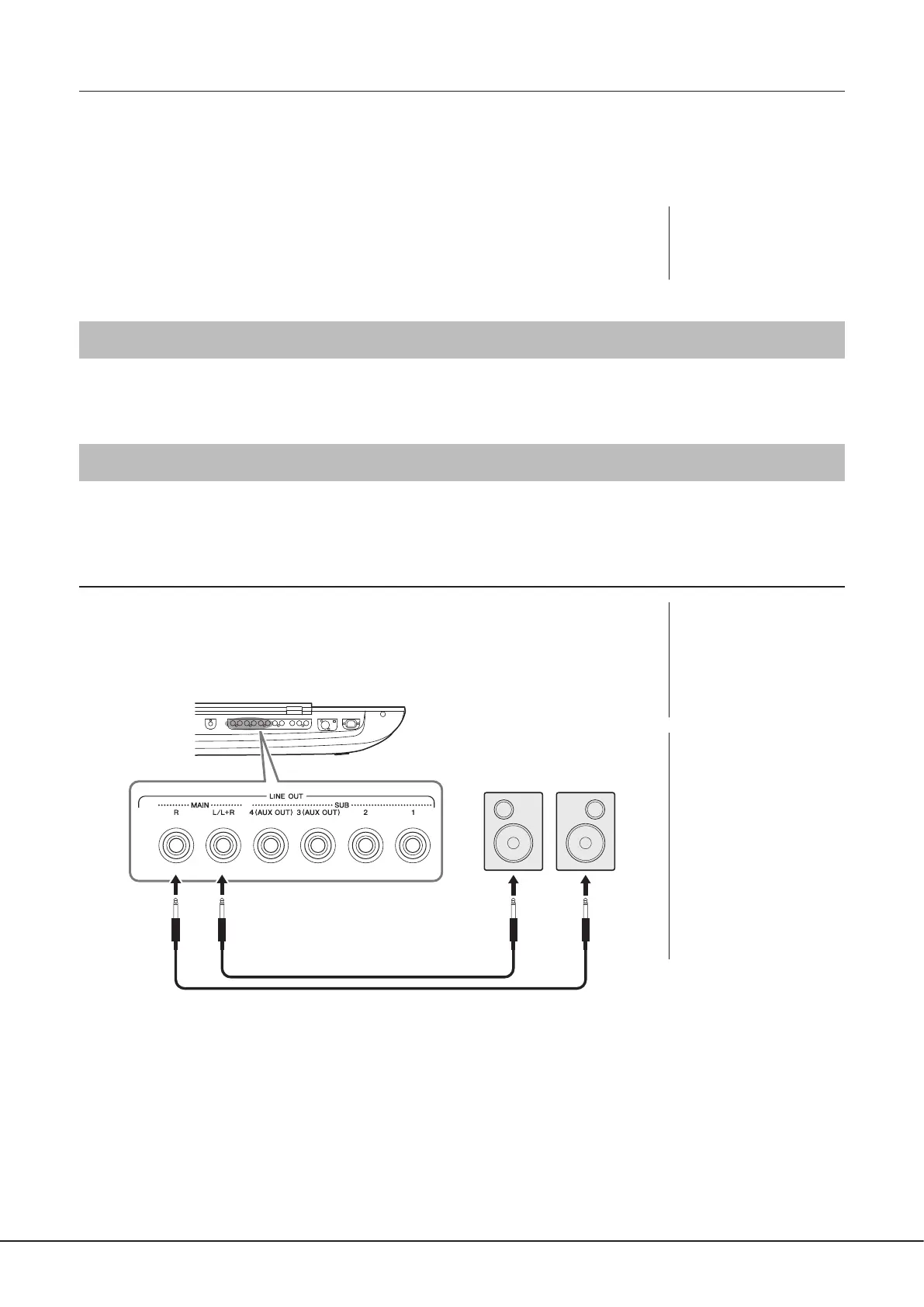
Using external audio devices for playback (LINE OUT jacks)
The LINE OUT jacks are used to send Genos2 output to a keyboard amplier, stereo sound system
or mixing console. If you are connecting Genos2 to a mono sound system, use only the LINE OUT
MAIN [L/L+R] jack. When only this jack is connected (using a standard phone plug), the left and
right channels are combined and output through this jack—providing a convenient mono mix of
Genos2’s stereo sound.
NOTICE
Disconnecting immediately
can damage the condenser
microphone and/or the
instrument itself.
NOTE
You can send a specic part
to any desired LINE OUT SUB
jack. The operation display can
be called up via: [MENU] à
[Line Out]. For details, refer to
the Reference Manual on the
website.
NOTICE
To avoid possible damage,
rst turn on the power to
the instrument, then to the
external device. When turning
o the power, rst turn o the
power to the external device,
then to the instrument. Since
this instrument’s power may
automatically be turned o
due to the Auto Power O
function (page24), turn
o the power to the external
device, or disable Auto Power
O when you do not intend to
operate the instrument.
Phone plug
(standard)
Phone plug
(standard)
Powered speakers
Input jack
Audio cable



 To Next Page