111
Genos2 Owner’s Manual
Connections—Using Your Instrument with Other Devices
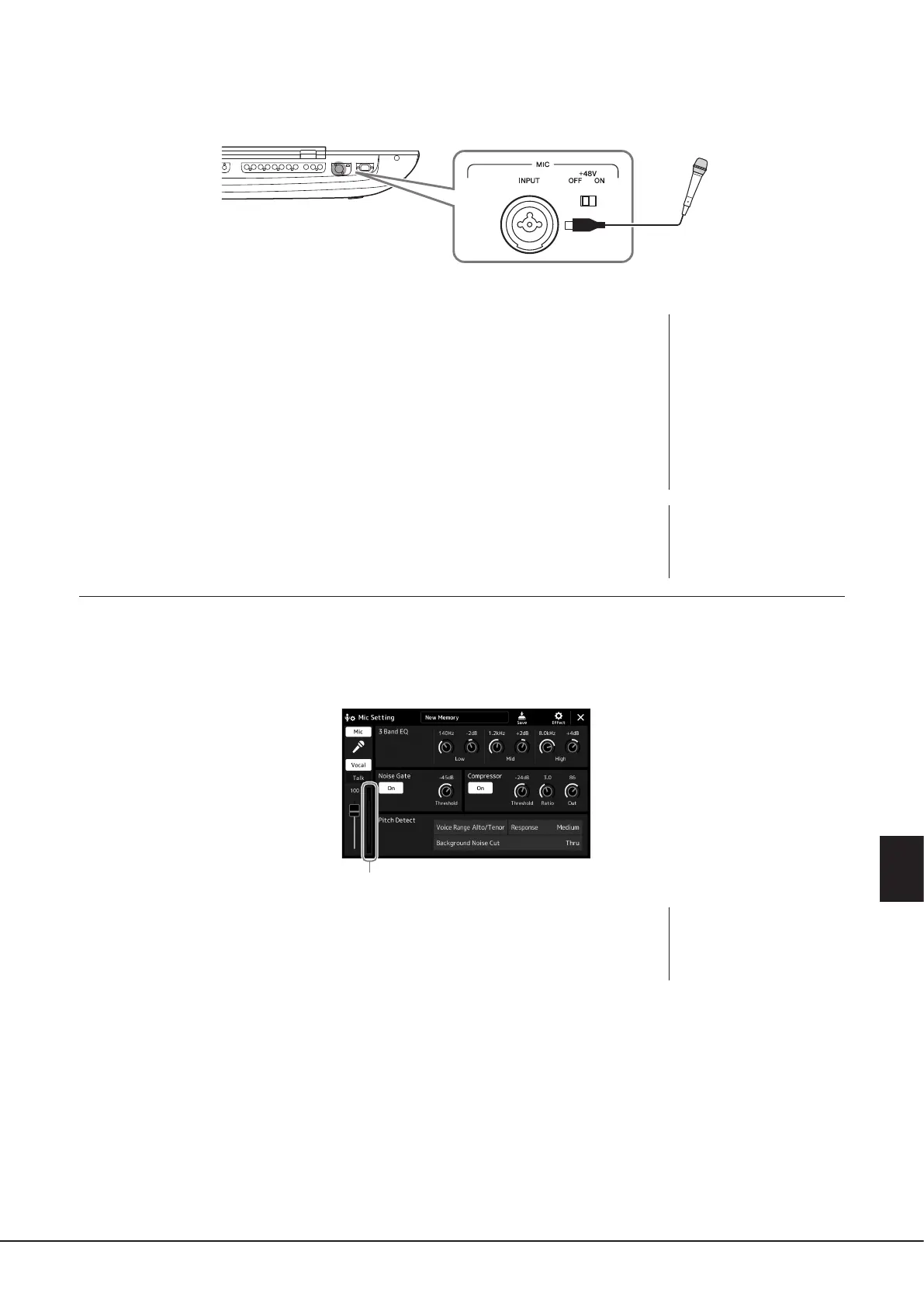
3 Connect a microphone to the [MIC INPUT] jack.
For dynamic microphone connection, use the XLR connector or a standard 1/4" phone plug connector. For a condenser
microphone, use the XLR connector.
4 When using a condenser microphone, turn the [+48V] switch on.
5 Return the [MASTER VOLUME] dial to the original level.
Adjusting the input level of the microphone
1 If necessary, turn on the microphone.
2 Call up the Mic Setting display via [MENU] à [Mic Setting].
3 Adjust the [MIC GAIN] knob while singing into the microphone.
Adjust the [MIC GAIN] knob so that the input level meter on the display lights in green or
yellow. Make sure that the meter does not light in orange or red, since this indicates that the
input level is too high.
4 Adjust the volume balance between the microphone sound and the
instrument sound on the Mixer display (page90).
The combo jack accepts either XLR or
1/4" phone plug connectors.
Input level meter
NOTE
You can also check the input
level on the SIGNAL lamp on the
panel. Make sure that the lamp
does not light in red.
NOTICE
• Do not connect or
disconnect any cables
while turning on the [+48V]
switch. Doing so can damage
the connected device and/or
the instrument itself.
• When using the devices
not requiring phantom
power such as a dynamic
microphone, make sure to
set the [+48V] switch to OFF.
NOTE
When the [+48V] switch is
turned on and o, the input
from the [MIC IN] jack will be
muted for a few seconds.



 To Next Page