85
Genos2 Owner’s Manual
Singing with Song Playback—Operations While Performing
4
Using Song Position Markers (MIDI Song only)
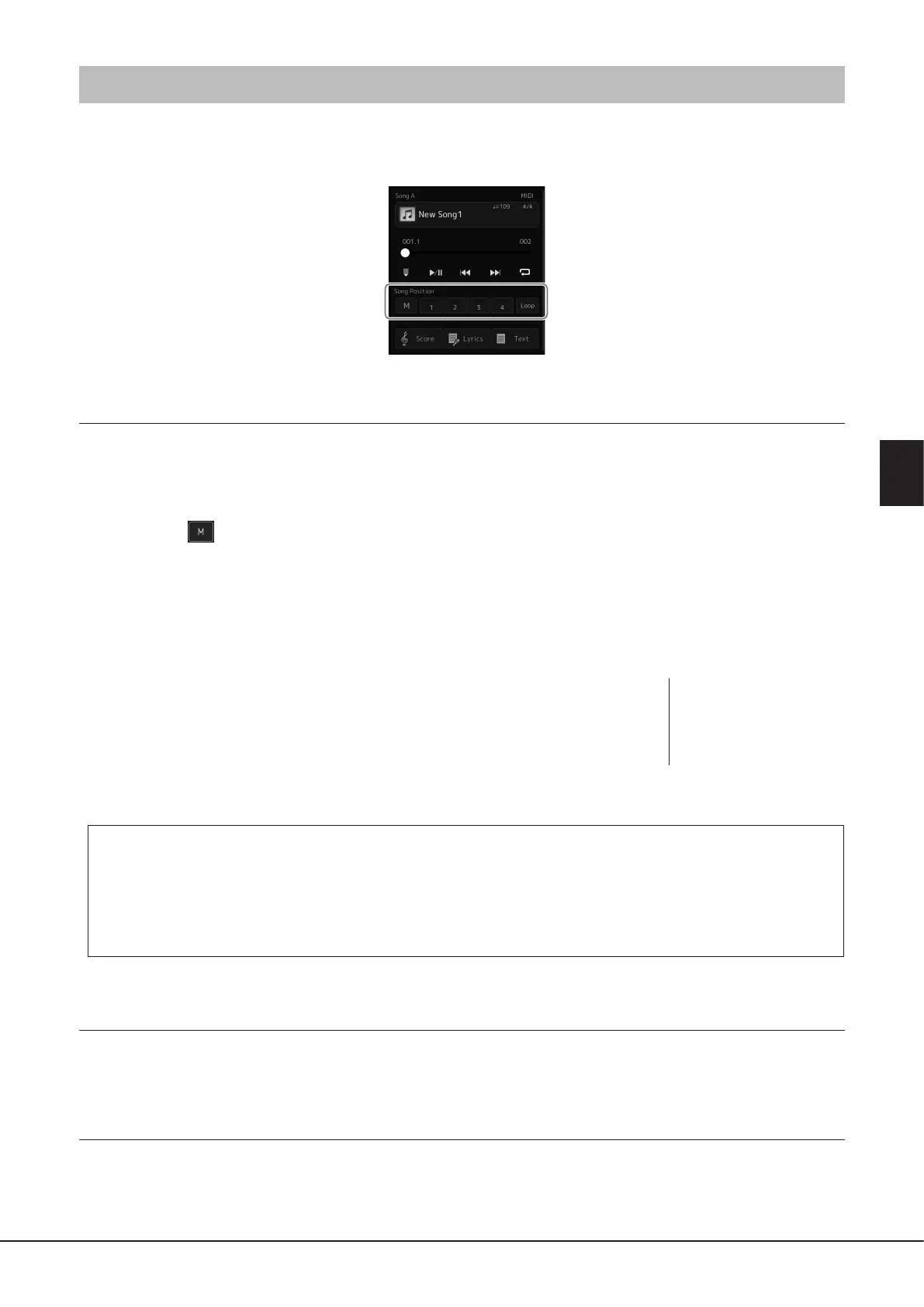
Song Position markers (SP1–SP4) can be placed in the MIDI Song data. This not only lets you navigate quickly and easily through
the MIDI Song data, but also lets you set up convenient playback loops—allowing you to create dynamic Song arrangements “on
the y,” as you perform.
Entering Song Position Markers
1 Select the desired MIDI Song (page78), and start playback (page82).
2 Enter the Song Position markers.
2-1 Touch (Song Position Memorize) to turn it on.
2-2 When the Song reaches the point at which you wish to enter a marker, touch the desired marker number
([1]–[4]) on the display.
The corresponding Song Position marker is entered, and Song Position Memorize is automatically turned o.
3 As desired, enter other markers in the same way as step 2.
4 Pause Song Playback (page82).
5 Save the Song.
5-1 Touch the Song name to call up the Song Selection Display.
5-2 Save the Song le (page37).
About the status of Song Position [1]–[4]
• O: Song Position is not entered to the button.
• Green: Song Position is entered to the button.
• Red (ashes): Playback jump is ready. See below (“Jumping to a Song Position Marker during playback”).
• Red: The Song Position has been passed and Song playback continues to the next Song button.
Jumping to a Song Position Marker during playback
Simply touching the one of the Song Position [1]–[4] during Song playback jumps to the corresponding position, after the current
played measure reaches its end. (The button will ash in red, indicating that playback jump is ready.) You can cancel the jump by
touching the same Song Position again before the actual jump.
Starting playback from a specic Marker
First, touch one of Song Position [1]–[4] while Song playback is stopped, and then start playback (page82).
NOTICE
The entered marker settings
will be lost if you change to
another Song or you turn the
power o without executing
the Save operation.



 To Next Page