84
Genos2 Owner’s Manual
Playback Operations exclusively for Audio Song
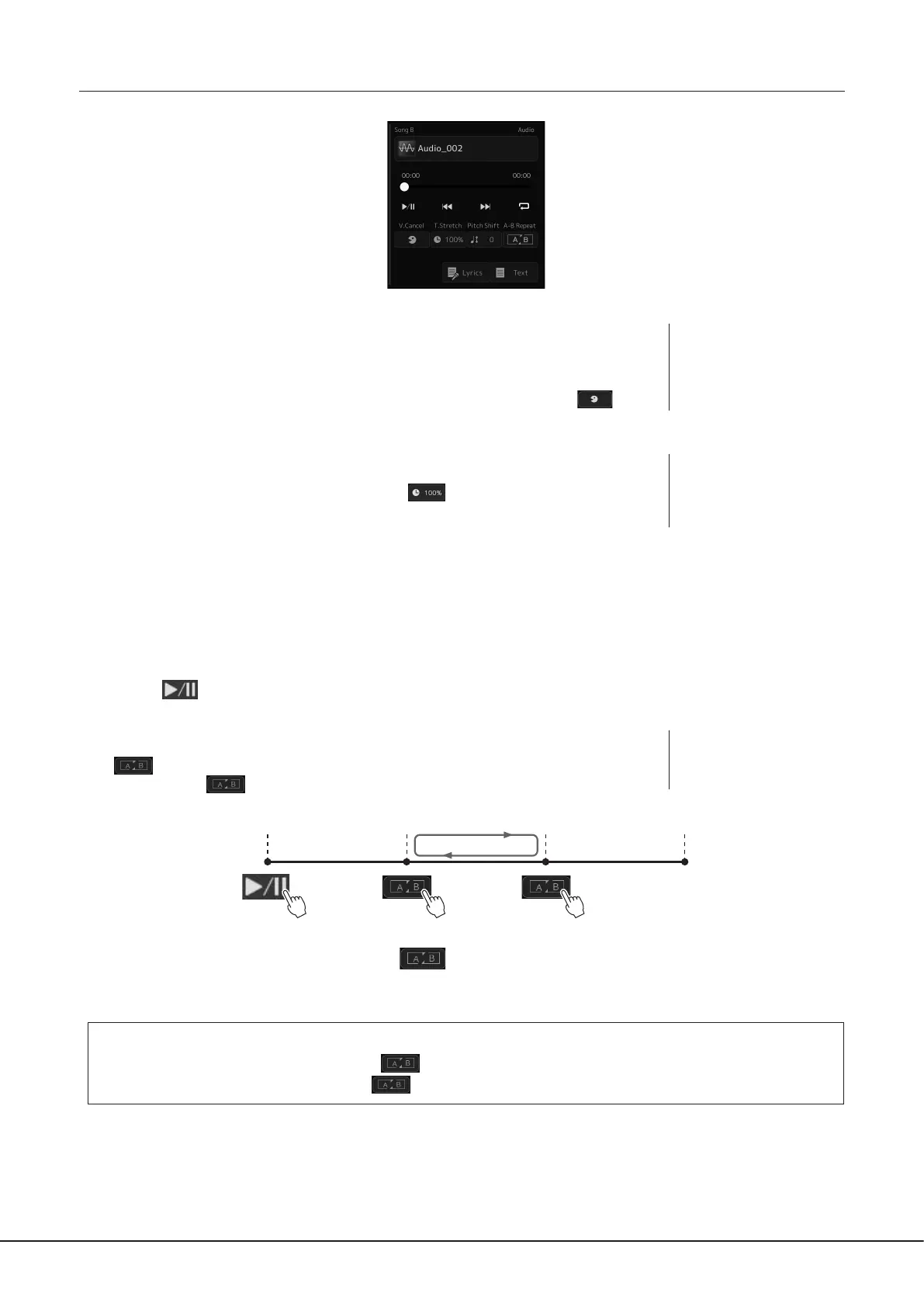
Vocal Cancel
This let you cancel or attenuate the center position of the stereo sound in Audio Song playback.
This lets you sing “karaoke” style with just instrumental backing, or play the melody part on the
keyboard, since the vocal sound is usually at the center of the stereo image in most recordings.
To turn the Vocal Cancel function on/o, rst select an Audio Song, then turn on/o
(Vocal
Cancel).
Time Stretch
Like Tempo adjustment of a MIDI Song, this lets you adjust the playback speed of an Audio
Song by stretching or compressing it. To do this, touch
(Time Stretch) to call up the setup
window. Touch [L]/[R] in this window to set the value (from 70% to 160%). Higher values result
in a faster tempo.
Pitch Shift
Like the Transpose function of the MIDI Song, this lets you shift the pitch of an Audio Song in semitone steps (from −12 to 12).
A-B Repeat Playback
This lets you repeatedly play back a specied range (between points A and B).
1 Touch (Play/Pause) to start playback.
2 Specify the repeat range.
When playback reaches the point you want to specify as the starting point (A), turn on
(A-B Repeat). When playback reaches the point you want to specify as the ending
point (B), touch
(A-B Repeat) again. The range from Point A to Point B will be played
back repeatedly.
3 To cancel A-B repeat playback, turn o (A-B Repeat).
The time of point A and B are cleared, and Repeat Playback is canceled.
Specifying the repeat range while Song playback is stopped
1. Fast-forward the Song to Point A then turn on (A-B Repeat).
2. Fast-forward the Song to Point B then touch
(A-B Repeat) again.
NOTE
Though the Vocal Cancel
function is highly eective on
most audio recordings, the vocal
sound on some songs may not
be completely cancelled.
NOTE
The Time Stretch and Pitch Shift
functions cannot be used when
playing back an MP3 le of
48.0kHz sample rate.
NOTE
Specifying only Point A results in
repeat playback between Point
A and the end of Song.
Top of the Song A B End of the Song



 To Next Page