83
Genos2 Owner’s Manual
Singing with Song Playback—Operations While Performing
4
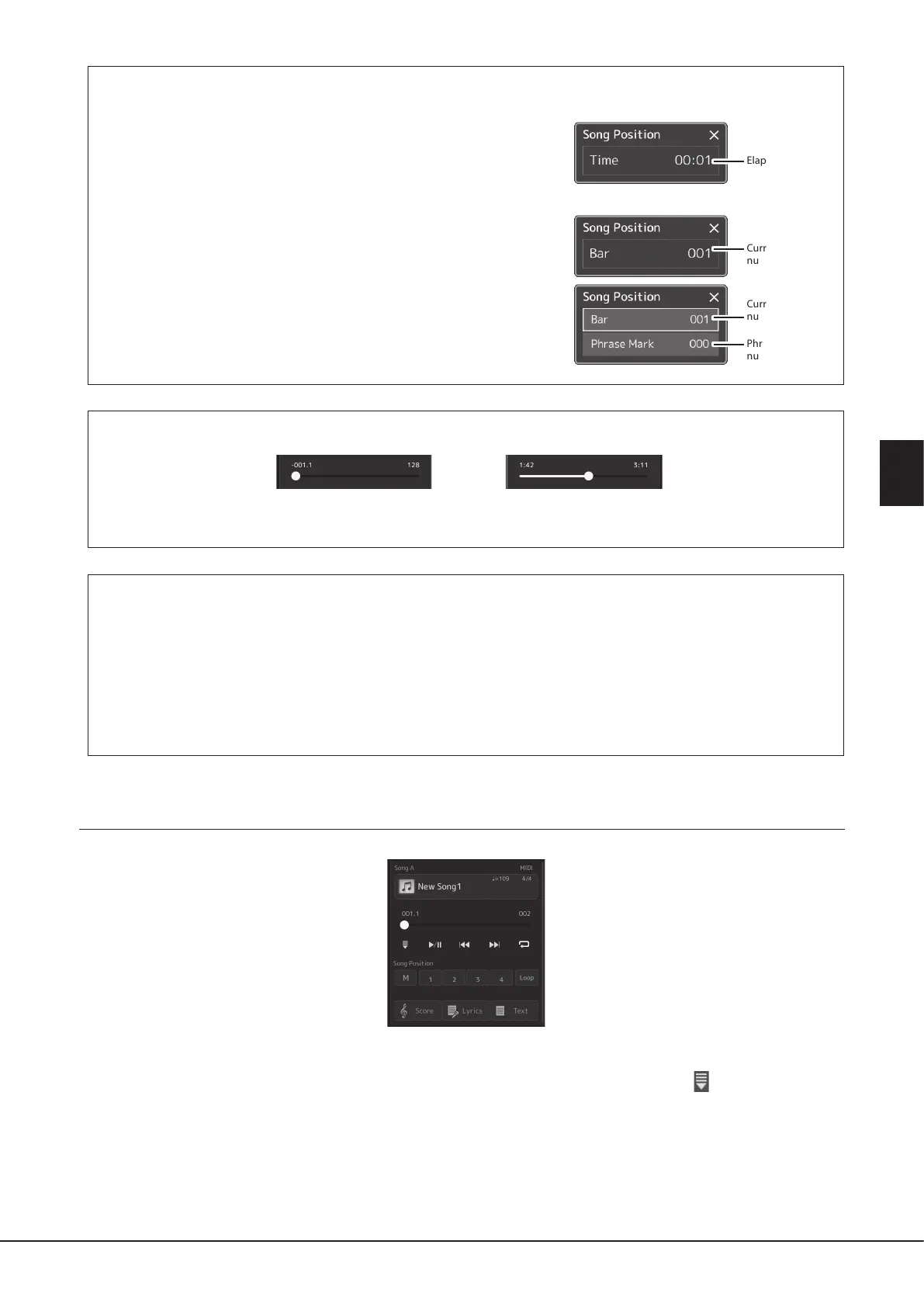
Moving the Song Playback Position (Song Position pop-up window)
When you press and hold the [PREV] or [NEXT] button, a setting display
appears showing the current position of the Song. When the window is
shown on the display, you can also use the Data dial to move backward/
forward continuously through the current le.
The Phrase Mark number appears only when a MIDI Song containing Phrase
Marks is selected. You can select whether the Song playback position moves
backward or forward in Bar or Phrase Mark units by touching the setting
display beforehand.
NOTE
Phrase Mark is a pre-programmed marker in certain MIDI Song data, which species a
specic location in the Song.
Moving the Song Playback Position (progress bar on the display)
In each Song area, the current position of the Song playback is shown. This can be moved forward or backward by moving the
slider on the display.
Queuing the next Song for playback
While a MIDI Song is playing back, you can queue up the next MIDI Song for playback. This is convenient for chaining it to
the next Song smoothly during live performance. To queue up, select the Song you want to play next in the Song Selection
display, while a Song is playing back. The “Next” indication appears at the upper right of the corresponding Song name. To
cancel this setting, touch (Next Cancel) on the Song Selection display.
You can also queue up the next Audio Song for playback while a Audio Song is playing back, in the same way as for a MIDI
Song.
NOTE
When the Recording function is used, the queue for playback is canceled.
Playback Operations exclusively for MIDI Song
Synchro Start
You can conveniently start playback of a MIDI Song as soon as you start playing the keyboard. Touching (Synchro start) puts
Synchro Start in standby status, regardless of whether the Song is currently playing or stopped. To cancel the Synchro Start
function, repeat the same operation.
Playback Using Song Position Markers ([M], [1]–[4], [Loop])
Using Song Position markers, you can not only navigate quickly and easily through the MIDI Song data, but also set up convenient
playback loops, for ease in song arranging. For details, refer to “Using Song Position Markers” (page85).
For Audio Songs
For MIDI Songs
Current measure
number
Elapsed time
Current measure
number
Phrase Mark
number



 To Next Page