90
Genos2 Owner’s Manual
Adjusting the Parameters of
Each Part—Mixer
Operation Guide
5
The Mixer gives you intuitive control over aspects of the keyboard parts and Song/Style channels, including volume balance and
the timbre of the sounds. It lets you adjust the levels and stereo position (pan) of each Voice to set the optimum balance and stereo
image, and lets you set how the eects are applied.
This section covers the basic procedures for the Mixer. For details, refer to the Reference Manual on the website.
Basic Procedure for the Mixer
1
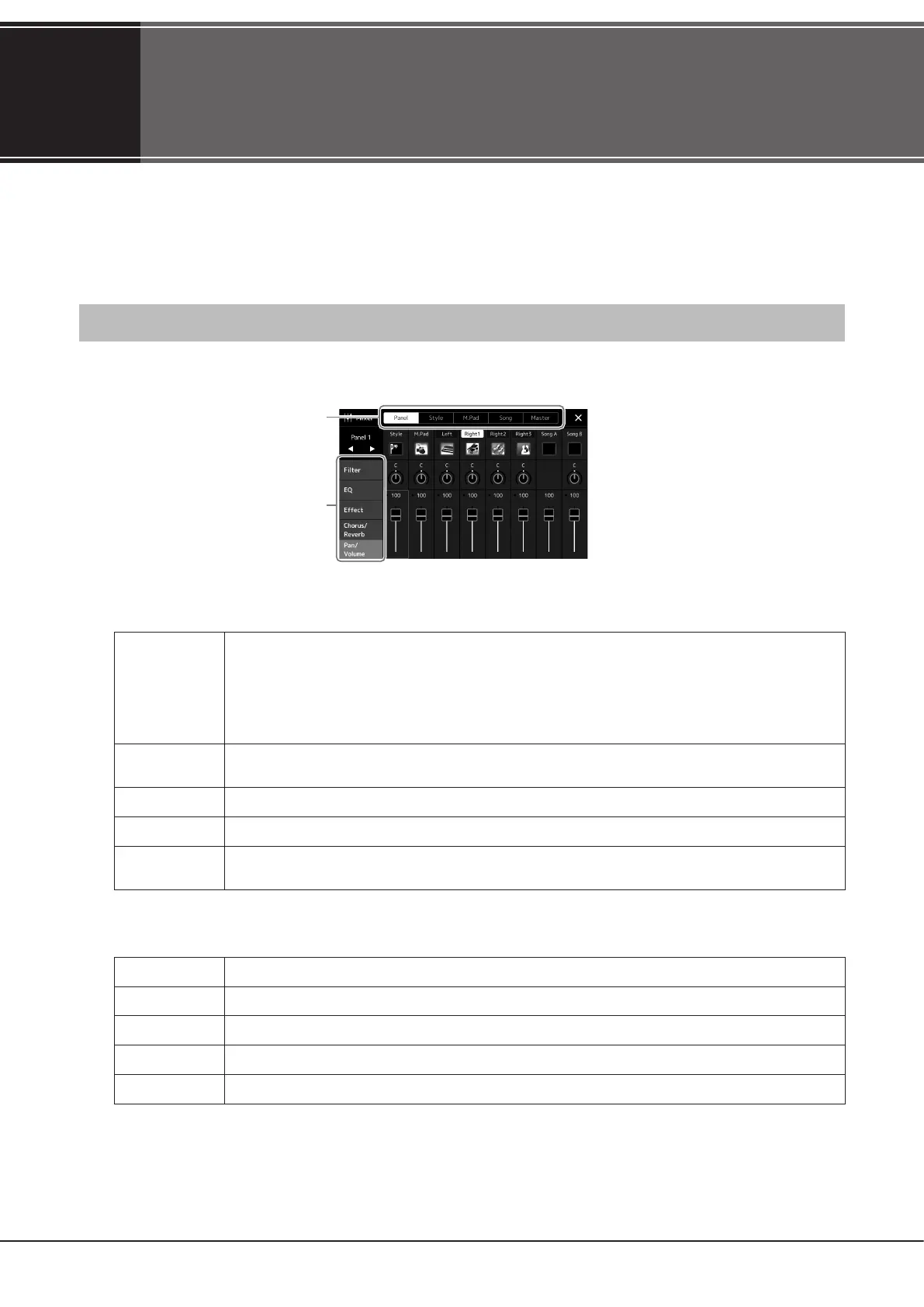
Call up the Mixer display via [MENU] à [Mixer].
3
2
2 Touch the appropriate tab for editing the balance between the desired parts.
Panel
Use this display when you want to adjust the balance among these parts: entire Style, entire Multi Pad, Left, Right
1–3, entire Song A, entire Song B, Mic, Aux In Audio, USB Function Audio
*1
, Bluetooth Audio
*2
, and Wireless LAN
Audio
*3
.
*1: Audio input from the [USB TO HOST] terminal (page117).
*2: Audio input via Bluetooth communication. The Bluetooth function may not be included depending on your area or the model.
*3: Audio input via wireless LAN communication. The wireless LAN function may not be available depending on your area.
Style
Use this display when you want to adjust the balance between the channels of the Style. About each channel, refer
to “Style Channels” (page92).
M.Pad
Use this display when you want to adjust the balance among the four Audio Link Multi Pads.
Song
Use this display when you want to adjust the balance between all the parts of the MIDI Song.
Master
Unlike the other displays, use this display when you want to adjust the tonal characteristics of the entire sound
(except for Audio Songs) of this instrument. For details on this display, refer to page106.
3 Touch a tab for editing the desired parameters.
Filter
For adjusting Resonance, and Cuto (sound brightness).
EQ
For adjusting equalization parameters to correct the tone or timbre of the sound.
Eect
For selecting an Eect type and adjusting its depth for each part.
Chorus/Reverb
For selecting a Chorus/Reverb type and adjusting its depth for each part.
Pan/Volume
For adjusting panning and volume for each part.



 To Next Page