27
Genos2 Owner’s Manual
Display Structure
LIVE CONTROL View (Sub Display) Structure
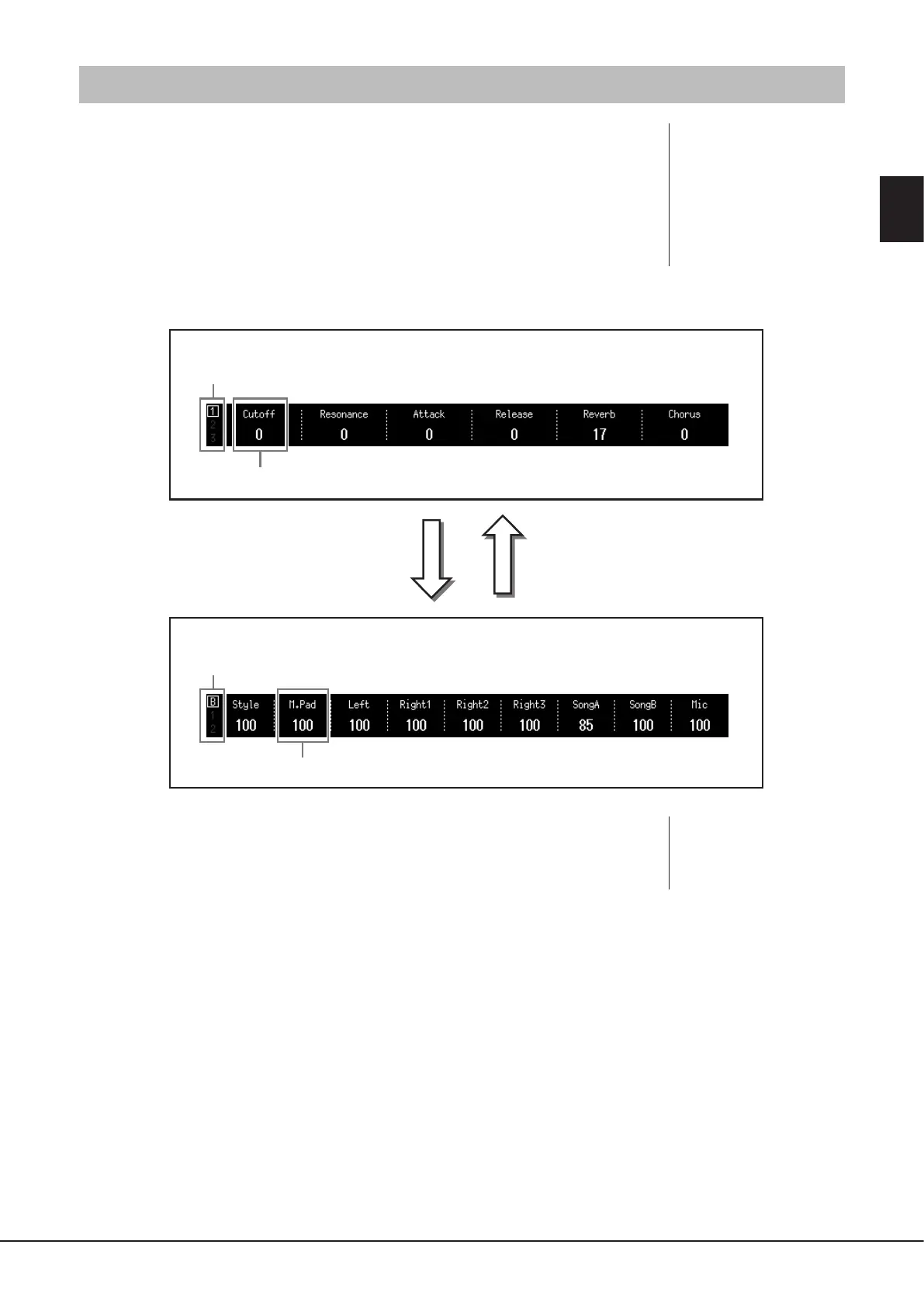
In the LIVE CONTROL view, you can see the parameters status controlled by the LIVE CONTROL
knobs and the LIVE CONTROL sliders. There are two displays: knobs and sliders, and you can
switch between these two displays while operating the instrument. To switch between the
displays without changing parameter values, simply press the [KNOB ASSIGN]/[SLIDER ASSIGN]
buttons.
The LIVE CONTROL knobs display
The LIVE CONTROL sliders display
Displays number of Knob Assign Type (page62)
Displays number of Slider Assign Type (page62)
Displays parameter currently being controlled by corresponding knob.
Displays parameter currently being controlled by corresponding slider.
Operating one of the sliders
or
Pressing the [SLIDER ASSIGN] button
Operating one of the knobs
or
Pressing the [KNOB ASSIGN] button
NOTE
You can also check the current
values of parameters from the
LEDs of each knob and slider. For
details, refer to page62.
NOTE
Pressing the [KNOB ASSIGN]
button while the knobs display
is already shown or pressing the
[SLIDER ASSIGN] button while
the sliders display is already
shown switches the Assign Type
of the corresponding controller
group. For details on switching
Assign Types, see page62.



 To Next Page