94
Genos2 Owner’s Manual
Song Recording
Operation Guide
6
This instrument allows you to record your performance in two ways: MIDI recording and Audio recording. In addition, each way
of recording features two dierent methods: Quick Recording, which is the easiest, most convenient way to record, and Multi
Recording, which allows you to record each channel or each track independently. In this section, we’ll take a look at MIDI Quick
Recording and Audio Quick Recording.
MIDI Quick Recording
With this method, recorded performances are saved to the instrument or a USB ash drive as an SMF (format0) MIDI le. If you
want to re-record a specic section or change Voices and edit other parameters, use this method. This instrument allows you to
record approximately 3MB per Song.
Audio Quick Recording
With this method, recorded performances are saved to the instrument as an Audio le. Recording is done without designating
the recorded part. Since it is saved in stereo WAV format of normal CD quality resolution (44.1kHz/16-bit), it can be transmitted
to and played on portable music players by using a computer. This instrument allows you to record up to 80minutes per single
recording.
Multi Recording
• MIDI Multi Recording: This lets you create a MIDI Song consisting of 16 channels by recording your performance to each
channel one by one.
• Audio Multi Recording: This lets you record your performance several times to make up the complete song, or record
additional performances to an existing Audio le.
For details on Multi Recording, refer to the Reference Manual on the website.
MIDI Quick Recording
Before recording, make the necessary settings such as Voice/Style selection. As necessary,
connect the USB ash drive to the [USB TO DEVICE] terminal. With this type of recording, each
part will be recorded to the following channels.
• Keyboard parts: channels 1–4
• Multi Pad parts: channels 5–8
• Style parts: channels 9–16
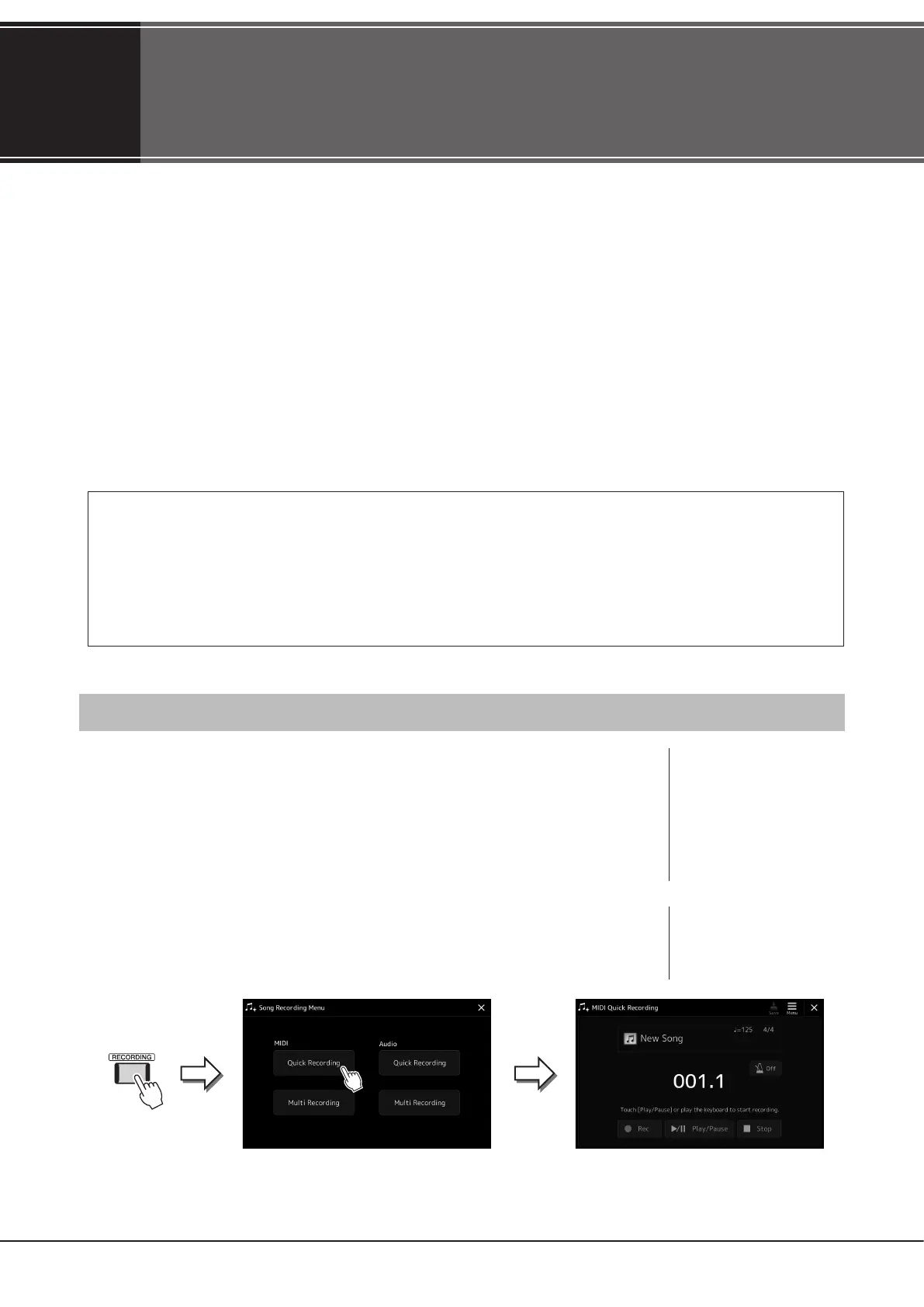
1 Call up the MIDI Quick Recording display via [RECORDING] à MIDI [Quick
Recording].
The display appears and a new blank Song is automatically set to record standby status.
NOTE
• Audio data such as the rhythm
channels created via the audio
data of Audio Link Multi Pad
and Audio Songs cannot be
recorded to the MIDI Songs.
• Before using a USB ash drive,
be sure to read “Connecting
USB Devices” on page115.
NOTE
To cancel the recording, touch
[Stop] on the display, and then
press the [EXIT] button, before
going on to step 2.



 To Next Page