19
Genos2 Owner’s Manual
Panel Controls and Terminals
!8
@3
@0
@1 @2
@6
@4
@5
@8
@7
!7
!9
^ LIVE CONTROL (view/knobs/sliders)
.............................................................pages 26, 62
For controlling sounds in real time.
& Touch LCD and related controls ................. page30
* Gateway buttons ......................................... page28
For calling up the Home display and other particular
displays directly.
( ASSIGNABLE [1]–[3], [A]–[F] buttons ......... page65
For assigning shortcuts to often used functions.
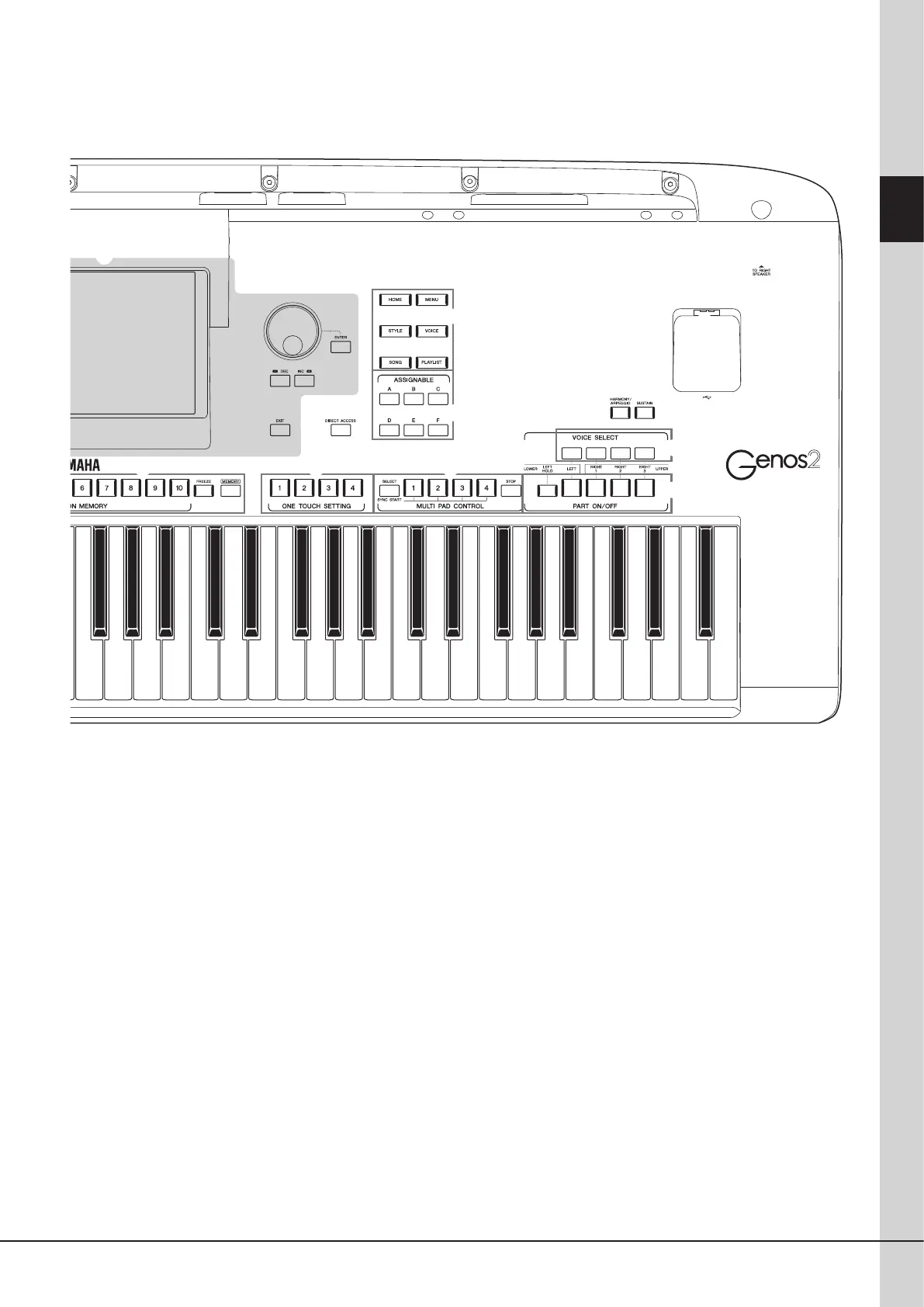
A DIRECT ACCESS button ...................... pages 36, 126
For instantly calling up the desired display with just a
single additional button press.
B REGISTRATION MEMORY buttons ............. page96
For registering and recalling panel setups.
C ONE TOUCH SETTING buttons ............ pages 47, 60
For calling up the appropriate panel settings for the Style.
D MULTI PAD CONTROL buttons ............pages 59, 74
Selects and plays a rhythmic or melodic Multi Pad phrase.
E VOICE SELECT buttons ................................ page52
Selects a Voice for each of the keyboard parts.
F PART ON/OFF buttons ................................ page48
Turns each of the keyboard parts on or o.
G [HARMONY/ARPEGGIO] button ................. page56
Applies the Harmony or Arpeggio to the right-hand Voices.
H [SUSTAIN] button ........................................ page71
Applies the Sustain to the right-hand Voices.
I [USB TO DEVICE] terminal .........................page115
For connecting a USB ash drive.



 To Next Page