65
Genos2 Owner’s Manual
Playing with Styles—Setups
1
Assigning functions or shortcuts to the ASSIGNABLE buttons
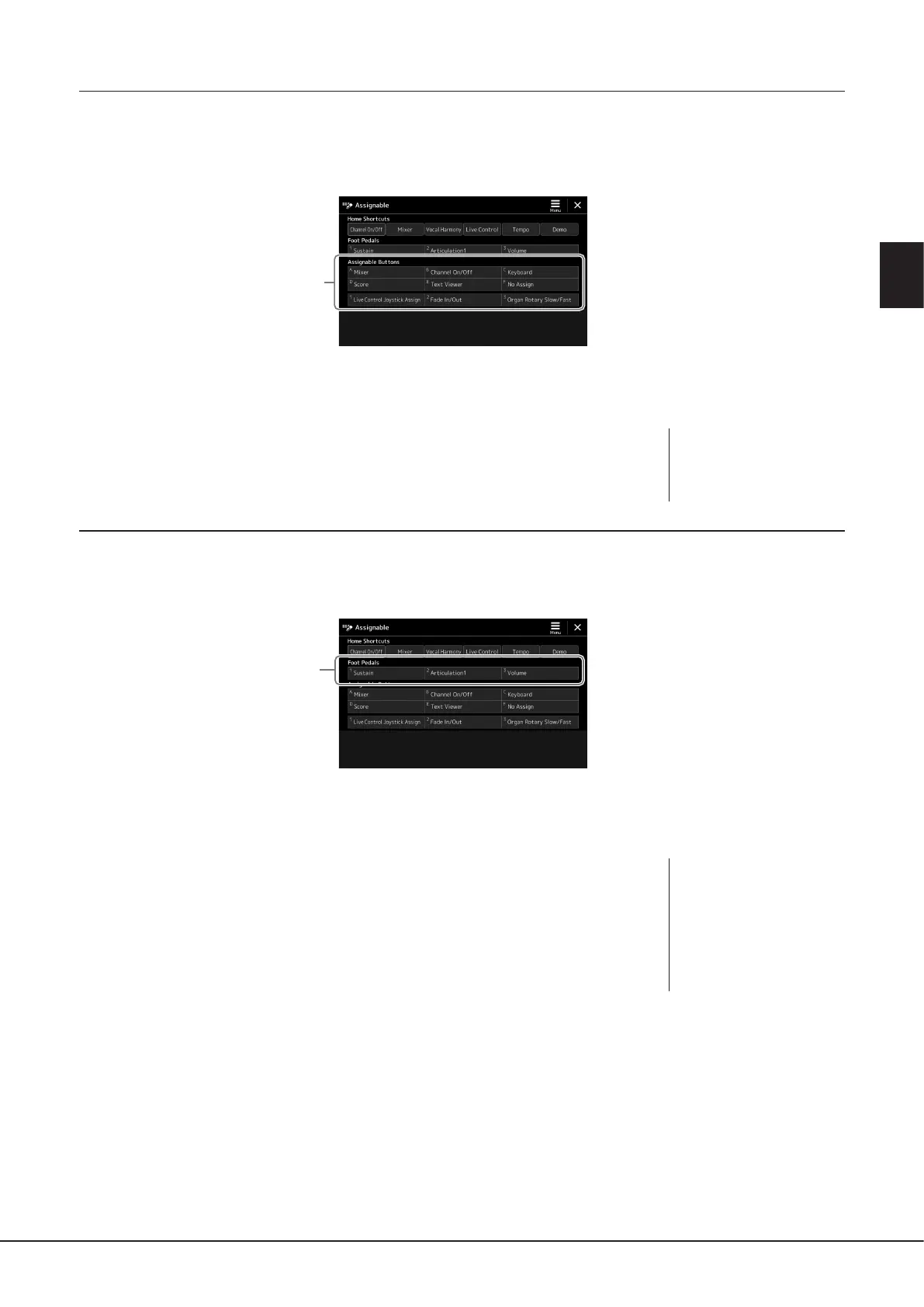
You can assign various control functions or shortcuts to the ASSIGNABLE [A]–[F] and [1]–[3] buttons, allowing you to quickly
operate or call up the desired function.
1 Call up the Assignable display via [MENU] à [Assignable].
2
2 Double-tap (touch twice) the desired item from the “Assignable Buttons” area.
The function selection pop-up window appears.
3 Touch the desired function.
The function will be registered to the location selected in step 2.
Assigning functions to footswitches/foot controllers
You can assign various functions to optional footswitches/foot controllers.
1 To call up the Edit display, touch [MENU] à [Assignable].
2
2 Double-tap (touch twice) the desired item in the “Foot Pedals” area (shown above).
The function selection pop-up window appears.
3 Touch the desired function.
NOTE
For details on assignable
parameters and functions, refer
to the Reference Manual on the
website.
NOTE
• For details on assignable
parameters and functions,
refer to the Reference Manual
on the website.
• For connecting footswitches/
foot controllers, refer to
“Connecting Footswitches/
Foot Controllers” (page114).



 To Next Page