98
Genos2 Owner’s Manual
Saving the Registration Memory as a Bank le
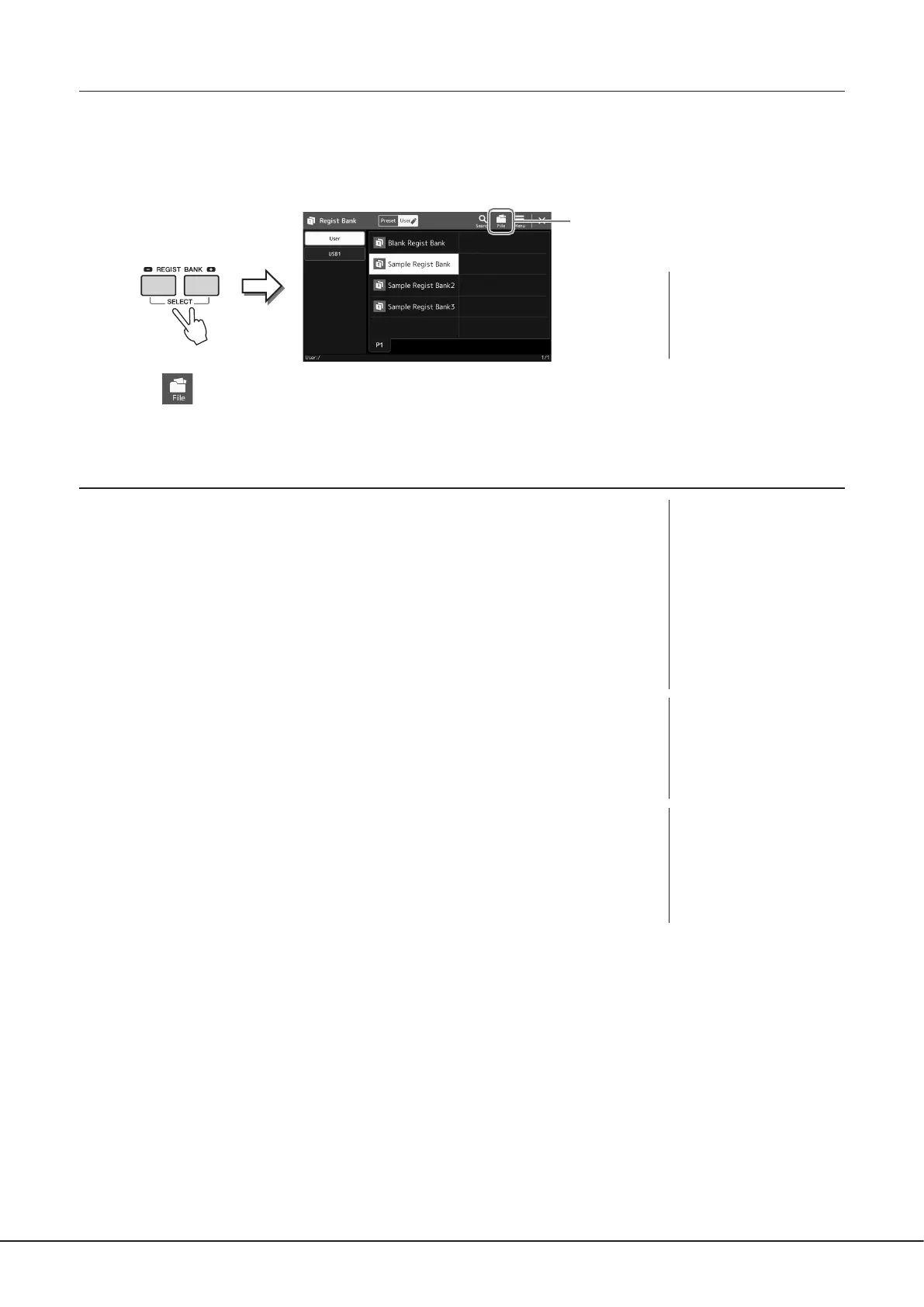
You can save all ten registered panel setups as a Single Registration Memory Bank le.
1 Press the REGIST BANK [−] and [+] buttons simultaneously to call up the Registration Bank Selection
display.
2
2 Touch (File Edit) to call up the pop-up window, and then touch [Save] to save the Bank le.
For instructions on saving, refer to “File Management” (page37).
Recalling a Registered Panel Setup from a Bank le
The saved Registration Memory Bank les can be recalled by using the REGIST BANK [−]/[+]
buttons or the following procedure.
1 Press the REGIST BANK [−] and [+] buttons simultaneously to call up the
Registration Bank Selection display.
2 Touch and select the desired Bank on the display.
You can also use the REGIST BANK [−]/[+] buttons to select a Bank.
3 Press one of the blue-lit numbered buttons ([1]–[10]) in the Registration
Memory section.
The selected button lights in red.
NOTE
You can tag Registration
Memory Bank les for easy
search. For details, refer to
the Reference Manual on the
website.
NOTE
• When recalling setups
that include Song, Style or
text les selected from a
USB ash drive, make sure
that the appropriate USB
ash drive containing the
registered Song, Style or text
is connected into the [USB TO
DEVICE] terminal.
• Before using a USB ash drive,
be sure to read “Connecting
USB Devices” on page115.
NOTE
Turning the [FREEZE] button
on lets you disable recall of
specic item(s) as desired.
For instructions, refer to the
Reference Manual on the
website.
NOTE
You can also call up the ten
setups by using pedals or
Assignable buttons in any
order you specify via [MENU] à
[Regist Sequence]. For details,
refer to the Reference Manual
on the website.



 To Next Page