99
Genos2 Owner’s Manual
Storing and Calling up Custom Panel Setups—Registration Memory, Playlist
7
Conrming the Registration Memory Bank Information
You can call up the information display to conrm which Voices, Style and Songs are memorized to the [1]–[10] buttons of a
Registration Memory Bank.
1 Call up the Registration Bank Selection display, then select the desired Bank.
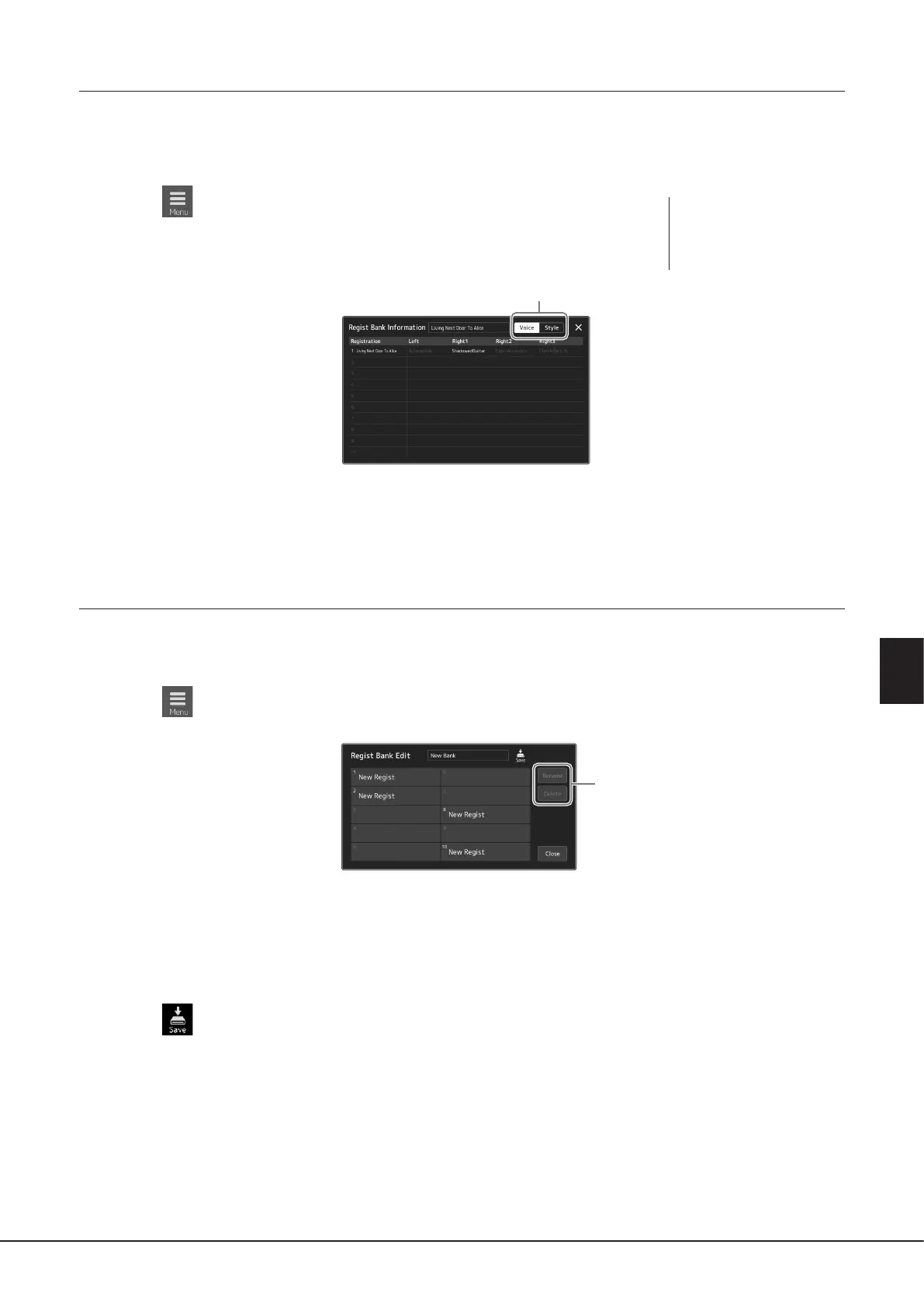
2 Touch (Menu) then [Regist Bank Info] to call up the Regist Bank
Information display.
This display consists of two pages: Voice-related, and Style-related. You can switch between
the two via [Voice]/[Style] on the display.
Touch to select the desired Registration Memory. The selected Registration is automatically loaded.
3 Press the [EXIT] button to close the information display.
Editing a Registration Memory Bank
You can edit a Registration Memory Bank (delete or rename each Registration Memory, etc.) in the Regist Bank Edit display.
1 Call up the Registration Bank Selection display, then select the desired Bank.
2 Touch (Menu) then [Regist Bank Edit] to call up the Regist Bank Edit display.
3
3 Edit the Registration Memory Bank information.
Touch to select the desired Registration Memory. The Registration Memory is selected as a editing target, but not actually
loaded.
• To change the name of the selected Registration, touch [Rename].
• To delete the selected Registration, touch [Delete].
4 Touch (Save) to save the edited Registration Memory Bank le.
For switching pages.
NOTE
If a certain Voice part is set
to o, the Voice name for the
corresponding part is shown
in gray.



 To Next Page