35
Genos2 Owner’s Manual
Basic Operations
Using the Data dial, [ENTER] button, and [DEC]/[INC] buttons
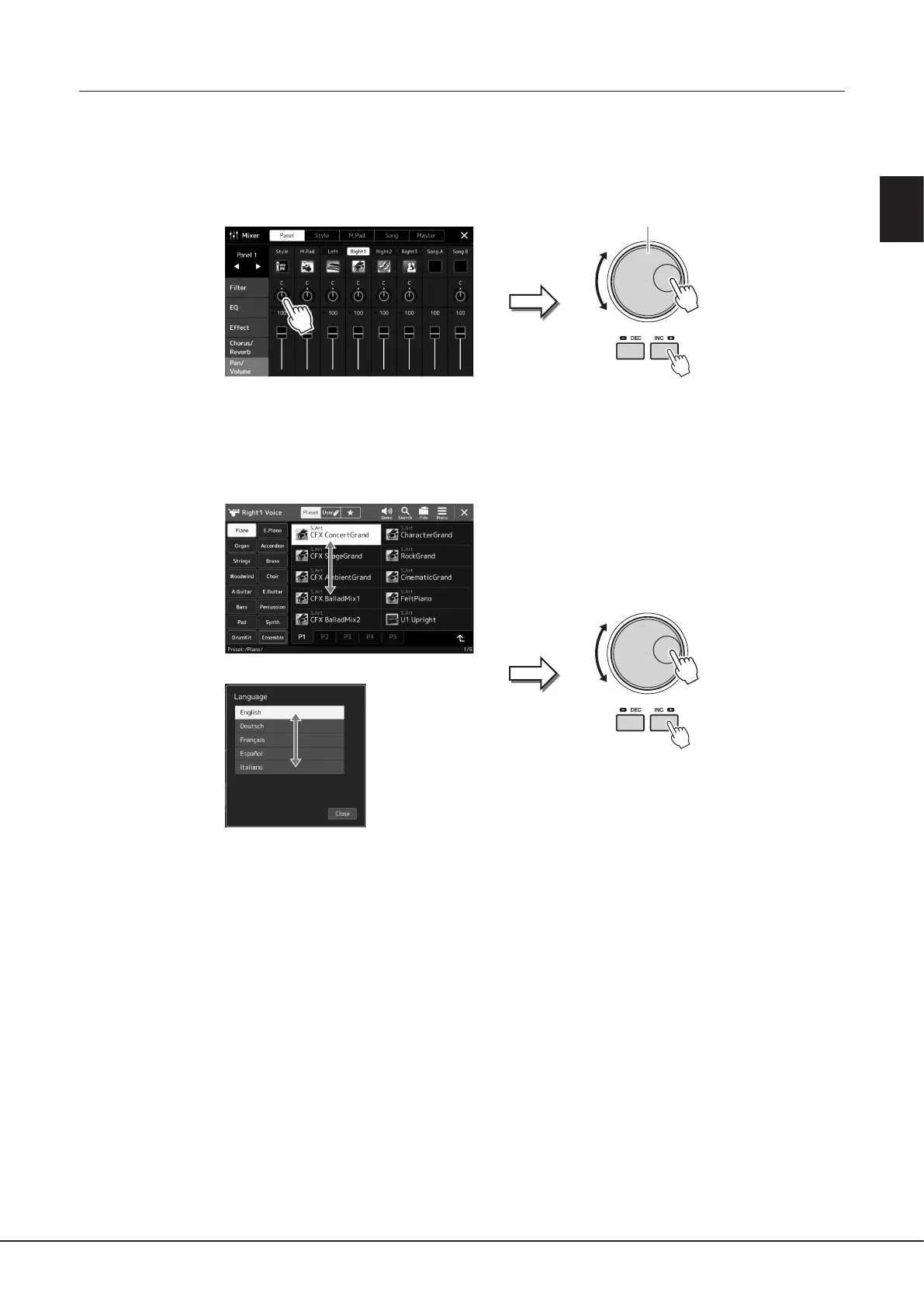
Depending on the display, the Data dial and the buttons can be used in the following two ways.
Adjusting the parameter values
After selecting the desired parameter, use the Data dial or the [DEC]/[INC] buttons to adjust the value. This is useful if you have
diculty adjusting by touching on the display, or want ner control over the adjustment.
Loading/Selecting an item from a list
When a list such as File Selection displays or pop-up windows for setting parameters, use the Data dial and the [DEC]/[INC]
buttons to select an item.
Data dial
Rotate the dial or press the [DEC]/[INC] buttons to
actually load/select the item.
Whether the item is loaded or only selected
depends on the setting in the display called up
via [MENU] à [Utility] à [Touch Screen/ Display].
For details, refer to the “Utility” of the Reference
Manual on the website.



 To Next Page