57
Genos2 Owner’s Manual
Playing with Styles—Setups
1
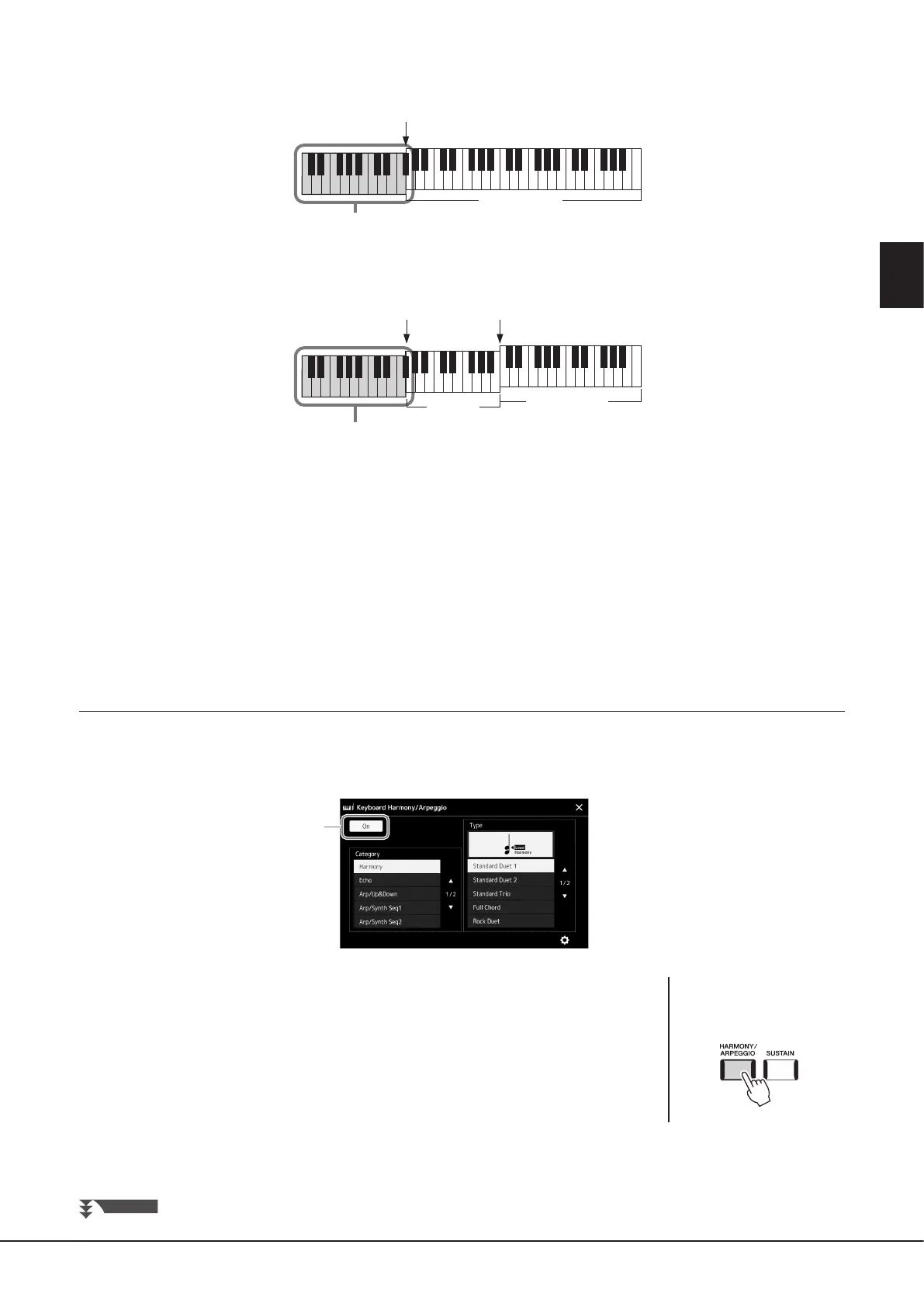
• When the [ACMP] button is o and the LEFT part is on:
• When both the [ACMP] button and the LEFT part are on:
• Multi Assign
The Multi Assign eect automatically assigns the notes of chords you play on the right-hand section of the keyboard to separate
parts (Voices). For example, if you play a three-note chord, the rst note you press is played by the RIGHT 1 Voice, the second by
the RIGHT 2 Voice, and the third by the RIGHT 3 Voice. The Multi Assign eect is not aected by the [ACMP] and LEFT part on/o
status.
Echo Category (Echo, Tremolo, Trill)
The Echo, Tremolo or Trill eect is applied to the note played in the right-hand section of the keyboard in time with the currently
set tempo, regardless of the [ACMP] and the LEFT part on/o status. Keep in mind that Trill works only when you hold down two
notes on the keyboard simultaneously (or the last two notes, if more than two notes are held), and it plays those notes alternately.
Using Arpeggio
1 Call up the operation display.
[MENU] à [Kbd Harmony/Arp]
2
2 Set the Keyboard Harmony/Arpeggio function to “On.”
When this is set to “On,” Keyboard Harmony is applied to your keyboard performance
automatically.
3 Touch to select a category other than “Harmony” or “Echo.”
4 Touch the desired Arpeggio type.
Touching icon (detailed settings) calls up the detailed settings popup window. For more
information, refer to reference manual on the web site.
Split Point
(Left)
LEFT part and chord section for Harmony eect
RIGHT 1–3 parts
Chord section for Style playback and Harmony eect
RIGHT 1–3 parts
LEFT part
Split Point
(Left)
Split Point
(Style)
NEXT PAGE
NOTE
You can also set the function to
“On” by turning the [HARMONY/
ARPEGGIO] button on.



 To Next Page