81
Genos2 Owner’s Manual
Singing with Song Playback—Setting Up
3
5 Follow the steps below, depending on which Type (and mode) you selected.
If you selected the Chordal Type:
5-1 Make sure that the [ACMP] button is turned on.
5-2 Play back a Style while playing chords, or play back a Song which contains chords.
Vocal harmonies based on the chords are applied to your singing.
If you selected the Vocoder or Vocoder-Mono Type:
5-1 As necessary, change the “Keyboard” setting to “O,” “Upper,” or “Lower.”
When “Upper” or “Lower” is selected, playing the right-hand or left-hand section of the keyboard will control the
Vocoder eect. When “O” is selected, playing the keyboard will not control the Vocoder eect.
5-2 Play melodies on the keyboard or play back a Song, and sing into the
microphone.
You’ll notice that you don’t actually have to sing pitched notes. The Vocoder eect
takes the words you say and applies them to the pitch of the instrument sounds.
Using Synth Vocoder
These are special eects that graft the characteristics of your voice onto synthesizer and other sounds, for unusual machine‐like
or robotic eects, as well as unique choir sounds, which you can control with your own singing and playing.
1 Execute steps 1–3 in “Using Vocal Harmony” on page80.
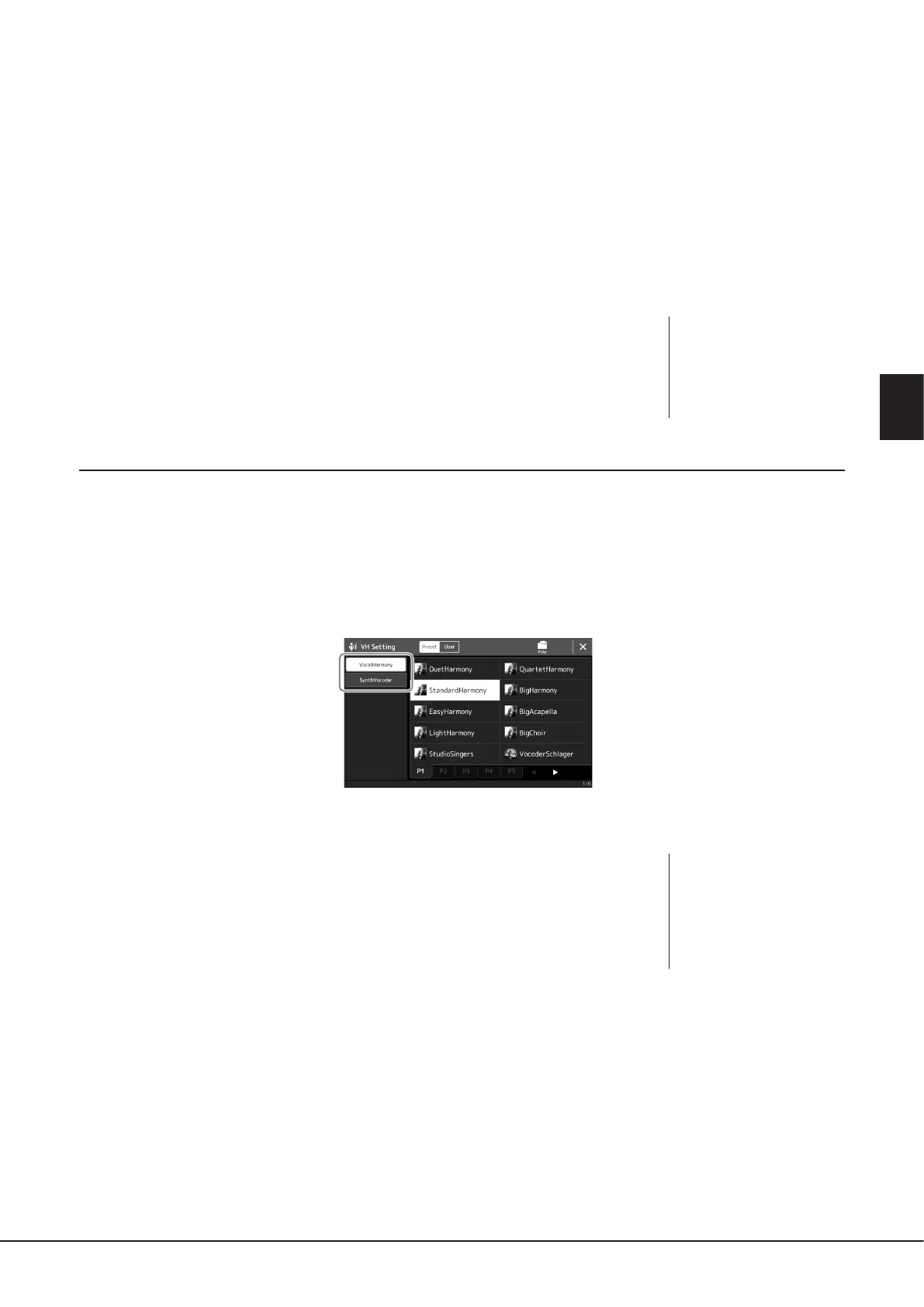
2 From the Vocal Harmony Type Selection display, select the Synth Vocoder category from the sub
categories.
3 Touch the desired Synth Vocoder Type to select it.
4 Try holding down a note on the keyboard and speak or sing into the
microphone.
Also, try changing notes as you say/sing dierent words, hitting a separate note for each
word.
NOTE
For Vocoder Types, the eect is
applied to a maximum of three
notes of the chord you play; for
Vocoder-Mono, the eect is only
applied to single notes (last note
applied).
NOTE
You can change the Keyboard
setting (O/Upper/Lower),
determining which part of the
keyboard (or Song) controls
the eect. For details, refer to
the Reference manual on the
website.



 To Next Page