Operating the XtraDrive Using XtraWare
Importing the values into the table
XtraWare allows you to import data into the array table. This allows you to
prepare an array in a spreadsheet and then import it.
The following specifications must be adhered to when creating the file:
♦ The number of rows in the spreadsheet must be the same as the
number of rows in the table displayed in the Curve Shape window.
♦ The slave values of the first and last points must be the same as those
in the table displayed in the Curve Shape window.
♦ The spreadsheet table may have any number of columns.
♦ The slave values must be located in the right-most column.
♦ The values may have any number of digits after the decimal point, but
XtraWare will import only the integer part of each value. For example,
1.79 will be imported as 1.
♦ The file must be saved in CSV format.
♦ The file must not be in use by other software while being imported into
XtraWare.
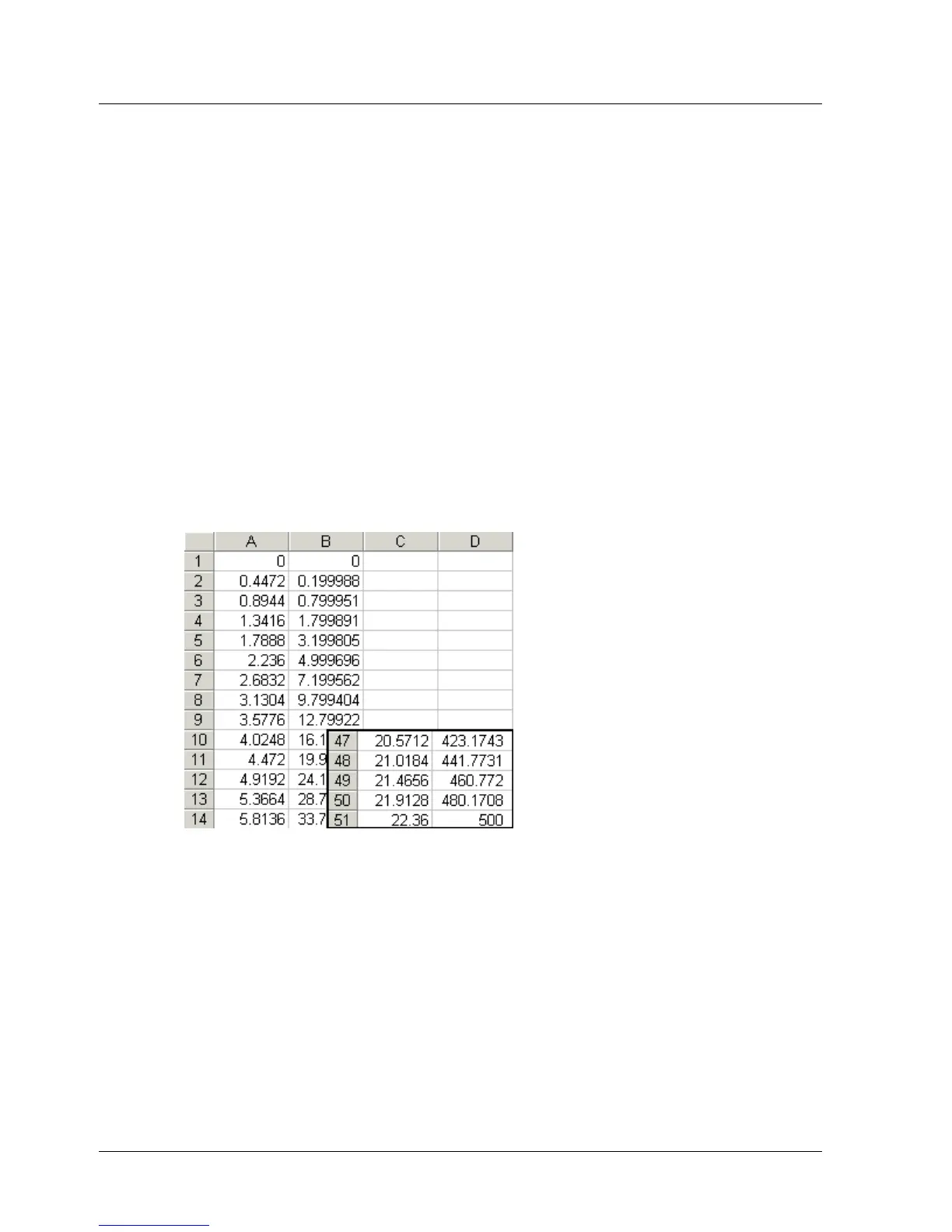
A sample spreadsheet is shown in Figure 38 below.
Figure 38: Sample Spreadsheet for Array Import
¾ To import the values into the Curve Shape table:
1. Click Import in the Curve Shape window.
The Import window is displayed.
XtraWare User Manual 55



 To Next Page