Operating the XtraDrive Using XtraWare
Note:
The scaling factors discussed above do not affect the size of the shift
or offset, if defined.
4.9.15.2. Shift
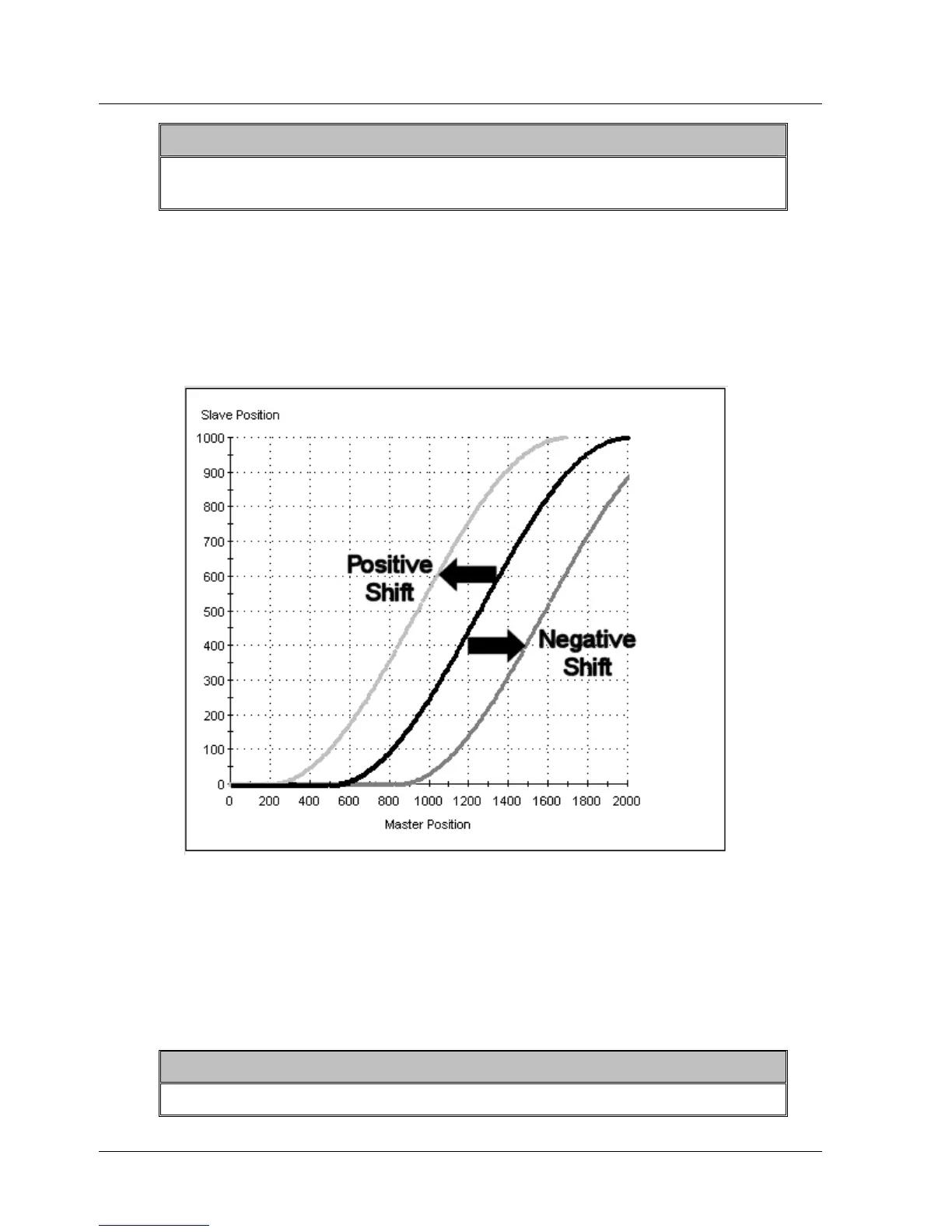
By applying a positive shift, the profile graph is shifted in the negative
direction along the master position axis. Conversely, by applying a negative
shift, the profile graph is shifted in the positive direction along the master
position axis.
Figure 47: Illustration of the Application of Shift
The shift is specified as an absolute distance from the origin of the profile
graph.
In the case of a cyclic profile, the next profile will be followed as it was
originally specified, unless a different shift is specified.
¾ To apply a shift:
1. Set the value of the variable ECAM_Shift using the SET_VAR command.
Note:
The size of the shift is not affected by scaling the master axis
XtraWare User Manual 65



 To Next Page