Directions for Use
59
Operation Manual
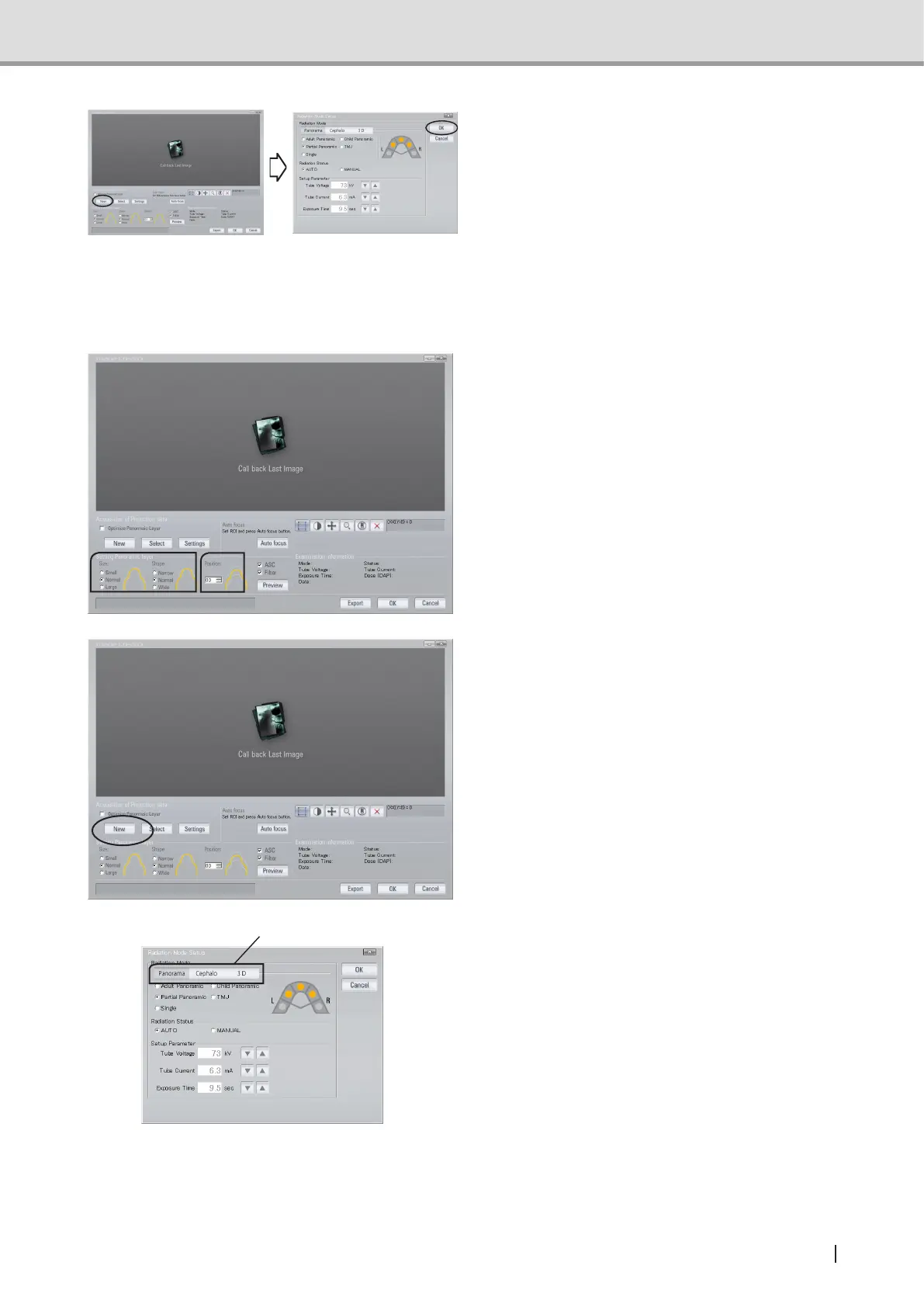
5 Click “New” in the main screen of
Image Creator and Image Acquisition
Condition Setting screen is displayed.
Make sure that the settings in the
screen match with the settings made on
the Control Panel, and press “OK”.
From the Image Creator :
Set up the image acquisition mode using the Image Creator on the computer.
1 In the main screen of Image Creator,
set up the dental arch size and dental
arch shape according to the patient.
Also, set the tomographic position at 0.
2 Click “New” in the main screen of
Image Creator, and Image Acquisition
Condition Setting screen is displayed.
3 In order to switch between Panoramic
Radiation Mode, Cephalometric
Radiation Mode and 3D Acquisition
Mode, press the Mode Change tab.
Mode Change tabs



 To Next Page