Directions for Use
95
Operation Manual
2. How to adjust the center of FOV
Position adjustment of front-back direction
Press forward switch or back switch of the control panel to adjust the front-back direction of
thecenterofFOV.Itmoves±10mminfront-backdirectiontowardsthecolumnunit.
Position adjustment of left-right direction
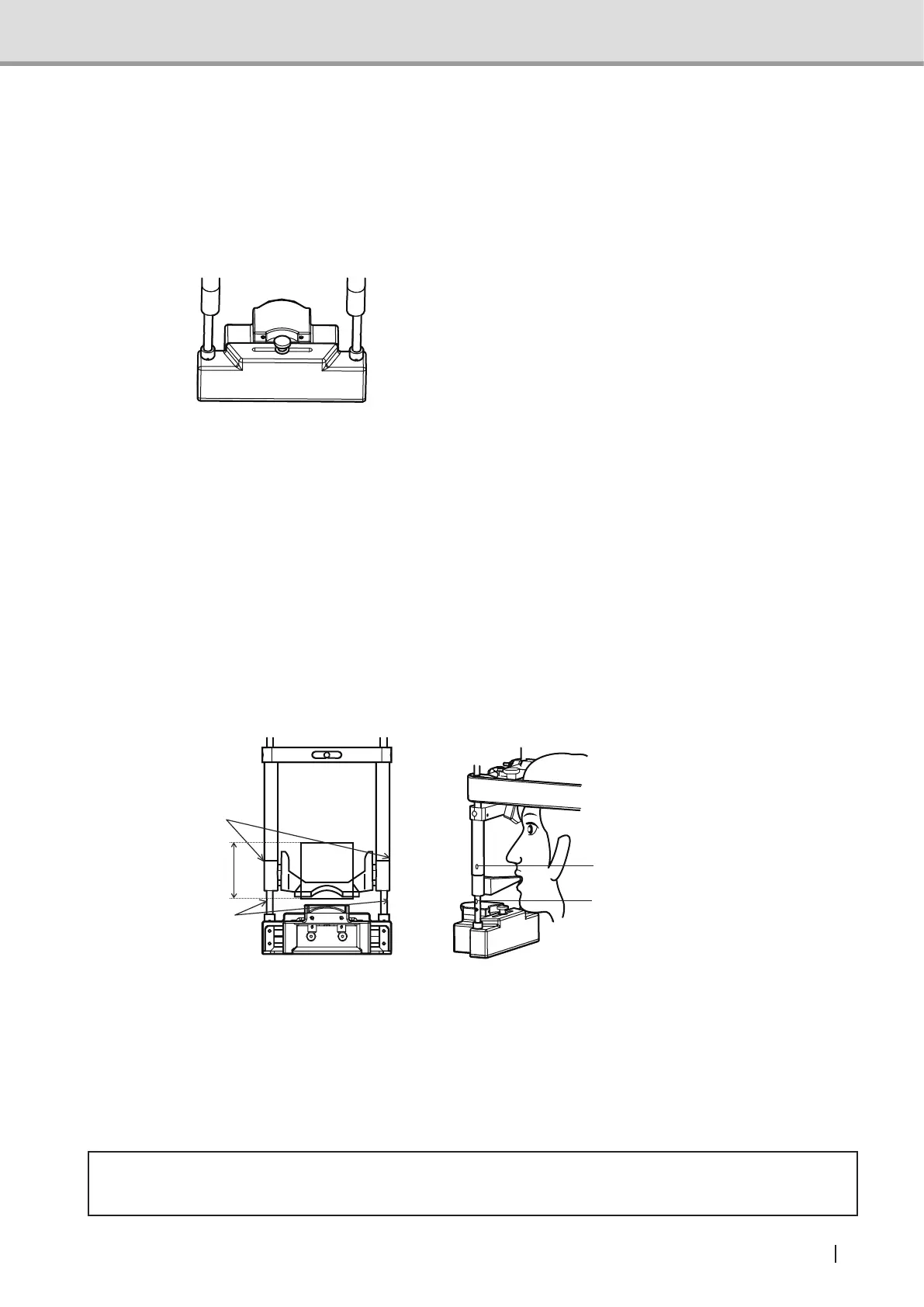
Loosentheleft-rightslidexingknobof
theheadxatorfor3Dimageacquisitionto
adjust the left-right direction of the center
ofFOV.Afteradjustment,tightentheslide
xingknob.Itmoves±20mminleft-right
direction towards the column unit.
Suppl. : The positioning beam automatically turns off approximately 60 seconds after
activation. If the positioning beam has turned off before positioning is successfully
nished,pressthebeamswitchagaintoturnonthepositioningbeam.
Suppl. : As the rotating arm approaches the front teeth (column unit), it becomes hard for
the positioning beam to intersect. Estimate the intersection point for positioning.
Note. :Fixtheforeheadsupportoftheheadxatorfor3Dimageacquisitiontothetopand
the up-down positioning unit to the bottom in a way that the positioning beam will
not be blocked.
3. Aligning the up-down positioning height
Align the vertical position of the image acquiring area. Adjust the Frankfurt horizontal beam
slidertotheFOVmark(Top/Bottom)toshowthetopandbottompositionofFOV.Fixthe
up-downpositioningunitsothedesiredareaofimageacquisitiontsinthisrange.
FOV mark
(top positioning height)
FOV mark
(top)
FOV
FOV mark
(bottom)
FOV mark
(bottom positioning height)
Note : Do not align the up-down positioning height while the lock lever is in locked condi-
tion. This may cause failure.
Note : Make sure to do up-down positioning before seating the patient.
Note : Settheup-downpositioningunitabovethetopofFOVsothetopofpatient'shead
easilytstheheadsupport.Makesurebeforetheimageacquisition.
2.5.5.8 Turning off the positioning beam
Press the beam switch to turn off the positioning beam.
* Caution
• After the positioning is completed, be sure to return the positioning mirror to its regular position.



 To Next Page