START-UP
Carl Zeiss Installing standard components Axio Examiner
30 M60-2-0003 e 05/2012
(2) Removing a module
• Move the reflector turret to a corresponding oblique front left-hand or right-hand position.
• Slightly tilt and pull the module (Figure 3-6/4) first out of the lower spring elements (Figure 3-6/5), and
then out of the upper spring elements, and then take it out completely.
• After removing or installing the reflector modules, insert the cap (Figure 3-6/1) into the stand casing,
and press it on until it locks into place.
• Set the shutter AL shift knob (Figure 3-6/1) to the OPEN position. The cap is locked now.
Reflector inserts 3.1.5.2
Only for microscopes with an Axio Examiner.A1 top part.
To either install or remove the modules, the reflector insert (reflector turret 4x or 6x, or reflector slider 2x)
needs to be taken out of the stand top part.
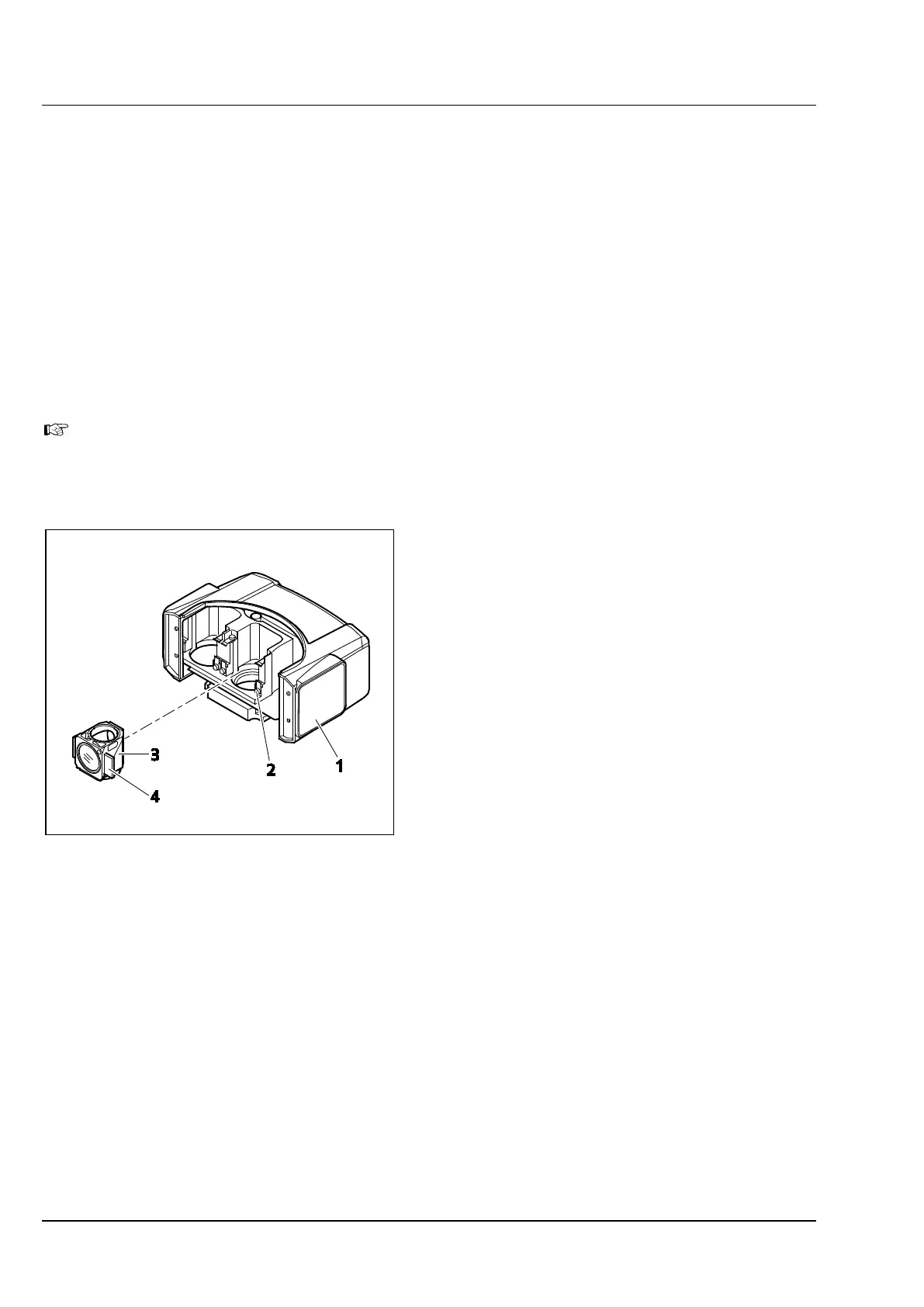
(1) Installing a module
• Take the reflector insert (Figure 3-7/1) out of
the stand top part (see section 3.1.6), turn it to
the top side, and lay it down.
• Insert the module (Figure 3-7/3) with the holder
elements mounted to the right and to the left
(Figure 3-7/4) at an angle from above into the
lower spring brackets (Figure 3-7/2) of the
reflector holder.
• After this, press on the module at the upper
side until it also locks safely into the upper
spring brackets of the reflector turret.
(2) Removing a module
• Slightly tilt and pull the module first out of the
upper spring elements, and then out of the
lower spring elements, and take it out
completely.
• After having either removed or installed the
reflector modules completely, install the
reflector insert again, or put on the cap.
Figure 3-7 Replacing a reflector module in the
reflector insert









 To Next Page