START-UP
Axio Examiner Installing standard components Carl Zeiss
M60-2-0003 e 05/2012 43
3.1.15 HBO 100 illuminator
Inserting the HBO 103 W/2 3.1.15.1
mercury vapor short arc lamp
For safety reasons, the HBO 100 illuminator and
the HBO 103 W/2 mercury vapor short arc lamp
will be delivered to the customer each in a
separate package.
Accordingly, the first step before starting up this
illuminator is to insert the HBO 103 W/2 lamp into
the illuminator casing.
The insertion or replacement of the HBO 103 W/2
lamp is described in the operating manual which
accompanies the device.
CAUTION
Use an FL attenuator for changing
transmission (unless permanently
installed). Neutral-
last in the long run.
Attaching the HBO 100 3.1.15.2
illuminator
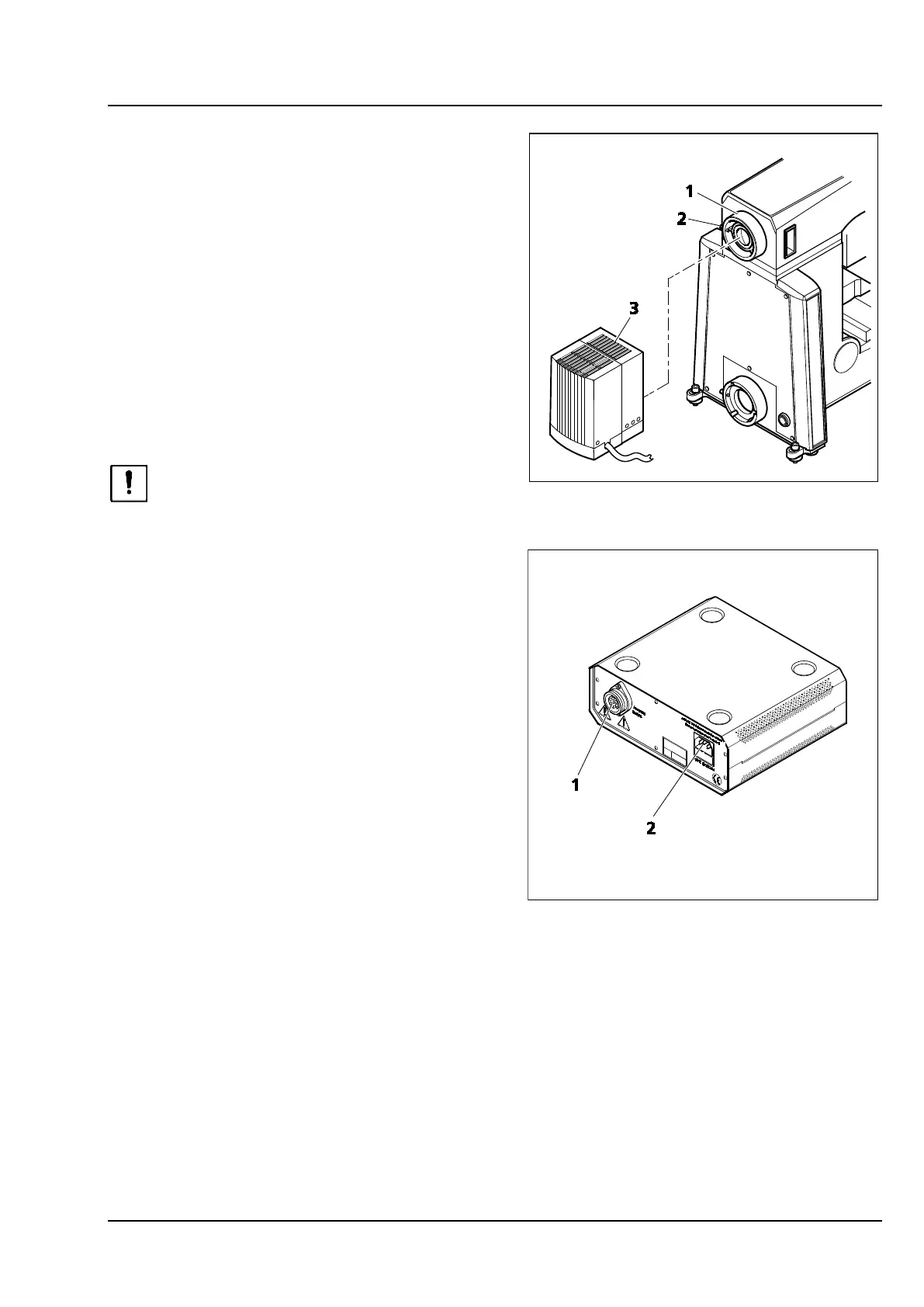
• Remove the cap from the reflected light socket
(Figure 3-25/1).
• Insert the illuminator casing (Figure 3-25/3) with
the dovetail ring into the reflected light socket
(Figure 3-25/1) at the unit's rear side, and
secure by a clamping screw (Figure 3-25/2)
using a ball head-screwdriver (width A/F 3).
• Connect the multipolar illuminator plug of the
HBO 100 illuminator to the appliance bushing
(Figure 3-26/1) of the HBO 100 W transformer,
and secure it by a retaining ring.
• Connect the AC power cord first to the AC
power inlet (Figure 3-26/2) of the HBO 100 W
transformer, and then to a mains outlet.
Figure 3-25 Attaching the HBO 100 illuminator
Figure 3-26 HBO 100 W power supply unit









 To Next Page