START-UP
Axio Examiner Installing optional components Carl Zeiss
M60-2-0003 e 05/2012 53
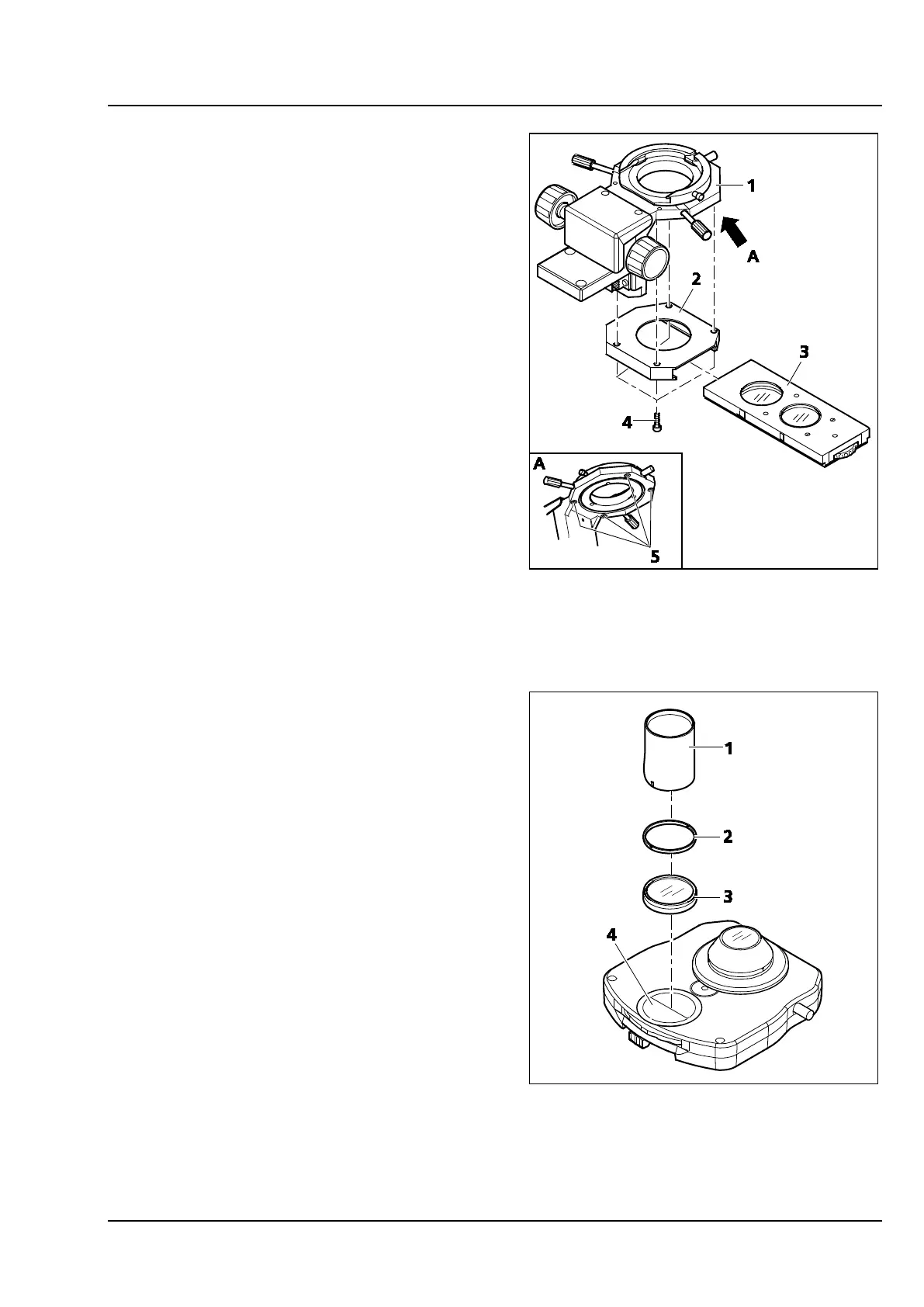
3.3.7 Installing the Senarmont polarizer
• Remove the stage carrier (see section 3.1.12).
• Remove the condenser (see section 3.1.10).
• Remove the condenser carrier (see section
3.1.9), and store it upside down.
• Screw the mounting frame (Figure 3-39/2) using
four screws (Figure 3-39/4) to the lower side of
the condenser carrier (Figure 3-39/1).
• Attach the condenser carrier to the stand (see
section 3.1.9).
• Slide the Senarmont polarizer (Figure 3-39/3)
into the guide of the mounting frame.
• Attach condenser and stage carrier again.
3.3.8 Replacing the DIC prism in the
condenser
• To take out the cover plate, turn the condenser
cover plate (Figure 3-40/4) using the double
function tool (Figure 3-40/1) to unlock the
bayonet socket and allow removal.
• Unscrew the retainer ring (Figure 3-40/2) using
the double function tool (Figure 3-40/1).
• Take out the DIC prism (Figure 3-40/2).
• To install the DIC prism, proceed in reverse
order. Take particular care with the correct
orientation of the DIC prism (cams must mesh
with the holder notches). Check that the
lettering at the knurled ring of the revolving
disk is correct.
Figure 3-39 Installing the SÉNARMONT
polarizer
Figure 3-40 Replacing the DIC prism









 To Next Page