START-UP
Axio Examiner Microscope basic setting Carl Zeiss
M60-2-0003 e 05/2012 57
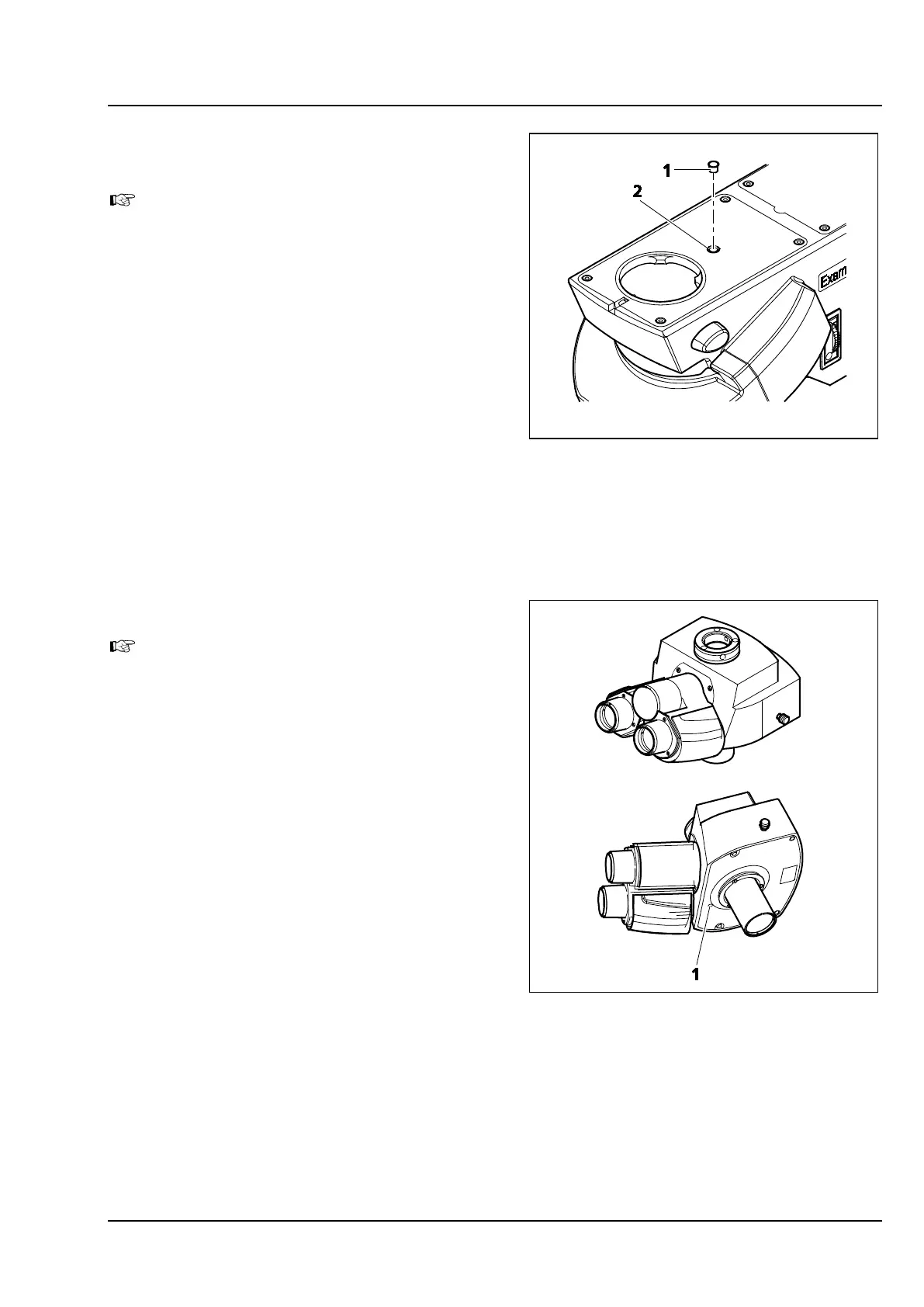
3.4.4 Setting the lock-in resistance of the
5x reflector turret
Only for Axio Examiner.D1 and .Z1 micro-
scope top parts.
The lock-in resistance of the 5x reflector turret is
freely adjustable. Proceed as follows:
• Remove the binocular tube (see section 3.1.3).
• Pull the closing plug (Figure 3-46/1) out of the
upper microscope part.
• Turn the adjusting screw (Figure 3-46/2) using a
ball head screwdriver until the desired lock-in
resistance is set.
• Insert the closing plug again (Figure 3-46/1).
• Put on the binocular tube (see section 3.1.3).
3.4.5 Setting the actuating rod
Only for phototubes 425521-9020-000 and
425521-9000-000.
You can adjust the motion of the actuating rod
used for toggling between eyepieces and camera
output. Proceed as follows:
• Remove the phototube from the upper
microscope part (see section 3.1.3).
• Lay down the phototube safely with the lower
side turned upwards.
• Set the motion step using the screw (width
A/F 1.5) (Figure 3-47/1) located on the lower
side.
• Put the phototube on the upper microscope
part (see section 3.1.3).
Figure 3-46 Setting the lock-in resistance
Figure 3-47 Setting the actuating rod









 To Next Page