OPERATION
Carl Zeiss Docking station with TFT display Axio Examiner
74 M60-2-0003 e 05/2012
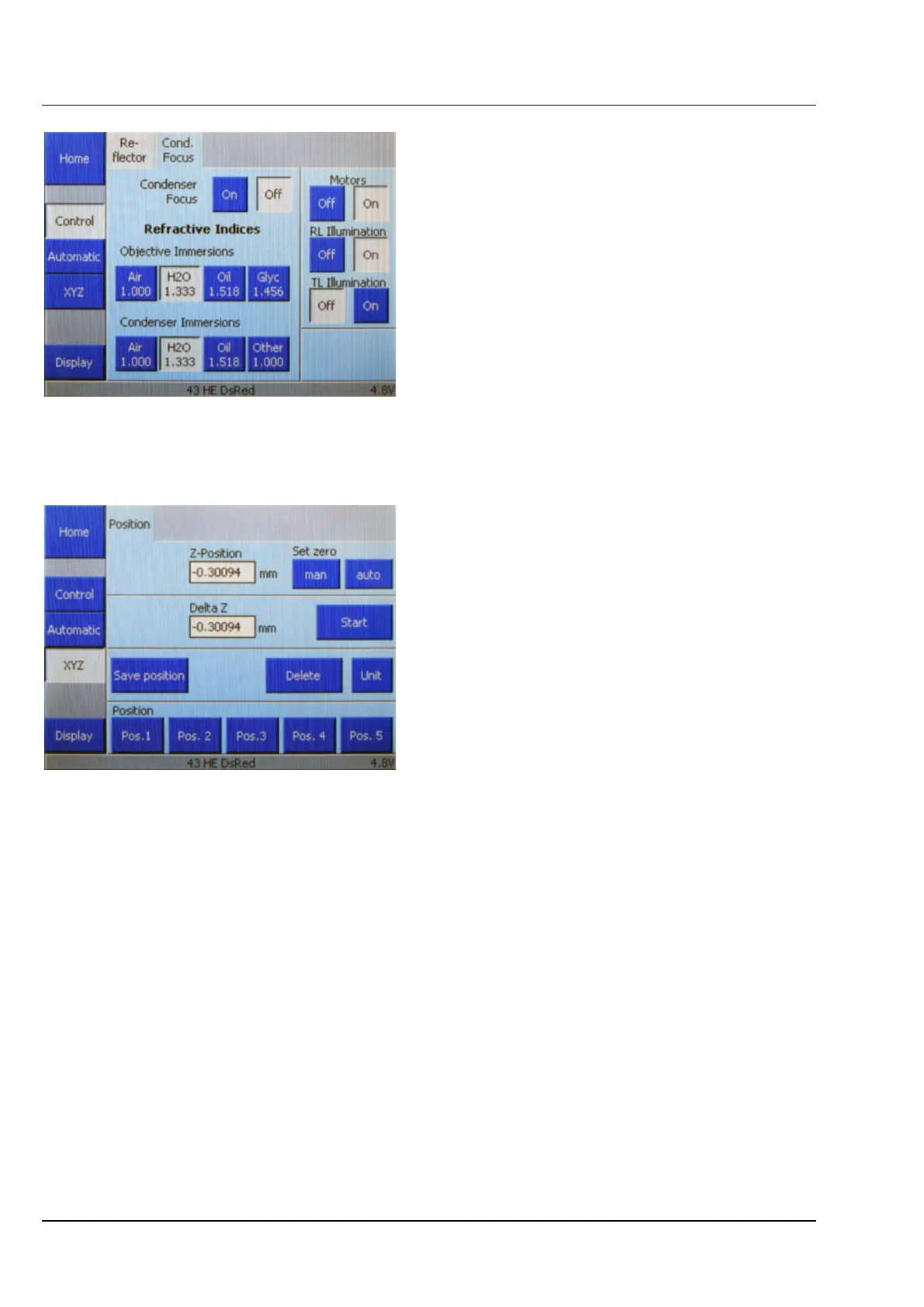
(2) Cond. Focus
Use the Cond. Focus tab (Figure 4-14) to define
the settings for condenser focusing.
• Press the On or Off button to switch condenser
focusing either on or off.
The refractive indices to be applied to objective
immersion and condenser immersion may be
selected using the corresponding buttons.
4.3.5 XYZ
The XYZ page contains the Position tab. The
operator control area is divided into three
functional blocks.
(1) Current position indicator / zero point
setting
This tab shows the current Z position in millimeters
(mm).
The two Set zero buttons work as follows:
− man
Set the zero point manually, i.e., the current
position is defined as the zero point, and the
display is set to zero.
− auto
Set the zero point automatically, i.e., the stage travels to the end position which will be defined as
the zero point. The display will be set to zero after this.
(2) Save position
Press the Save position button to define the coordinate positions for the five lower position buttons as
follows:
• Approach the desired Z position.
• Press the Save position button. The Save current position as popup window opens.
The windows shows five buttons for Pos. 1 to Pos. 5. The Z value is indicated for every button which has
already been assigned, while a number is displayed otherwise.
Figure 4-14 Microscope –> Control ->
Cond. focus page
Figure 4-15 Microscope –> XYZ -> Position page









 To Next Page