START-UP
Axio Examiner Installing optional components Carl Zeiss
M60-2-0003 e 05/2012 55
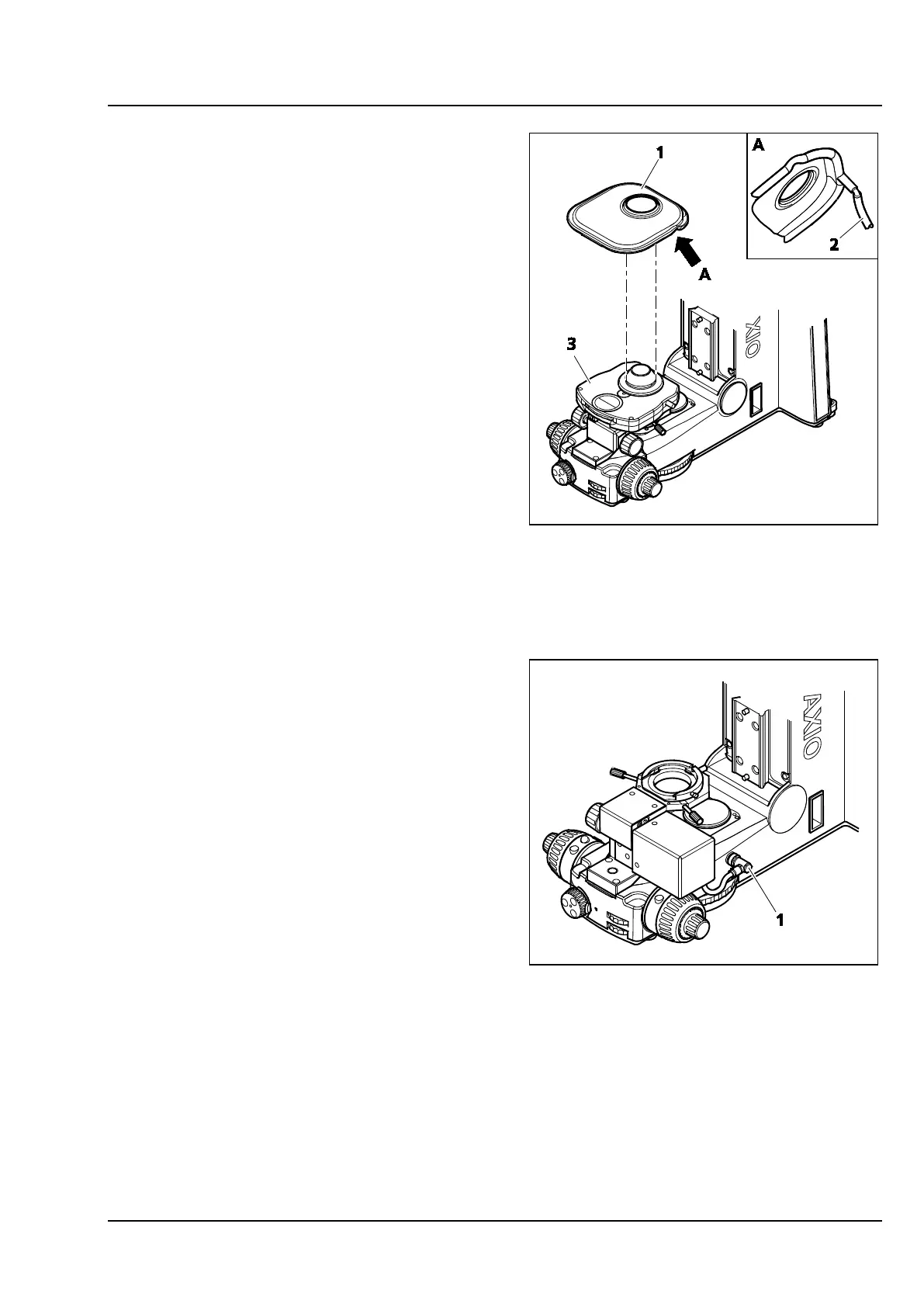
3.3.10 Installing the Aqua Stop for the
condenser
• Remove the stage carrier (see section 3.1.12).
• Connect the discharge hose (Figure 3-42/2) to
the Aqua Stop (Figure 3-42/1).
• Carefully put the Aqua Stop (Figure 3-42/1) on
the condenser (Figure 3-42/3). The rim must fit
in the slot at the condenser.
• Run the discharge hose (Figure 3-42/2) to a
corresponding vessel (dish, etc.).
• Put on the stage carrier (see section 3.1.12).
3.3.11 Attaching a condenser carrier with
a motor-operated focus
To install a motor-operated condenser carrier,
follow the same procedure as for a manual
condenser carrier (see section 3.1.9).
• After assembly, connect the condenser carrier
control cable (Figure 3-43/1) to the lower
microscope part.
Figure 3-42 Installing the Aqua Stop
Figure 3-43 Connecting a mot. condenser carrier









 To Next Page