Section D Graphic Display
D-57
The Trend window cannot be moved in DigiVis.
No trends can be added in DigiVis.
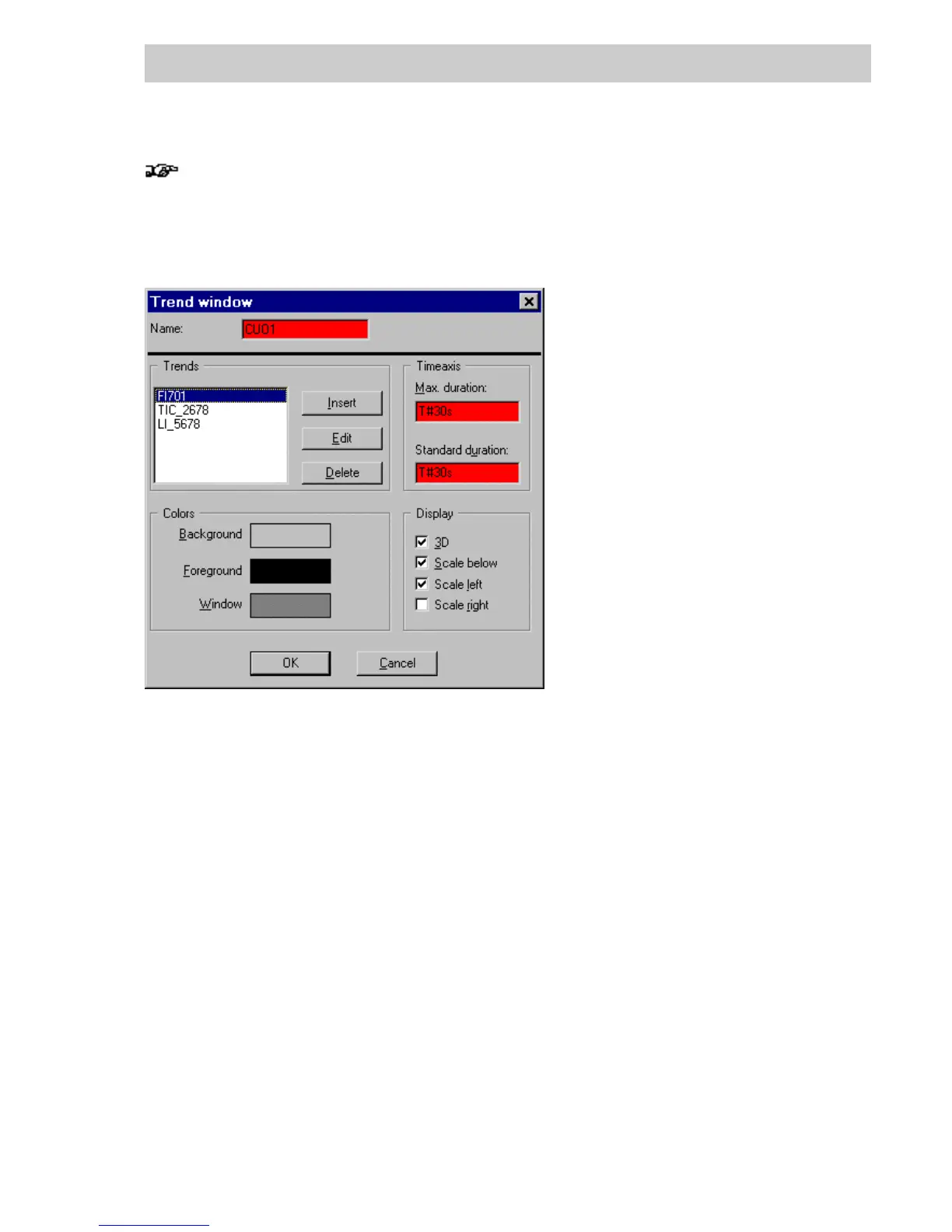
Trend window parameters
Trends List of variables specified for display in the Trend window.
INSERT On selecting the INSERT button, the Trend data window appears, where
the trend variable can be entered with its characteristics.
E
DIT On selecting a specified variable (click on variable under Trends) and
pressing the EDIT button, the Trend data window appears with the
entries for that trend variable. The entries can be changed in this window.
D
ELETE On selecting a specified variable (click on variable under Trends) and
pressing the D
ELETE button, the variable is deleted from the Trend
window.
The display of the scaling axis on the left is determined by the settings for
the variable selected when exiting this dialog box.
tu0515us.bmp
Gross Automation, 1725 South Johnson Road, New Berlin, WI 53146, www.ssacsales.com, 800-349-5827



 To Next Page