90 Chapter 3
Removing the RJ-11 Port
1. See “Removing the Upper Cover” on page 68.
2. See “Removing the Right Speaker Module” on page 82.
3. See “Removing the Main Board” on page 88.
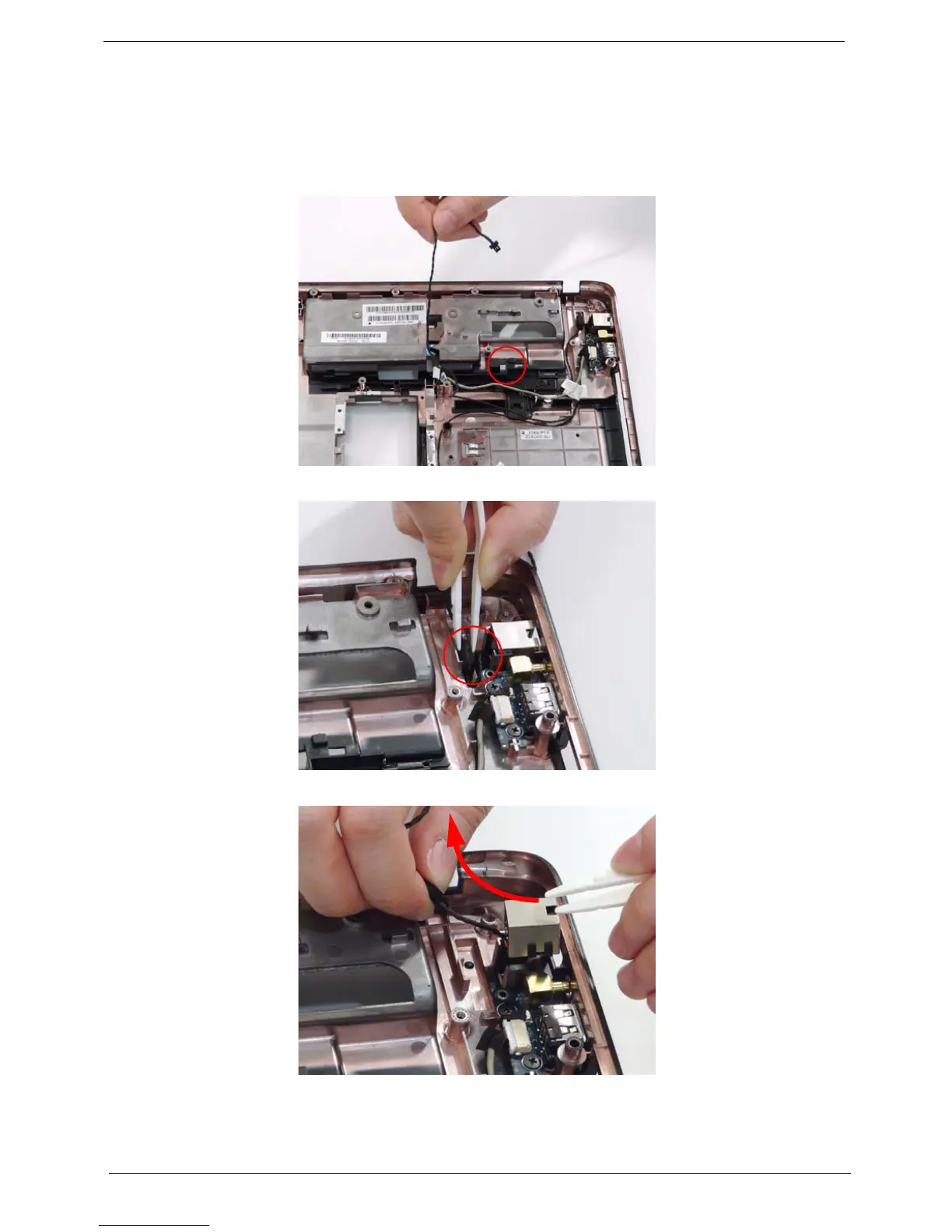
4. Remove the RJ-11 cable from its housing.
5. Using the tweezers to grasp the end of the cable to detach from the base.
6. Insert the tweezers in the RJ-11 port and push up to detach and lift the port from the base.












 To Next Page