78 Chapter 3
Removing the Launch Board
1. See “Removing the Upper Left Saddle” on page 75.
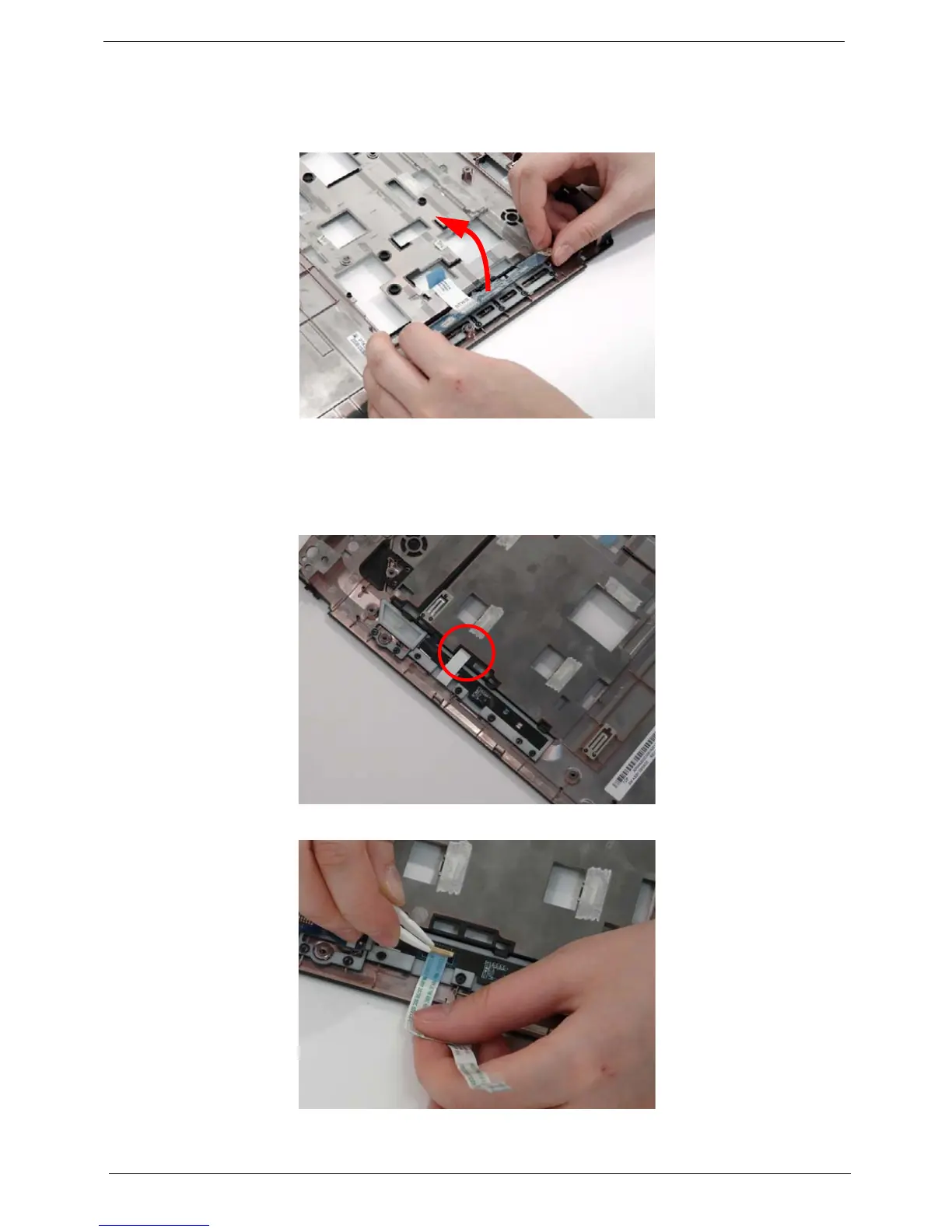
2. Grasp the Launch Board and lift up to remove from the Upper Cover.
Removing the Media Board
1. See “Removing the Upper Left Saddle” on page 75.
2. Pull the FFC out of the chassis.
3. Insert the FFC flush with the connector and press the locking lever down to secure.
4. Use a pry to lift the Media board out of the Upper Cover.












 To Next Page