8 Chapter 1
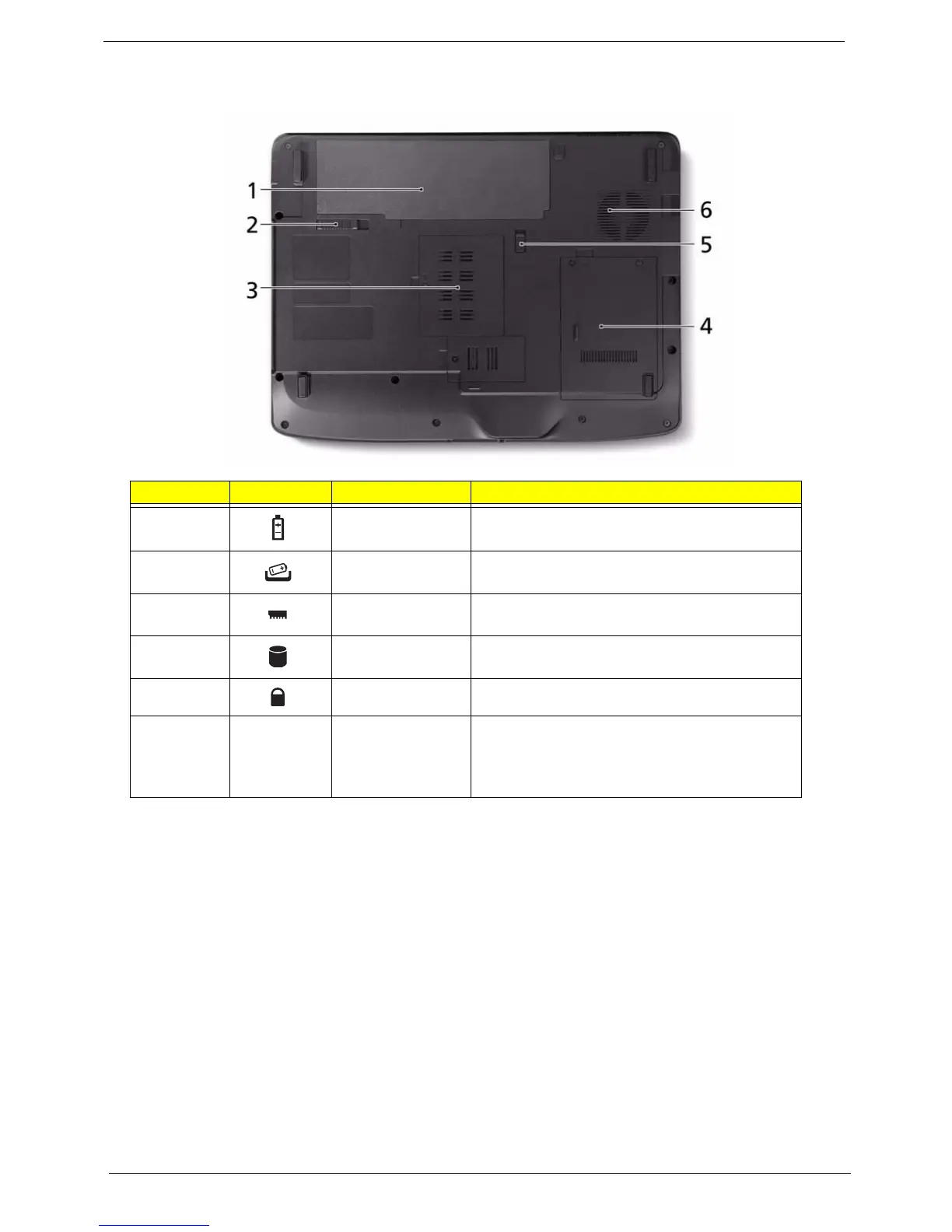
Bottom View
No. Icon Item Description
1 Battery bay Houses the computer's battery pack.
2 Battery release
latch
Releases the battery for removal.
3 Memory
compartment
Houses the computer's main memory.
4 Hard disk bay Houses the computer's hard disk (secured with
screws).
5 Battery lock Locks the battery in position.
6 Ventilation slots
and cooling fan
Enable the computer to stay cool, even after
prolonged use.
Note: Do not cover or obstruct the opening of the
fan.












 To Next Page