Chapter 3 129
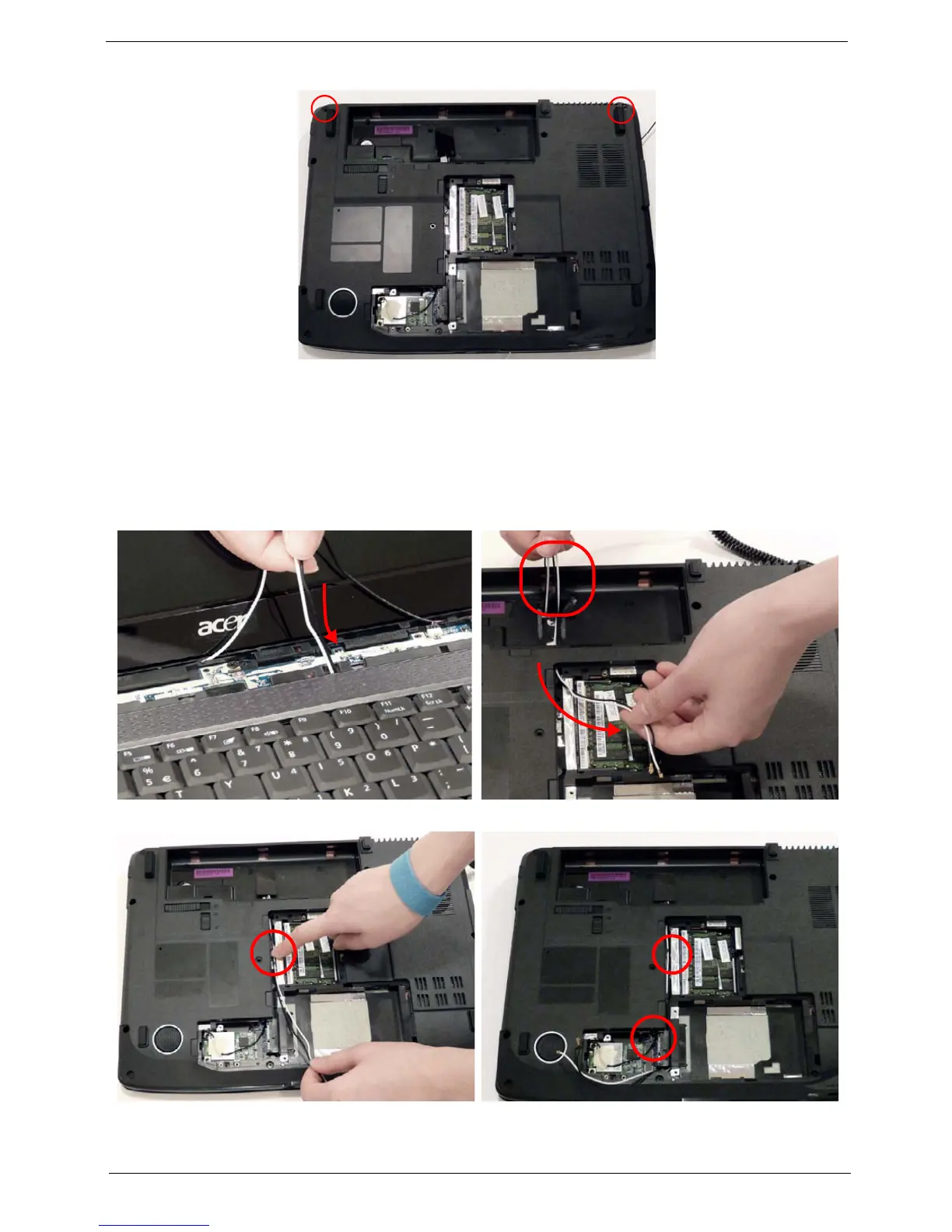
4. Turn the computer over and replace the two securing screws on the bottom of the chassis.
Replacing the Antenna Cables
Ensure that the three Antenna cables pass through the Mainboard and are accessible from the underside of
lower cover.
1. Insert the Antenna Cables through the Upper
Cover. Make sure they are accessible from the
underside.
2. Pull the cables through.
3. Secure the cables in place as shown. 4. Place the cabling in the wiring conduit as shown.












 To Next Page