Chapter 3 51
Removing the DIMM Modules
1. Remove the Battery Pack. See “Removing the Battery Pack” on page 46.
2. Remove the Memory Module cover See “Removing the Lower Covers” on page 49.
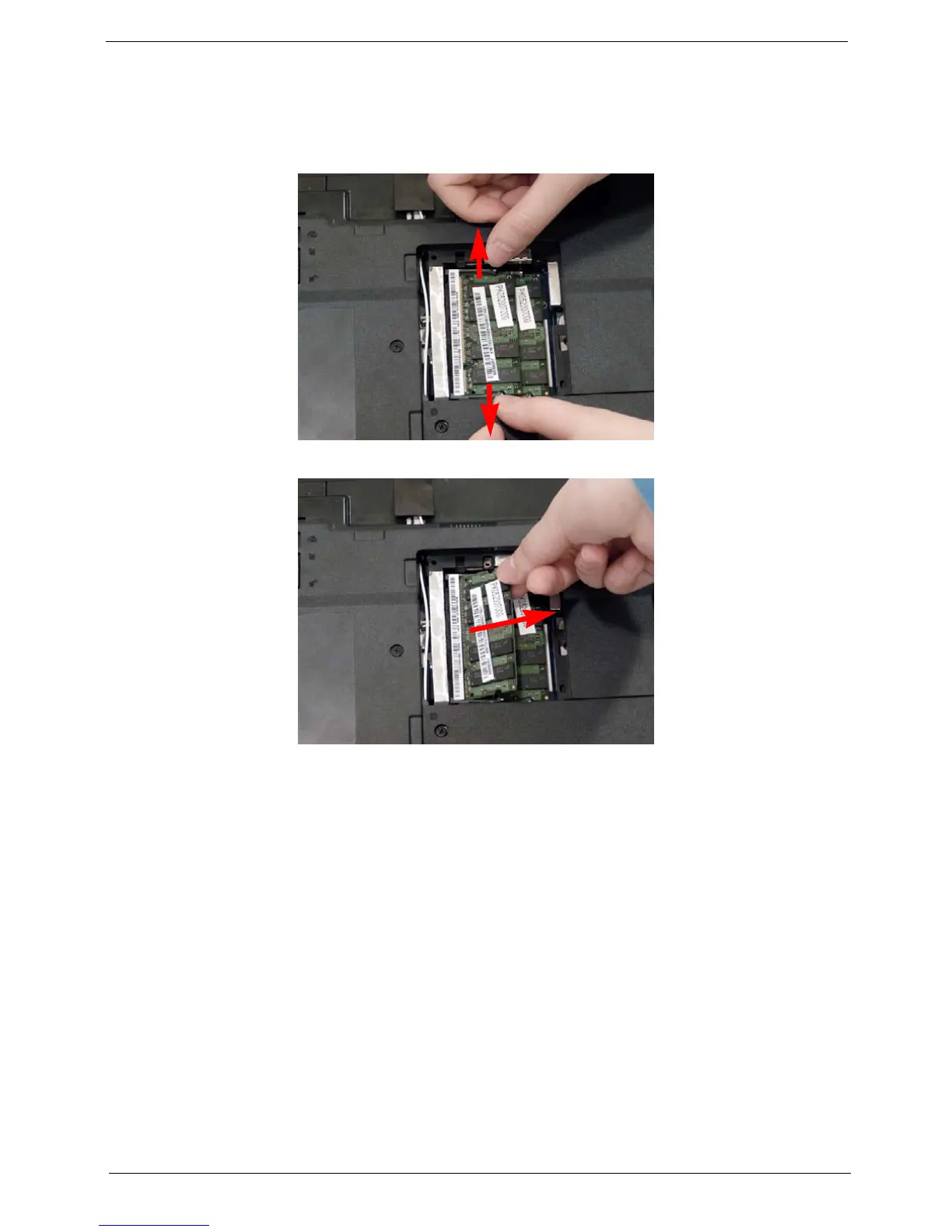
3. Push out the release latches on both sides of the DIMM socket to release the DIMM module.
4. Remove the DIMM module.
5. Repeat steps for the second DIMM module if present.












 To Next Page