Chapter 3 99
Removing the Camera Module
1. See “Removing the Battery Pack” on page 46.
2. See “Removing the Lower Covers” on page 49.
3. See “Removing the WLAN Module” on page 52.
4. See “Removing the Keyboard” on page 63.
5. See “Removing the LCD Module” on page 66.
6. See “Removing the LCD Bezel” on page 96.
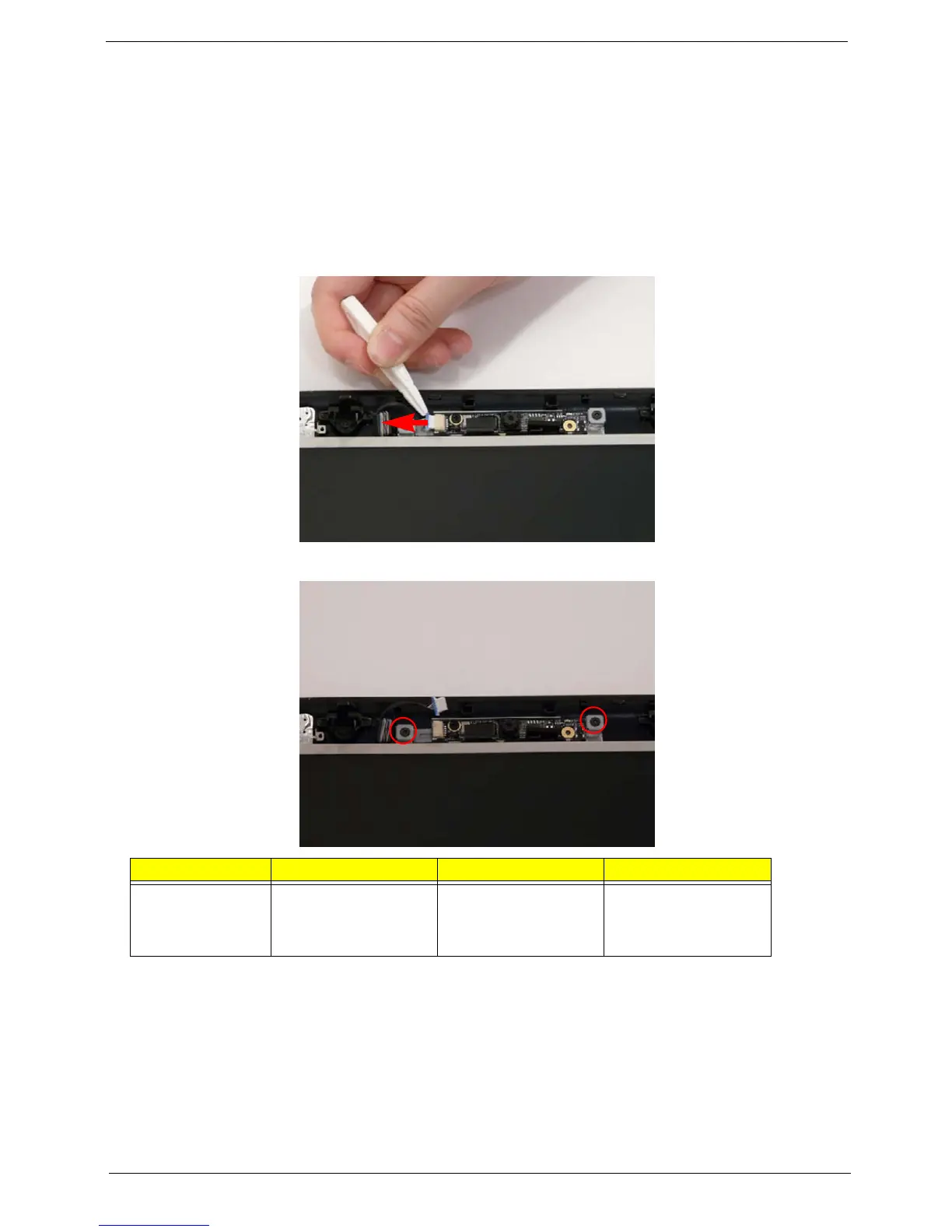
7. Disconnect the Camera Module cable as shown.
8. Remove the two securing screws from the Camera Module bracket.
Step Size Quantity Screw Type
Camera Module
bracket
M2*3 (NL) 2












 To Next Page