88 Chapter 3
Removing the Main Board
1. See “Removing the Battery Pack” on page 46.
2. See “Removing the Keyboard” on page 63.
3. See “Removing the LCD Module” on page 66.
4. See “Removing the Upper Cover” on page 68.
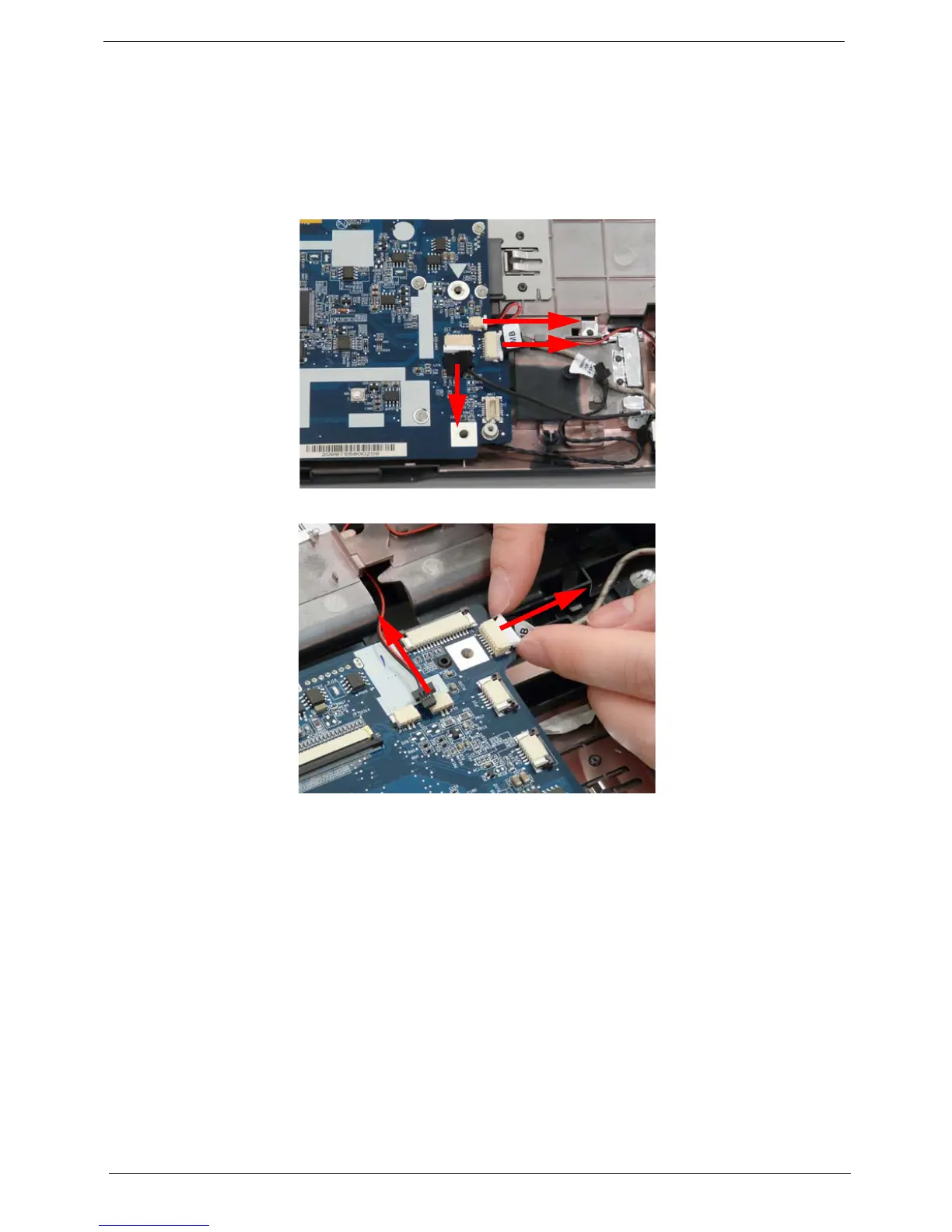
5. Disconnect the three cables from the bottom right of the mainboard as shown.
6. Disconnect the two cables from the top right of the mainboard as shown.












 To Next Page