76 Chapter 3
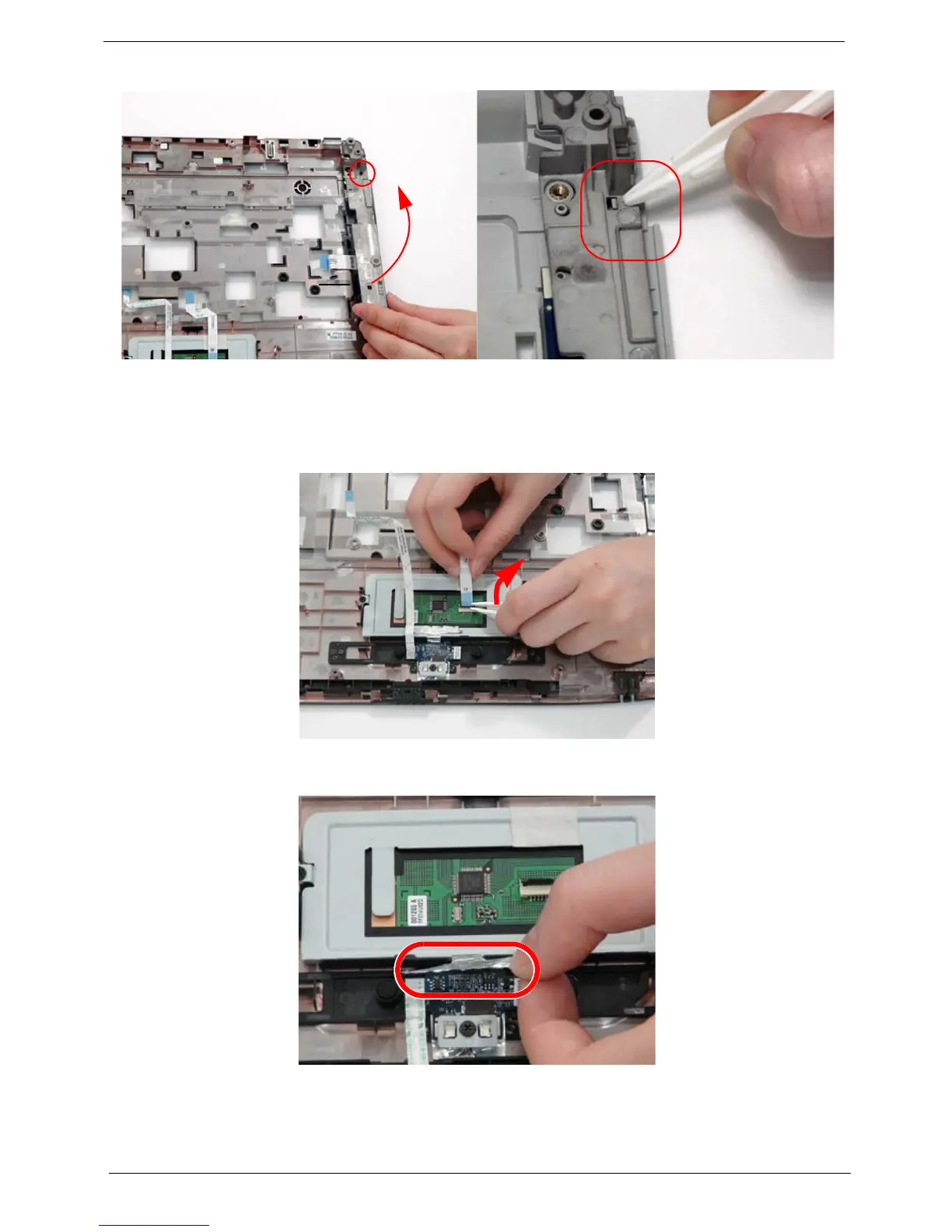
5. Firmly lift and rotate the saddle counter-clockwise to remove, paying attention to the securing clip.
Removing the TouchPad Bracket
1. See “Removing the Upper Cover” on page 68.
2. Disconnect the TouchPad FFC from the TouchPad board.
3. Move the Finger Print Reader FFC cable out of the way to prevent damage, and pull back the securing foil on
the bracket.












 To Next Page