102 Chapter 3
Removing the LCD Brackets and FPC Cable
1. See “Removing the Battery Pack” on page 46.
2. See “Removing the Lower Covers” on page 49.
3. See “Removing the WLAN Module” on page 52.
4. See “Removing the Keyboard” on page 63.
5. See “Removing the LCD Panel” on page 101.
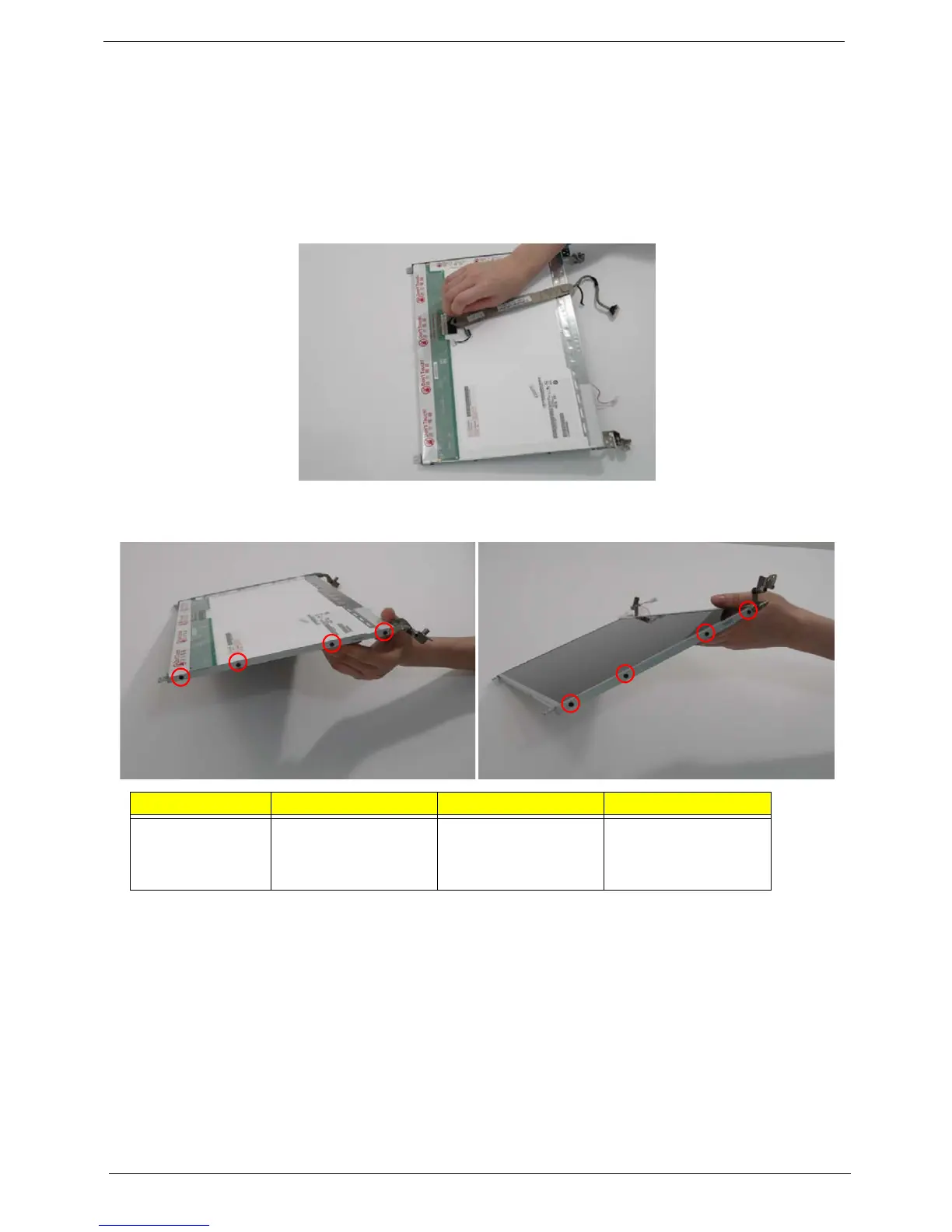
6. Turn the LCD panel over to expose the rear. Disconnect the cable from the LCD Panel using the tab provided.
7. Grip the FPC cable and lift upward to detach the adhesive pads.
8. Remove the eight securing screws (four on each side) from the LCD Panel brackets.
9. Remove the LCD brackets by pulling away from the LCD Panel.
Step Size Quantity Screw Type
LCD Brackets M2*3 NL 8












 To Next Page