74 Chapter 3
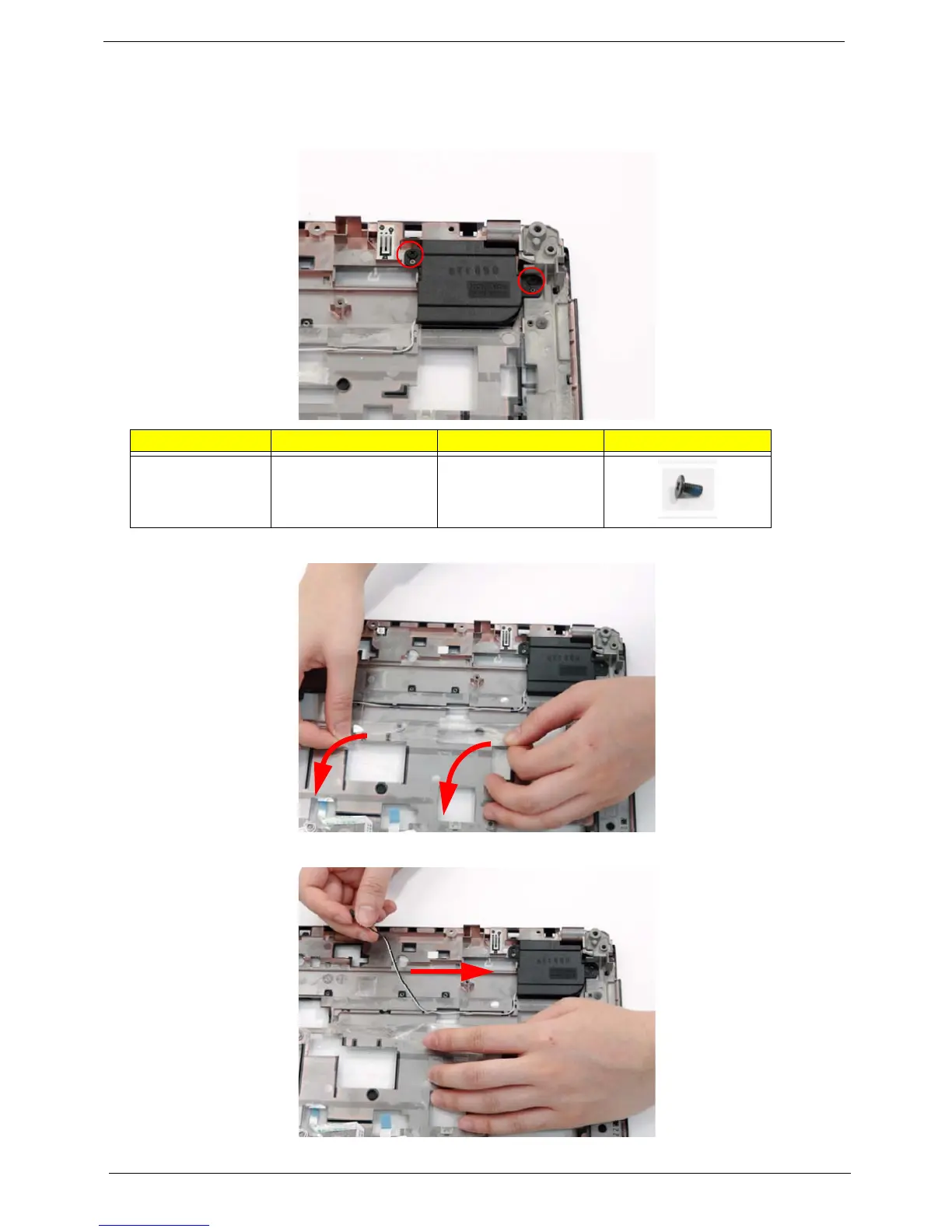
Removing the Left Speaker Module
1. See “Removing the Upper Cover” on page 68.
2. Remove the two securing screws from the left speaker.
3. Grasp both ends of the mylar cover and carefully pull back to expose the speaker cable.
4. While holding the cover with one hand, pull back the speaker cable to remove it from the housing well.
Step Size Quantity Screw Type
Left Speaker
Module
M2.5*4 (NL) 2












 To Next Page