72 Chapter 3
Removing the Finger Print Reader
1. See “Removing the Upper Cover” on page 68.
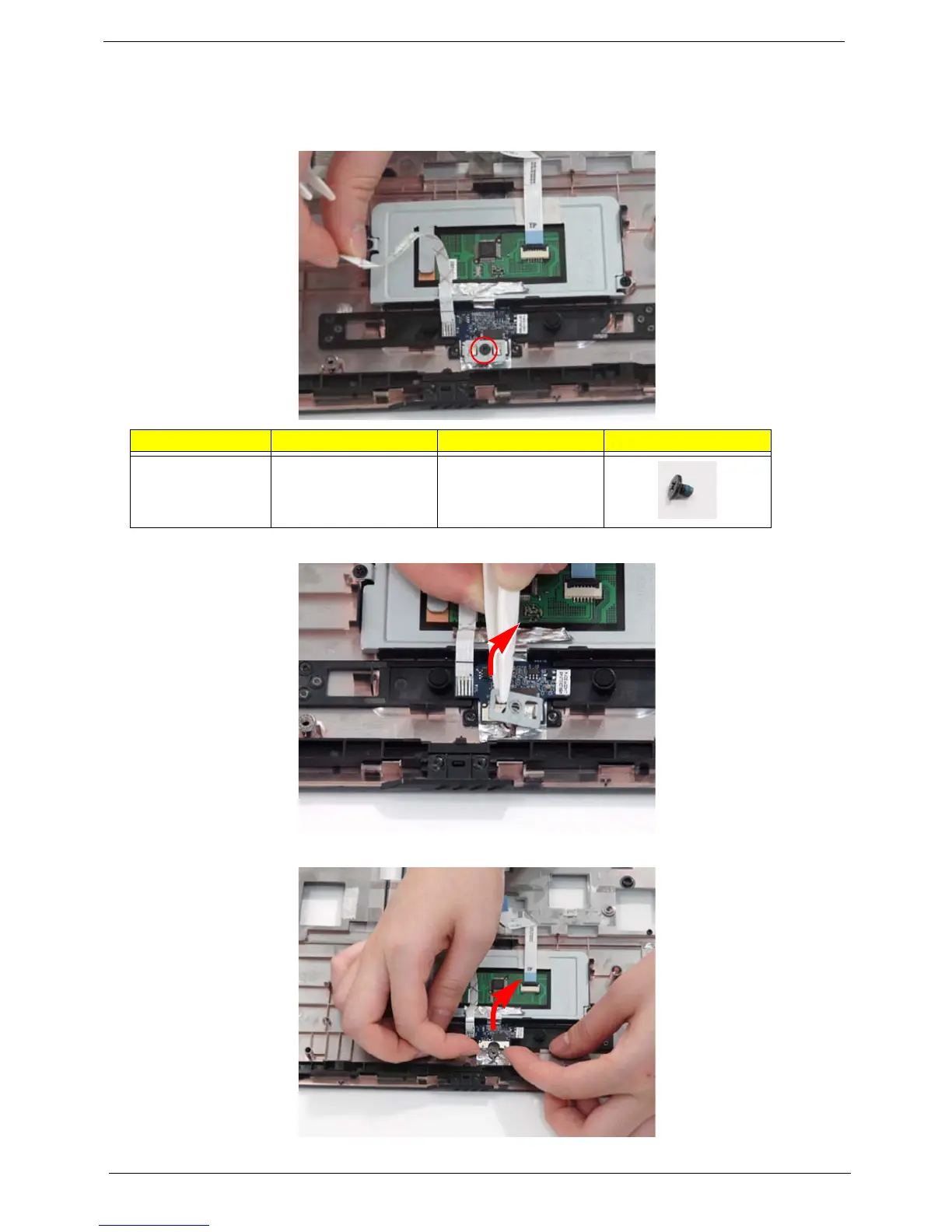
2. Remove the securing screw from the Finger Print Reader board, and ensure the FFC is free of the upper cover.
3. Remove the board bracket from the Upper Cover.
4. Using your fingers, gently lift the Finger Print Reader board from the Upper Cover.
Step Size Quantity Screw Type
Finger Print
Reader
M2*3 (NL) 1












 To Next Page