Chapter 3 49
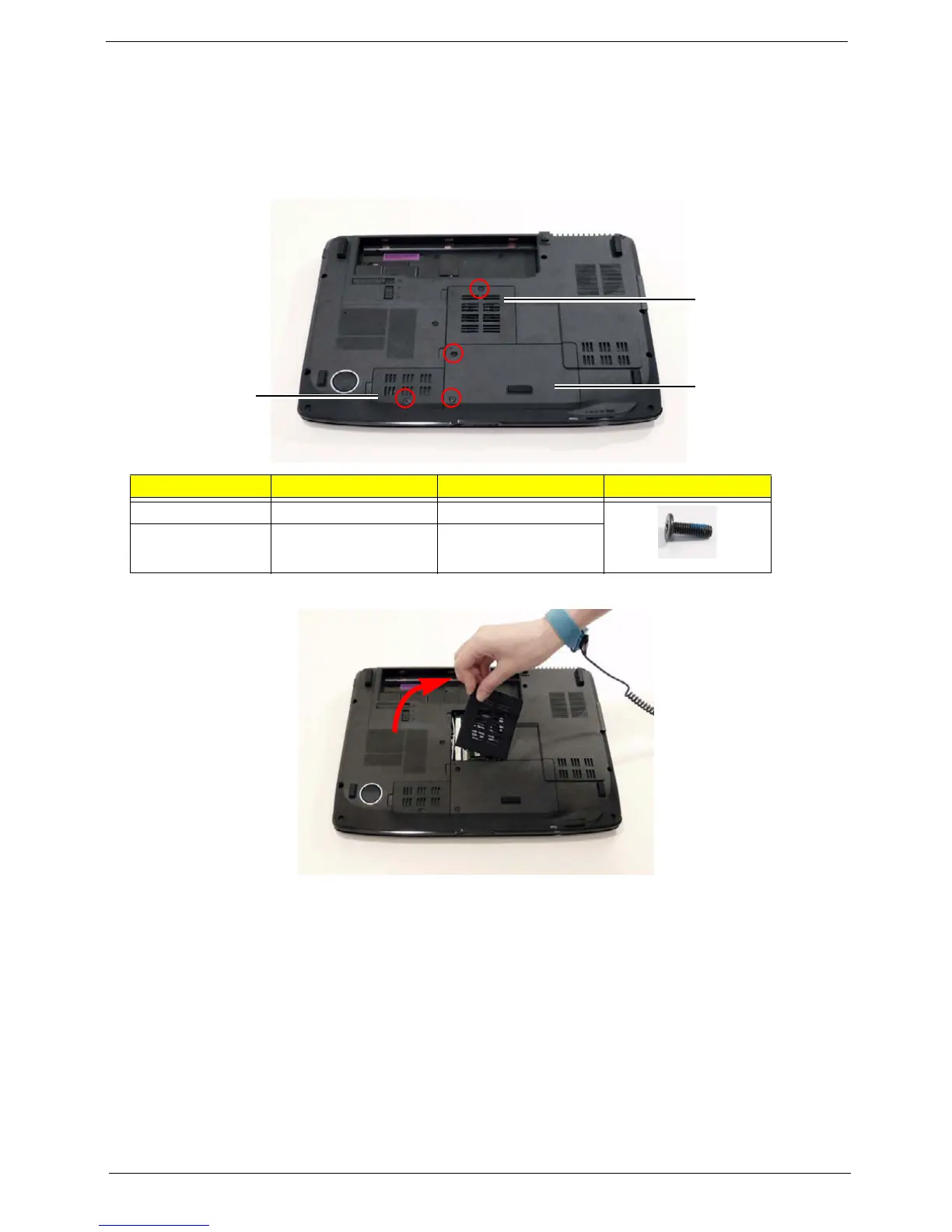
Removing the Lower Covers
1. See “Removing the Battery Pack” on page 46.
2. See “Removing the SD dummy card” on page 47.
3. See “Removing the ExpressCard dummy card” on page 48.
4. Remove the two screws from the Memory and WLAN bays and loosen the two captive HDD bay screws.
5. Carefully open the memory cover.
Step Size Quantity Screw Type
Memory Cover M2.5*8 (NL) 1
WLAN Cover M2.5*8 (NL) 1
HDD
Cover
Memory
Cover
WLAN
Cover












 To Next Page