Chapter 3 113
Replacing the Mainboard
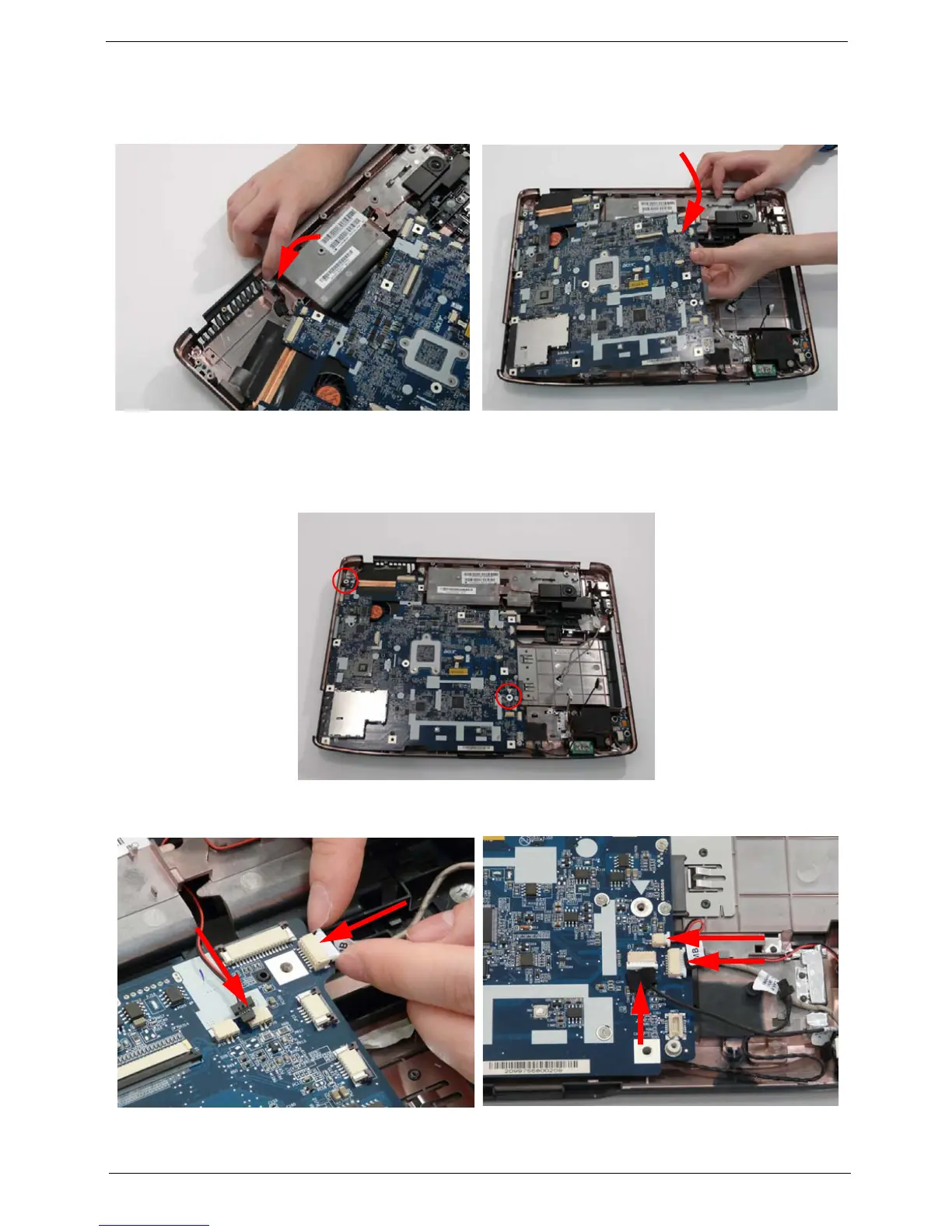
1. Replace the power jack in the Lower Cover. 2. Gently lower the mainboard, leftside first, on the
lower base. Ensure the screw sockets are aligned.
3. Ensure that the Mainboard is face up (the Heatsink and CPU are not visible). Place the Mainboard in the
chassis, rear edge first, and press down to install. Replace the two securing screws as shown.
NOTE: Make sure the I/O ports are positioned correctly through the lower cover, and the screw sockets are
visible through the mainboard.
4. Connect the two cables on the top right of the
mainboard as shown.
5. Connect the three cables from the bottom right of
the mainboard as shown.












 To Next Page