110 Chapter 3
Main Module Reassembly Procedure
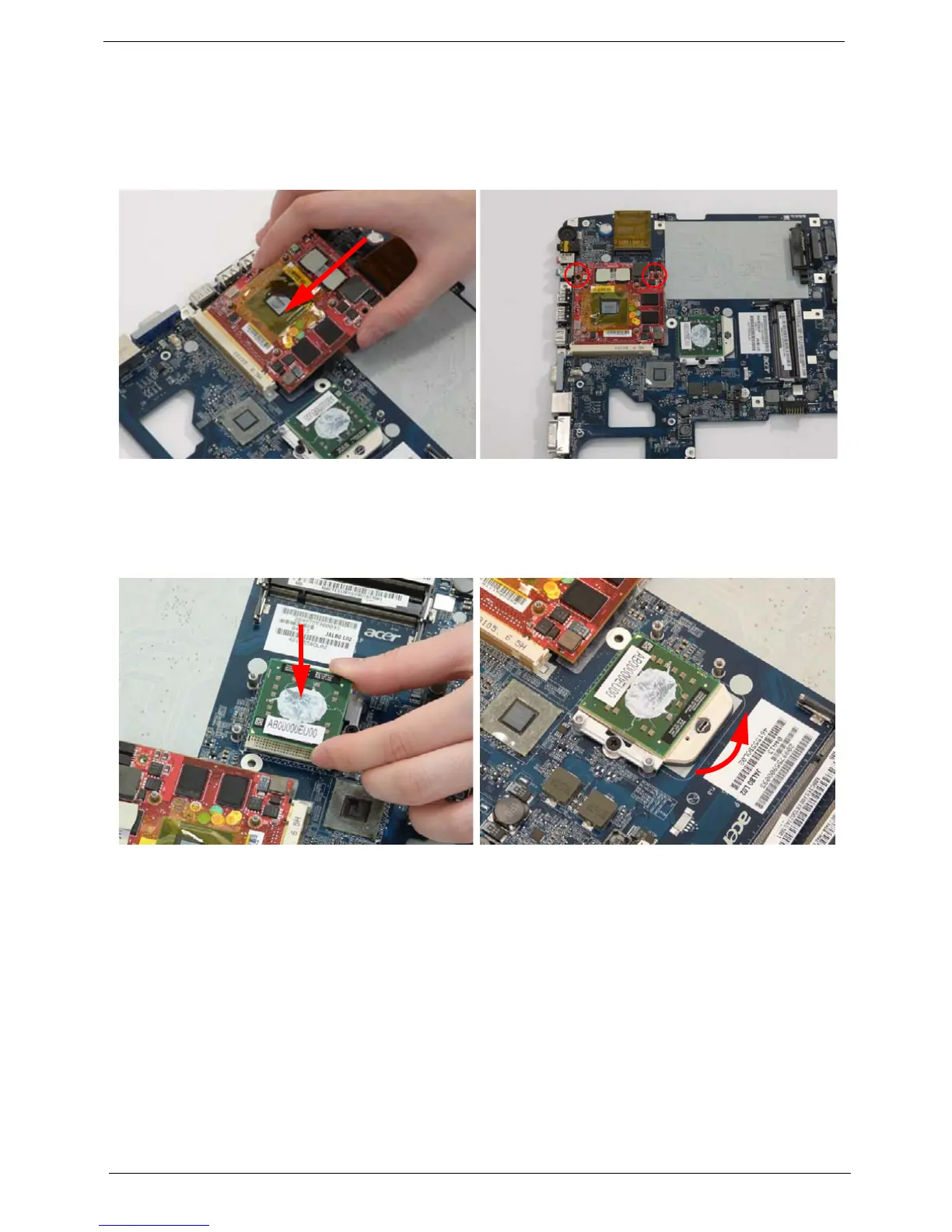
Replacing the VGA Module
Replacing the CPU
1. Insert the VGA Module as shown. 2. Replace the two securing screws on the VGA
Module.
1. Carefully turn the mainboard upside down (CPU
side up), and insert the CPU into the CPU bracket
as shown.
2. Using a flat-tipped screw driver, lock the CPU in
the socket as shown.












 To Next Page