130 Chapter 3
Replacing the Keyboard
Replacing the Switch Cover
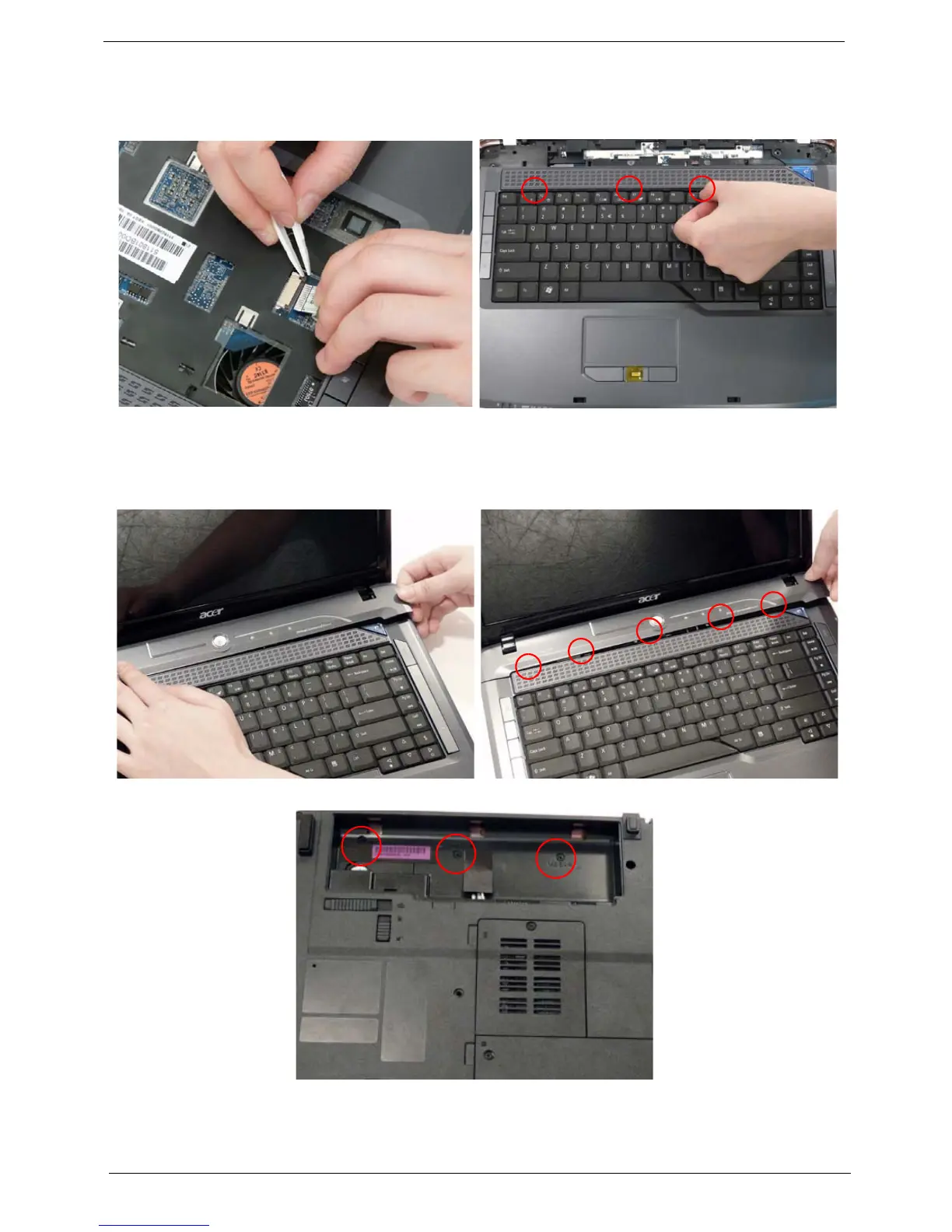
1. Align the FFC with the connector and press the
latch down to secure.
2. Turn the keyboard over and press down to secure.
1. Insert the left side of the switch cover and angle
down in place.
2. Starting from the left, press down on the Switch
Cover to secure.
3. Turn the computer over and replace the three securing screws.












 To Next Page