58 Chapter 3
Removing the Optical Drive Module
1. Remove the Battery Pack. See “Removing the Battery Pack” on page 46.
2. Remove the Memory cover. See “Removing the Lower Covers” on page 49.
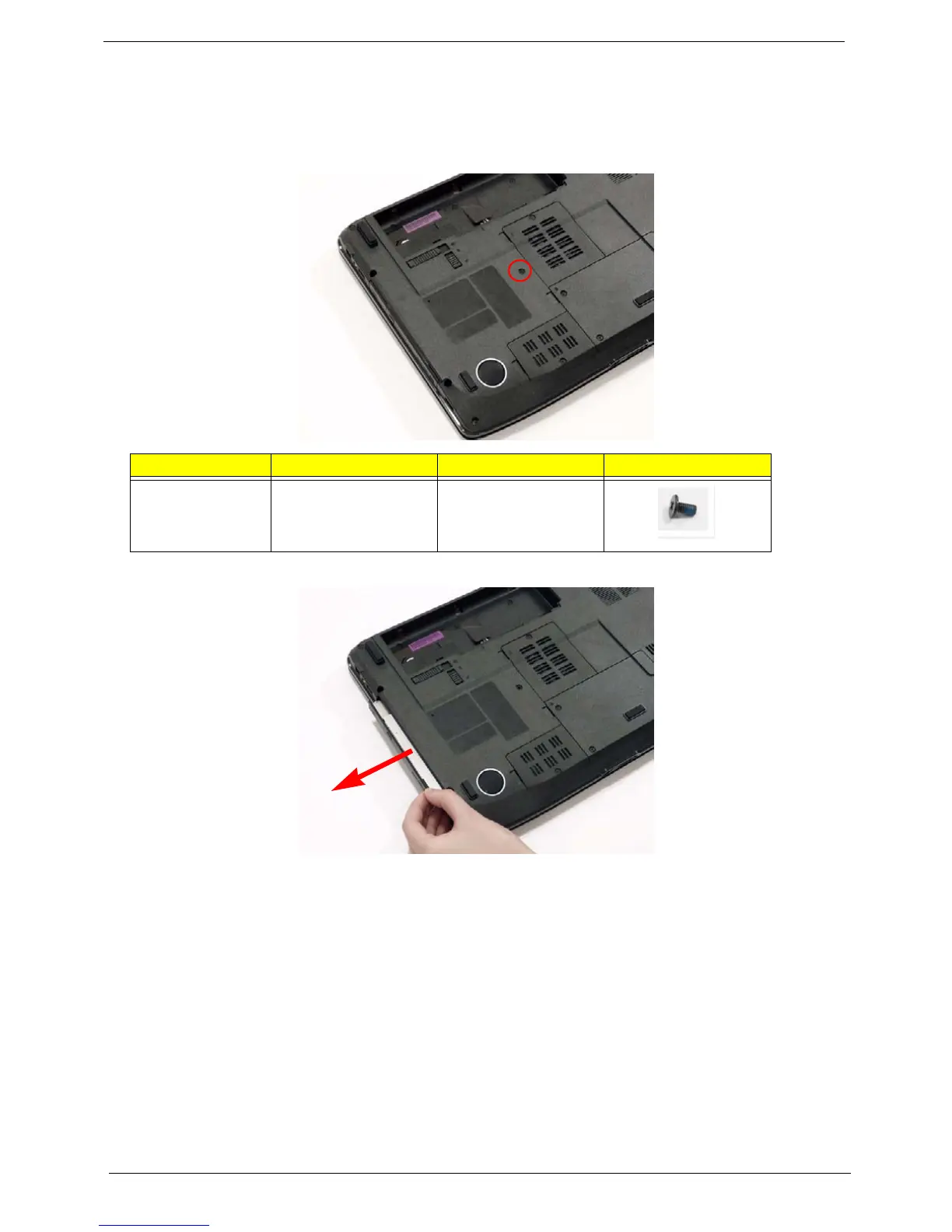
3. Remove the screw securing the ODD module.
4. Grasp the front panel of the ODD and pull to remove from the main unit.
Step Size Quantity Screw Type
ODD Module M2.5*6(NL) 1












 To Next Page