Chap. IV - Record Analyzer
Scope_manual_en-v110.docx — 81 —
1 - .. Setup of number of arrays on the oscilloscope raster (range 1 to 16) for the record jump shift
when pressing the button Pos.3 or 6.
2 - .............. Back to the record start.
3 - .............. Back in jumps (transition in the record depends on the setup according to Pos. 1).
4 - .............. Back continuously (speed of the record shift depends on the setup according to Pos. 8).
5 - .............. Forward continuously (speed of the record shift depends on the setup according to Pos. 8).
6 - .............. Forward in jumps (transition in the record depends on the setup according to Pos. 1).
7 - .............. Forward to the record end.
8 - .. Setup of the speed (range 1 to 300) of the continuous playing of the record (pre-set for Pos. 4
and 5).
Note: The range 1 - 300 determines the number of samples by which the signal is shifted approx. every 100
ms (depends on the Zoom and on the PC speed).
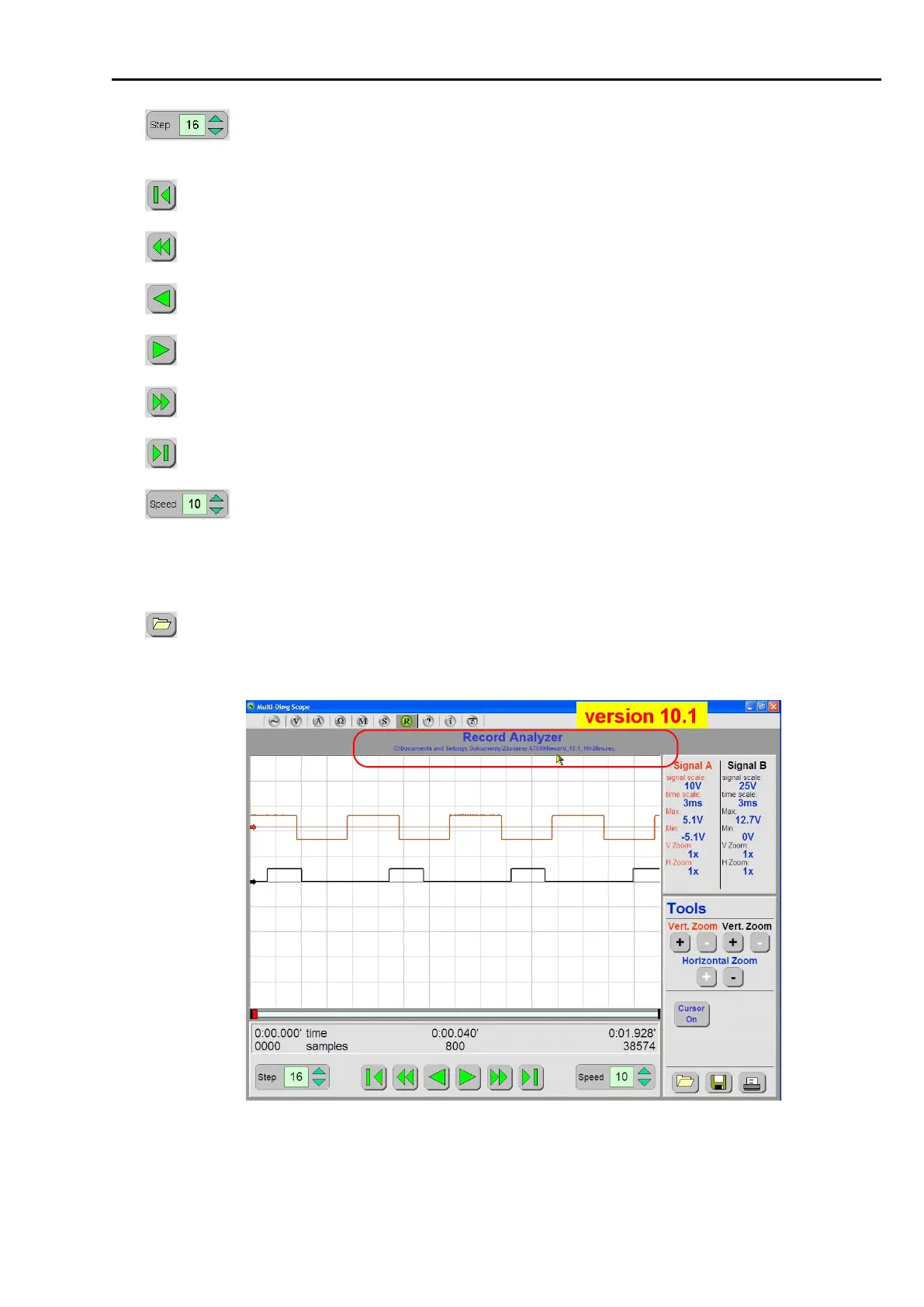
9 - .............. Loading of a stored record (e.g. Record_25-8_13h25m.rec). You can see the date and time of
record storing in the file name. Both (together with the file path) are shown on the screen for
a better overview (starting from version sw 10.1) - see Fig. 185.
Fig. 185 – Name and location of an opened file loaded from an archive are shown on the screen (the screen shot is
taken from version 10.1 – only for illustration)



 To Next Page