mbar.l/
s
LEAK
RAE
COR
Pa.m
3
/s
Torr.l/
s
10
-12
10
-11
10
-10
10
-9
10
-8
10
-7
10
-6
10
-5
10
-4
10
-3
10
-2
SDBY
EVAC
ES
SET
POINTS
SPECTRO
MAINTENANCE
OTHER
AUTO CAL
SNIFFER
ZERO
CYCLE
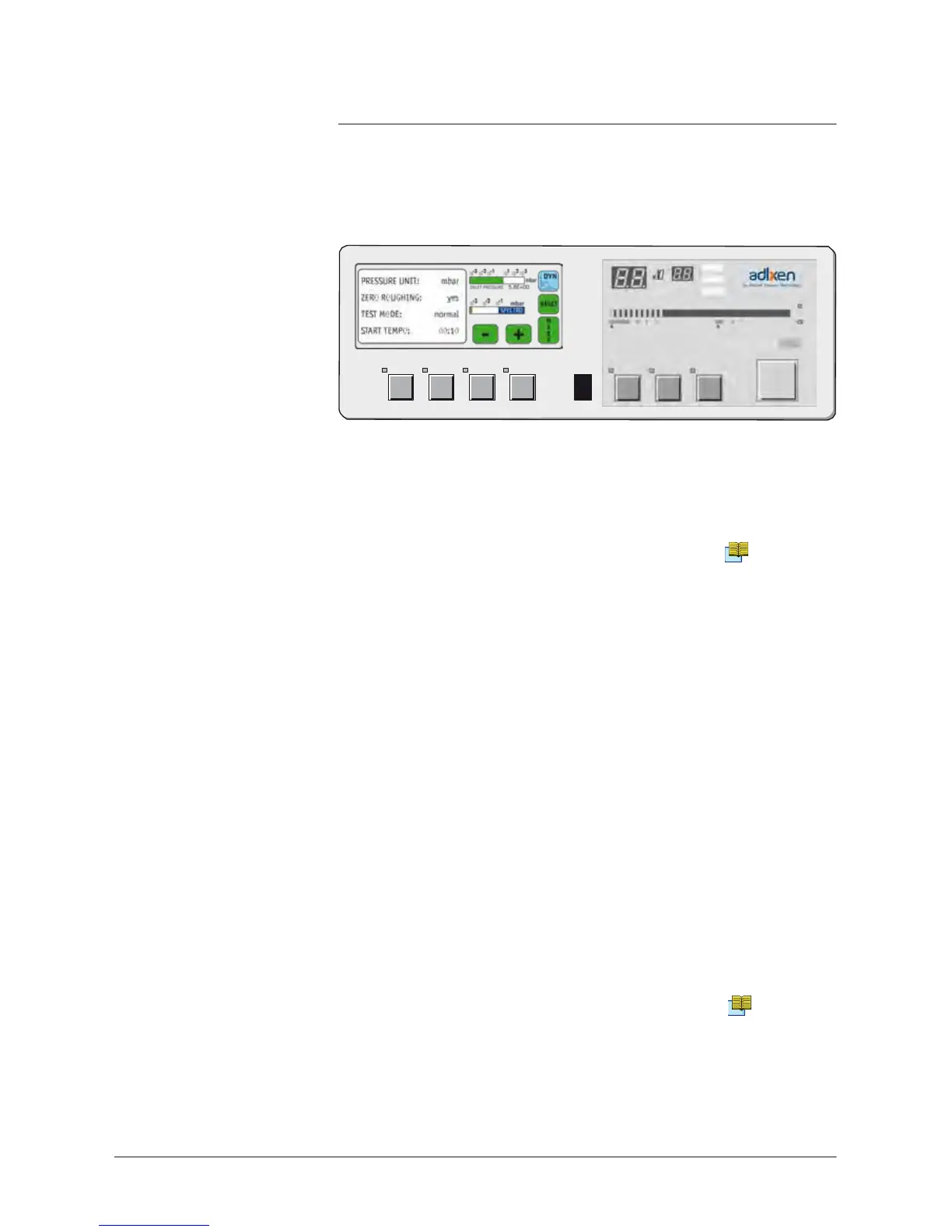
The
control panel with graphic interface is equipped with a color
touch. In addition to standard panel function, it
shows
different
graphics. This display is offered as an option or as an accessory.
A 600/700
Graphic
inter
face
purpose
To
display,
measure
and record the leak leak
detector
Helium signal
as well as the inlet pressure.
Leak detector
software
version
It
requires
a leak
detector
software version ≥ V3.0r01(≥ V1.0r06 for
ASI 22).
Refer
to “At the leak
detector
starting up” paragraph.
Automatic
standby
screen
If no action is
registered
through the color touch
screen
for a period of
1 hour, a
standby-screen
(black
screen)
appears automatically.
Any
press
on any key will reactivate the display
.
Use caution
•
Use
a pen, a finger or any other object with a rounded shape on
the touch
screen.
Don’t
use
a pointed object
(screwdriver
for example).
•
Storage
temperature
and humidity level.
A 800/801



 To Next Page