Description of
access keys
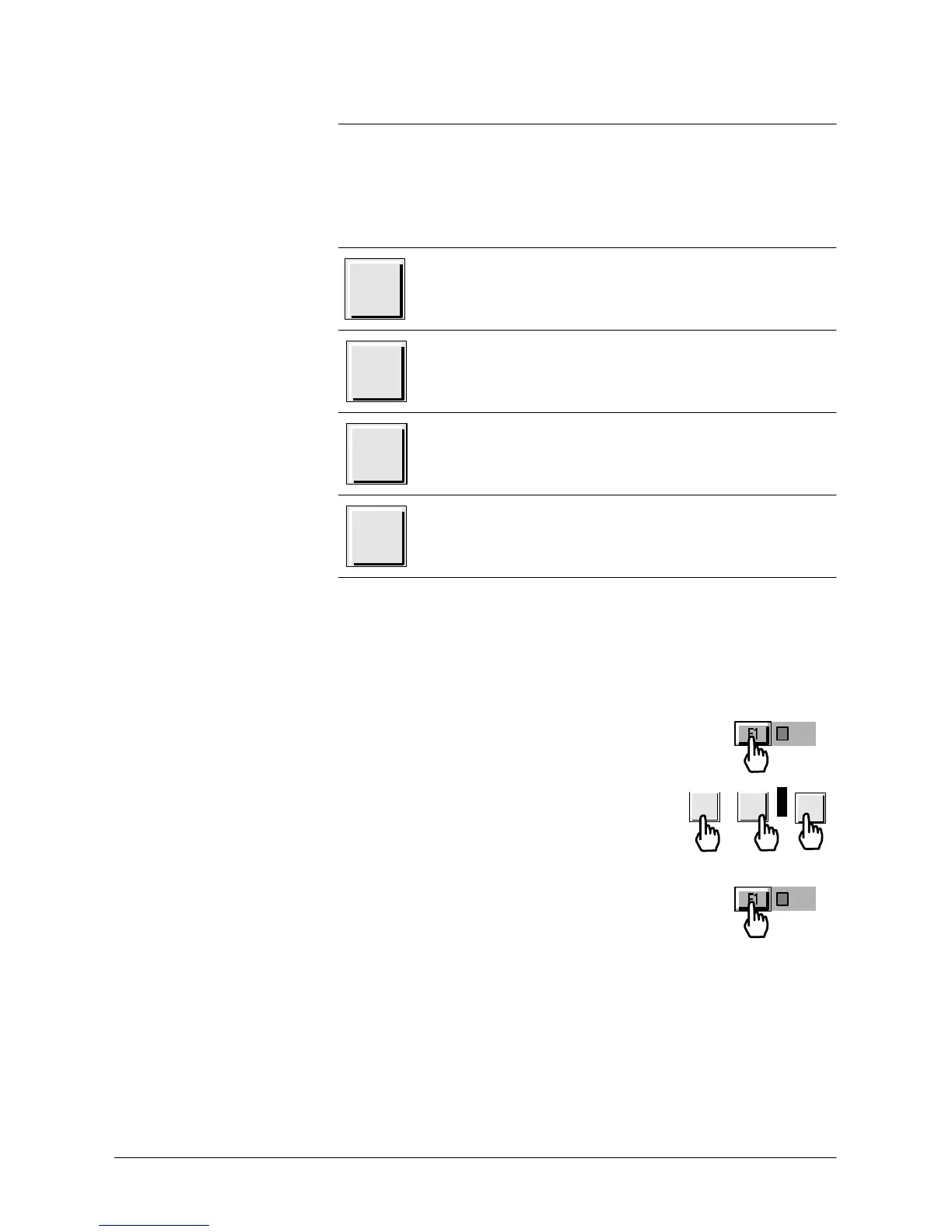
NEXT
Next menu or next step of
a function,
Next
PARAMETER
DIGI
T
,
WARNING/ERROR
message
display on the LCD
when an error is
detected.
RESET
Resets original
parameter
value (before
a new
parameter
value is validated) and deactivates
the
parameter key
.
YES, or
ON,
or OPEN, or active, or
increase value,
+
or
increase
audio volume, or select more sensitive test
mode.
NO,
or OFF, or CLOSE, or
deactive,
or
decrease
-
value, or
decrease
audio volume, or select less
sensitive test
mode.
Values
adjustment
with the control
panel
Procedure
In many menus, some values can be adjusted (reject point,
password,
timer,
...).
Please follow the
procedure described
below
.
Press function key of the desired line (where
the
value needs to be
adjusted).
For each
parameter,
use modification keys in
order to adjust the value and go to the
next
parameter
.
Repeat the same
operation
as
needed.
After the last modified
parameter,
press
again the
function key to validate the
changes.
-
or
+
NEXT



 To Next Page