Restart
and
check
proper operation
of
the analyzer
cell
g
Connect
again the 2 plugs to the analyzer cell.
g
Start the leak detector.
g
Initial filament start and auto-calibration may fail due to exposure
of the inside of the analyzer cell to
atmospheric pressure
during the
maintenance
process.
Let
the
detector
run for a few
minutes
to obtain proper vacuum
inside the analyzer cell.
If the filament did not light,
reset
it and run an auto-calibration.
g
Check the lightness.
g
The filament
that is
active
when the leak
detector
is
stopped
is always
the one
used
when the leak
detector
is restarted.
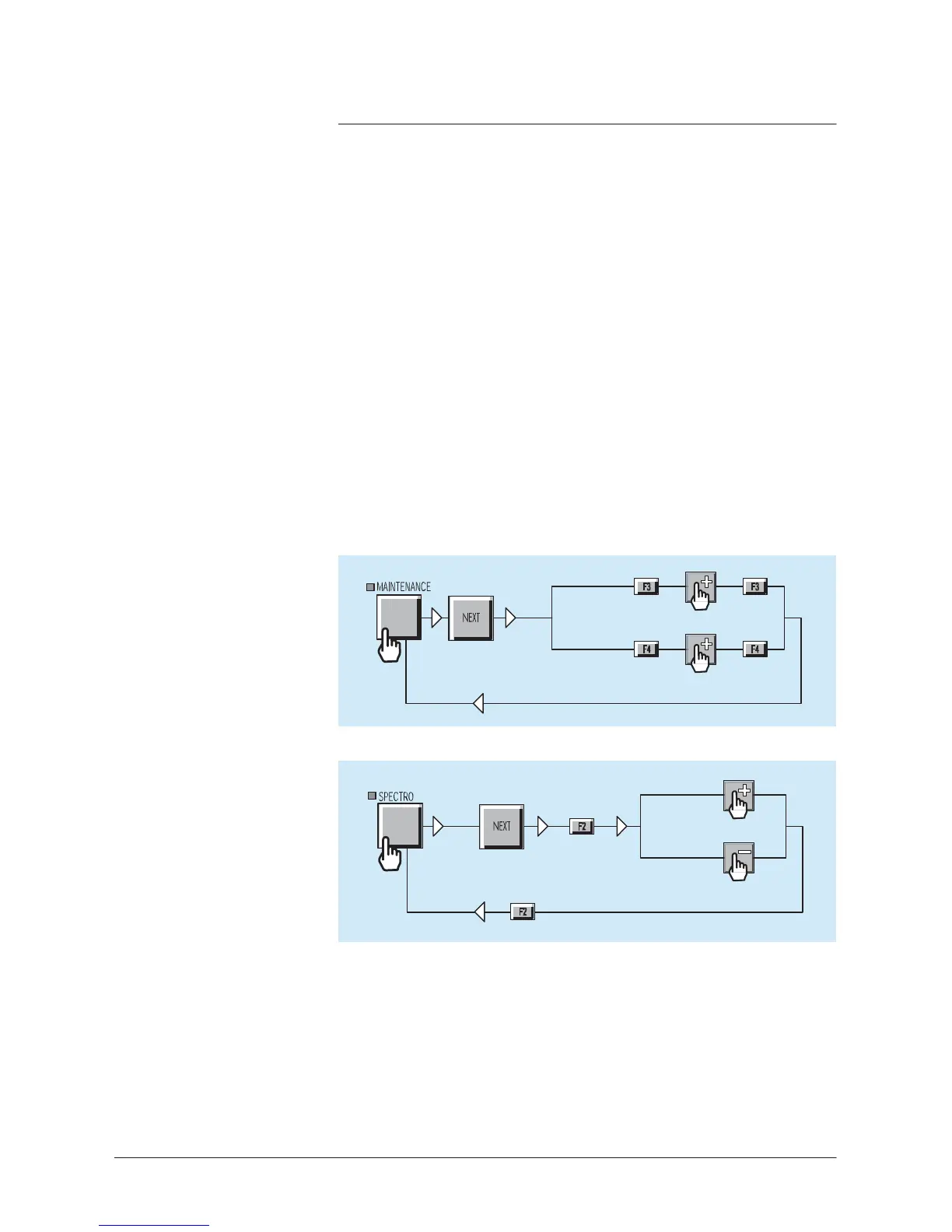
Reset
the filament
information timer
After the basic
maintenance
of the analyzer cell,
reset
the filament
information (timers).
Filament
#1
Filament
#2
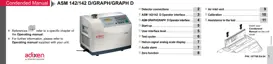
Switch
on/of
f
the filament
2x
Filament
ON
Filament
OFF
Verification of the
electrical
zero
g
Switch off the filament
g
Check if the He signal is on «0» (3 or 4 leds lighted).
If
it’
s
not the case, start an auto-calibration.
In case of failure, contact the
Customer’s
Service.
7
/8



 To Next Page